MLS Photo Size & Requirements: The 2026 Spec Guide
By the Plotpane Editorial Team · Published June 6, 2026 · Specs verified June 2026
Get the MLS photo size wrong and your listing looks soft on a buyer's phone, gets auto-compressed into mush, or bounces back at upload. Get it right once and the same export sails through your MLS, Zillow, Realtor.com, and Redfin. The short answer: upload landscape JPEGs at a minimum of 1024 × 768 pixels, aim for 2048 × 1536 or larger, stay under your MLS's file-size cap (usually 5–15 MB), and work in the sRGB color space.
The catch is that no two MLSs publish identical numbers, and the MLS photo requirements that actually matter aren't always the ones agents assume. This guide gives you the common 2026 baseline for real estate listing photo size as a clean reference table, the real Zillow photo requirements and portal specs, and verified examples pulled straight from MLS help docs — plus the one rule that quietly governs all of them.
Quick Summary: Most MLSs require at least 1024 × 768 px and recommend 2048 × 1536 px or larger, in landscape JPEG (sRGB), with each file typically 5–15 MB and an unbranded exterior as photo #1. Limits vary — CRMLS allows 75 photos at up to 15 MB, while SmartMLS allows 40 photos at up to 40 MB — so always confirm your own board's spec.
MLS photo size at a glance (2026)
| Spec | Typical MLS requirement (2026) |
|---|---|
| Minimum resolution | 1024 × 768 px (legacy floor; many boards now 1280 × 960 or 1920 × 1080) |
| Recommended resolution | 2048 × 1536 px, or 3000+ px on the long edge |
| Maximum resolution | Often capped 3000 × 2000 to 4000 × 3000; larger files are auto-downsampled |
| Aspect ratio | 4:3 or 3:2 |
| Orientation | Landscape (horizontal) |
| File format | JPEG (.jpg); some boards also take PNG/TIFF, a few accept HEIC |
| Color space | sRGB |
| Max file size | 5–15 MB typical (full range ~3 MB to 40 MB by board) |
| Photos per listing | 25–50 typical; up to 75 on some boards; a few uncapped |
| First photo | Unbranded front exterior |
| Never include | Logos, watermarks, text, sign or contact info, agent branding |
Treat this as your default MLS listing photo size. Export at 2048–3000 px on the long edge, in landscape sRGB JPEG, under 10 MB, and you clear the requirements of virtually every MLS in North America. The sections below explain why each line matters — and where boards differ.
What the core specs actually mean
Each line in the table above maps to a real upload rule. Here's what those numbers mean for your camera settings, your export, and the image quality buyers see on screen.
Resolution: minimum vs. recommended
1024 × 768 is the legacy floor most MLSs still publish, a number that dates to early-2000s monitors. A growing share of boards have raised the minimum to 1280 × 960 or 1920 × 1080 so photos stay sharp on modern retina and 4K screens.
The practical target is 2048 × 1536, with 3000+ px on the long edge if you want images to hold up when a buyer pinches to zoom. There's no upside to going below the recommended size: a photo only displays as well as the pixels you give it, and you can always downscale, but you can never add detail back. Capture and export at maximum resolution, then size down only if a specific board makes you.
Aspect ratio and orientation
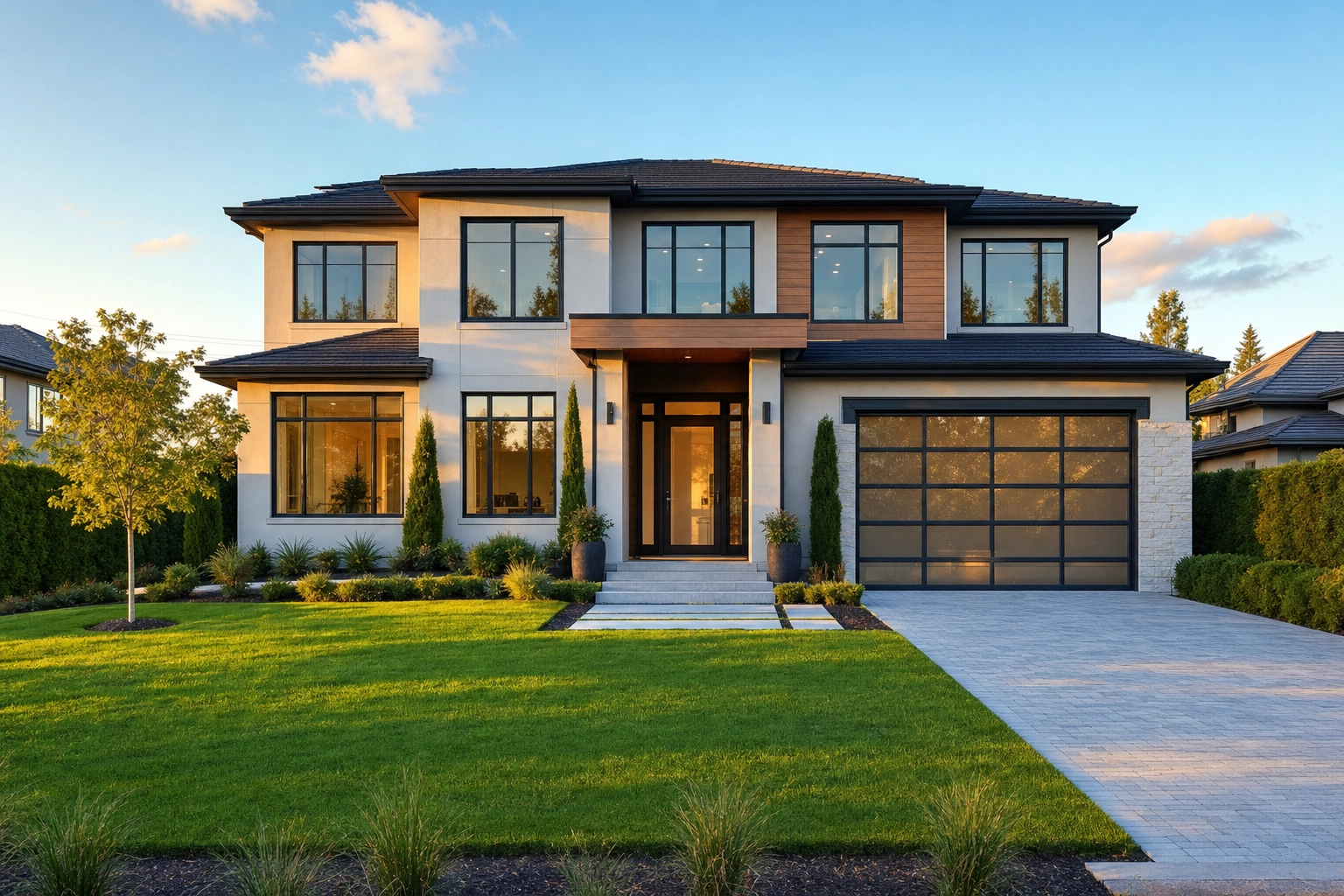
Listing photos are landscape — full stop. MLS galleries, portal carousels, and thumbnail grids are all built for horizontal frames, so a vertical phone shot gets cropped or letterboxed with ugly bars. Both common ratios are fine: 4:3 (most phones and many MLS templates) and 3:2 (the native ratio of DSLR and mirrorless cameras). Shoot wide — a 16–24 mm equivalent — and keep the camera level so verticals stay straight; our Perspective Fix cleans up the keystoning when they don't. The first image in the set should be a clean front exterior, which most boards require and every portal reuses as the click-driving thumbnail — a twilight exterior tends to win it.
File format, color space and file size
JPEG (.jpg) is the universal format every MLS accepts. Some also take PNG or TIFF, and a few platforms — notably Flexmls-powered boards — now accept HEIC straight off an iPhone. Whatever you shoot, deliver JPEG unless your board says otherwise.
Work in the sRGB color space. Cameras set to Adobe RGB or ProPhoto produce wider-gamut files that portals don't color-manage, so they render dull and desaturated online. Convert to sRGB on export and your greens and blues stay true.
For file size, 5–15 MB per photo is the comfortable middle. Compress your JPEG at roughly 80–85% quality and a 2048–3000 px image lands well inside that window with no visible loss in image quality. Files that are too large get rejected or aggressively re-compressed; files that are too small look blurry.
Zillow, Realtor.com and Redfin specs (and why your MLS spec wins)
Here's the part most guides get wrong. Only your MLS and Zillow are true upload destinations. Realtor.com and Redfin are MLS-fed — they ingest your MLS feed and display whatever's in it. You can't log into Realtor.com and swap a photo; you fix the record in your MLS and the portal re-syncs, usually within 24–48 hours. That makes your MLS photo size the governing floor for every portal: get the MLS export right and the rest takes care of itself.
| Destination | Agent uploads directly? | Minimum | Recommended / display | Max file | Photo cap |
|---|---|---|---|---|---|
| Your MLS | Yes — the source of truth | 1024 × 768 | 2048 × 1536+ | 5–15 MB (varies) | 25–75 (varies) |
| Zillow | Yes (owner/FSBO) | 330 × 220 | 1536 × 1152 | < 50 MB (aim ~10 MB) | No hard cap |
| Realtor.com | No — MLS-fed | 640 × 480 | 1024 × 768+ | ~10 MB | ~36 shown |
| Redfin | No — MLS-fed | Inherits MLS | Inherits MLS | — | 20 owner-added |
Sources: Zillow Help Center, Redfin Photos FAQ, and our deep dive on Realtor.com photo requirements.
Three takeaways from the table:
- Zillow accepts images as small as 330 × 220 px for owner uploads and suggests 1536 × 1152, with a 50 MB ceiling — but most for-sale photos arrive via MLS syndication, not a direct upload.
- Realtor.com displays around 36 photos and re-encodes everything to JPEG; a clean 4K source survives that re-compression and stays high-resolution for buyers, while a marginal 1600-px file turns mushy.
- Redfin pulls photos from the MLS for active listings and lets a verified owner add up to 20 supplemental photos.
The workflow implication: never treat the portals as your fix-it layer. Upload your best file to the MLS first.
Real MLS examples: the specs really do vary
To show how wide the range runs, here are numbers straight from official MLS and platform help docs:
| MLS / platform | Min resolution | Max file size | Photos | Notable rule |
|---|---|---|---|---|
| CRMLS (Flexmls) | — | 15 MB or 3000 × 2000 px | 75 | Accepts JPG, PNG, GIF, TIFF, BMP, HEIC |
| SmartMLS (connectMLS) | resizes tiny files | 40 MB | 40 | Auto-converts non-JPEG to JPEG |
| Bright MLS | 1024 × 768 | per Bright rules | — | Unbranded curbside exterior required first |
| Richmond / CVRMLS | ~1024 × 768 | — | — | Asks for 4:3 ratio, "DPI under 90" |
Sources: CRMLS / Flexmls, SmartMLS connectMLS, Bright MLS, and the Richmond Association of REALTORS.
Notice the spread. CRMLS — the largest U.S. MLS — caps individual files at 15 MB or 3000 × 2000 px and allows 75 photos, while SmartMLS in Connecticut tolerates files up to 40 MB but only 40 photos. Older Paragon-based systems quietly scale anything above 1280 × 960 back down. The only way to be certain is to open your own board's help article — search "[your MLS] photo requirements" — before a big shoot.
The "72 DPI" myth, debunked
You'll see "save at 72 DPI" in nearly every listing-photo checklist. For online display, DPI is meaningless. Dots per inch only describes how a printer spaces ink on paper; it has no effect on a screen. A 2048 × 1536 image looks pixel-for-pixel identical whether its metadata says 72 DPI or 300 DPI — the only thing that governs on-screen sharpness is the pixel dimensions.
A handful of MLS upload forms still ask for "DPI under 90," which does nothing harmful, so set it if prompted and move on. The one place DPI genuinely matters is print: if you're producing a flyer or brochure, export a separate 300-DPI version. For the MLS and every portal, ignore DPI and watch the pixel dimensions.
How to prep listing photos for any MLS (step by step)

Once the shoot is done, this is the export checklist that keeps you compliant on any board:
- Export at maximum resolution, in landscape. Start from the largest file your camera or phone produced — you can shrink it later, but you can't invent detail.
- Convert to JPEG in sRGB. That's the format and color space every MLS and portal renders correctly.
- Set the long edge to 2048–3000 px. This clears every minimum and stays under nearly every maximum.
- Keep each file under the cap. Compress at ~80–85% quality to land in the 5–15 MB range, and check your board's exact limit.
- Strip all branding. Remove logos, watermarks, text overlays, sign info, and contact details — MLSs reject them.
- Lead with a clean front exterior. Photo #1 is your thumbnail and is mandatory on most boards.
- Disclose any virtual staging or material edits in your MLS remarks, following your board's rules and NAR guidance on a true picture.
- Upload to your MLS first. Realtor.com, Redfin, and most brokerage sites sync from that record within a day or two.
For the full shoot-to-publish sequence — what to capture, how to cull, and the order to edit in — see our complete listing photo guide.
Staying above every MLS minimum with Plotpane
The simplest way to never under-deliver resolution is to start every export above the highest spec. Plotpane renders every image at around 2400 px on the long edge on every plan, which clears every MLS minimum and the common 2048 × 1536 recommendation. When you want more headroom, an optional high-resolution pass takes the same image to roughly 4700 px for a second credit — enough to satisfy the boards that ask for 3000+ px. If a board caps lower (CRMLS's 3000 px, say), you downscale the master before upload; you're never stuck below a floor.
It also fixes the most common reason agents under-deliver: the source file. Plotpane accepts JPEG, PNG, WebP, and HEIC straight off an iPhone, so a phone-shot walkthrough comes out as a clean, high-resolution, MLS-ready file. Auto Enhance corrects exposure, white balance, color, and clarity in one pass, so a technically compliant photo also reads as professional, high-quality work that holds a buyer's attention.
Two honest guardrails. Plotpane exports carry no visible watermark on any plan — just an invisible XMP disclosure packet, but you still add the virtual staging disclosure line to your MLS remarks — the metadata travels with the file; the remarks are yours to write. And it's strictly a listing-photo pipeline: it enhances, stages, and corrects real property imagery without reinventing the architecture. That focus is why it fits the agents, real estate photographers, and brokerage and team workflows that live and die by MLS upload day.
Frequently Asked Questions
What size should MLS photos be?
Upload landscape JPEGs at a minimum of 1024 × 768 pixels and a recommended 2048 × 1536 px or larger — 3000+ px on the long edge is ideal. Use the sRGB color space and keep each file under your MLS's size cap, which is usually 5–15 MB.
What is the maximum file size for MLS listing photos?
It varies by board. The common range is 5–15 MB per photo, but real limits run from about 3 MB on older systems to 40 MB on SmartMLS. CRMLS caps files at 15 MB or 3000 × 2000 px. Compressing a 2048–3000 px JPEG at 80–85% quality keeps you safely inside almost any limit.
What aspect ratio and orientation do MLS photos need?
Landscape (horizontal) only. Both 4:3 and 3:2 are accepted — 4:3 is common on phones and MLS templates, while 3:2 is native to most DSLR and mirrorless cameras. Portrait and square images get cropped or letterboxed, so always shoot and deliver wide.
How many photos can you upload to an MLS listing?
Most MLSs allow 25–50 photos; some go higher (CRMLS permits 75) and a few are uncapped. Realtor.com displays around 36, and Redfin lets a verified owner add up to 20 supplemental photos on top of the MLS feed. Always check your board for the exact number.
Do MLS photos need to be in sRGB color space?
Yes. sRGB is the standard for web and MLS display. Photos exported in Adobe RGB or ProPhoto RGB look dull and desaturated on portals because those systems don't color-manage wider gamuts. Convert to sRGB before uploading.
Does DPI matter for MLS or Zillow photos?
No. DPI only affects printed output. On a screen, sharpness is set entirely by pixel dimensions — a 2048 × 1536 image is identical at 72 or 300 DPI. Reserve 300 DPI for files you're sending to print, like flyers.
Can I upload iPhone (HEIC) photos to the MLS?
Some boards can — Flexmls-powered MLSs, including CRMLS, accept HEIC directly. To be safe everywhere, convert HEIC to JPEG before uploading. Plotpane takes HEIC/iPhone files as input and exports clean, high-resolution renders ready for any MLS.
Specs change. The figures here were verified against official MLS and portal help docs in June 2026 — always confirm the current numbers in your own MLS's documentation before a major upload.