Airbnb Photo Editing in About Two Minutes | Plotpane
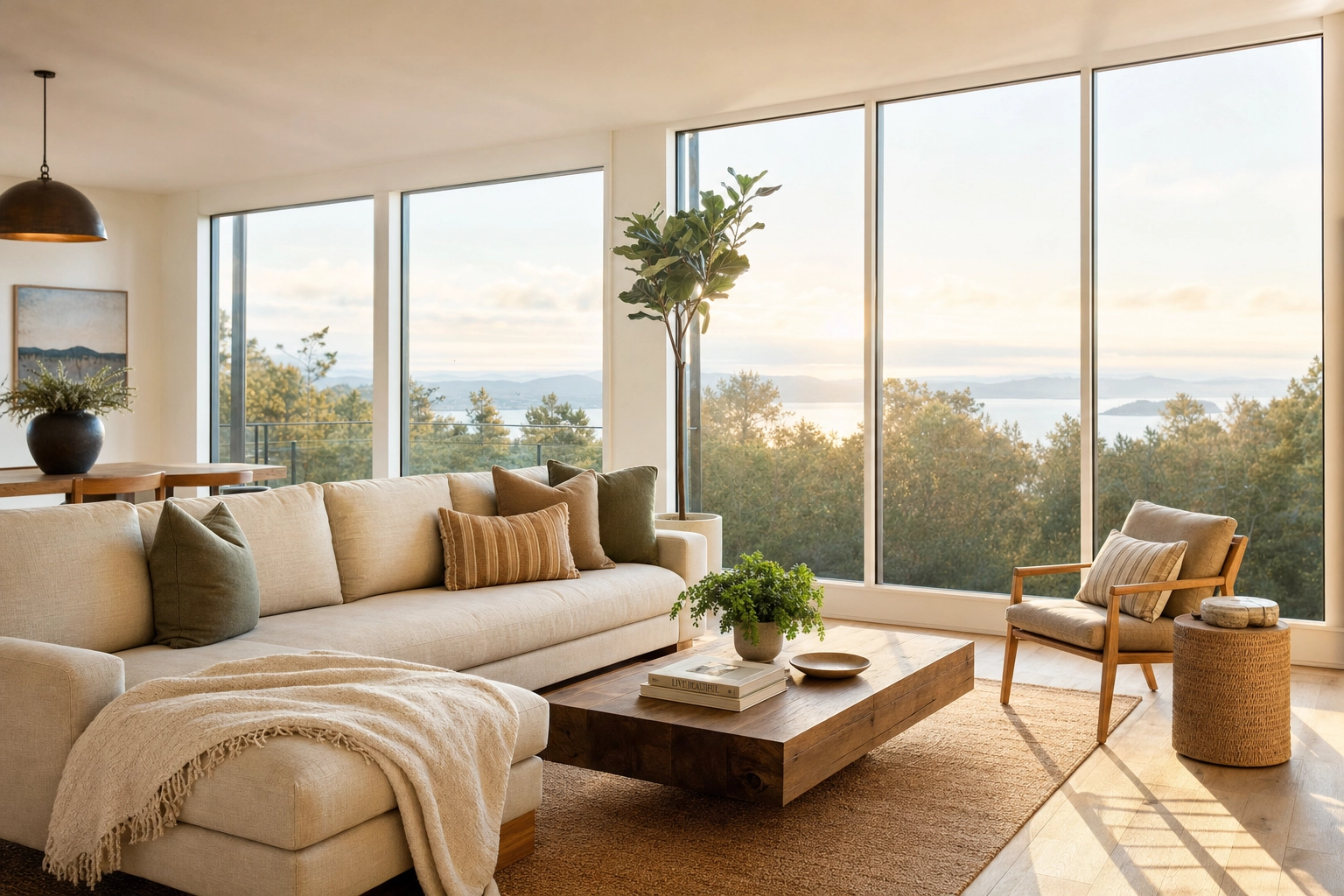
Your phone takes a great photo of dinner. It does not, by default, take a great photo of a room. The lens bends the walls, the lamps turn everything orange, the window blows out to white, and the whole frame lands a stop too dark. Then those shots go straight onto your listing, and guests scroll right past. Airbnb photo editing is how you close that gap — and with Plotpane it takes about two minutes an image, using the iPhone shots you already have.
This page is for hosts and small property managers who shoot their own places and want them bright, consistent, and ready for Airbnb, Vrbo, and Booking.com — without a $300 reshoot, an overnight retoucher, or a weekend lost to Lightroom. (If you're still at the camera stage, start with our Airbnb photography guide; this page is about what to do with the photos once you have them.)
Quick Summary: Plotpane corrects exposure, white balance, perspective, and color on your existing Airbnb photos in about two minutes an image — straight from iPhone or HEIC uploads. Every tool costs the same single credit, batches run one tool across a whole set, and you can refresh shots by season or stage empty rooms (disclosed), all while preserving the real property so your listing stays accurate. Plans start at $49/month, and every new account gets 3 free renders first.
Why your Airbnb photos aren't getting booked
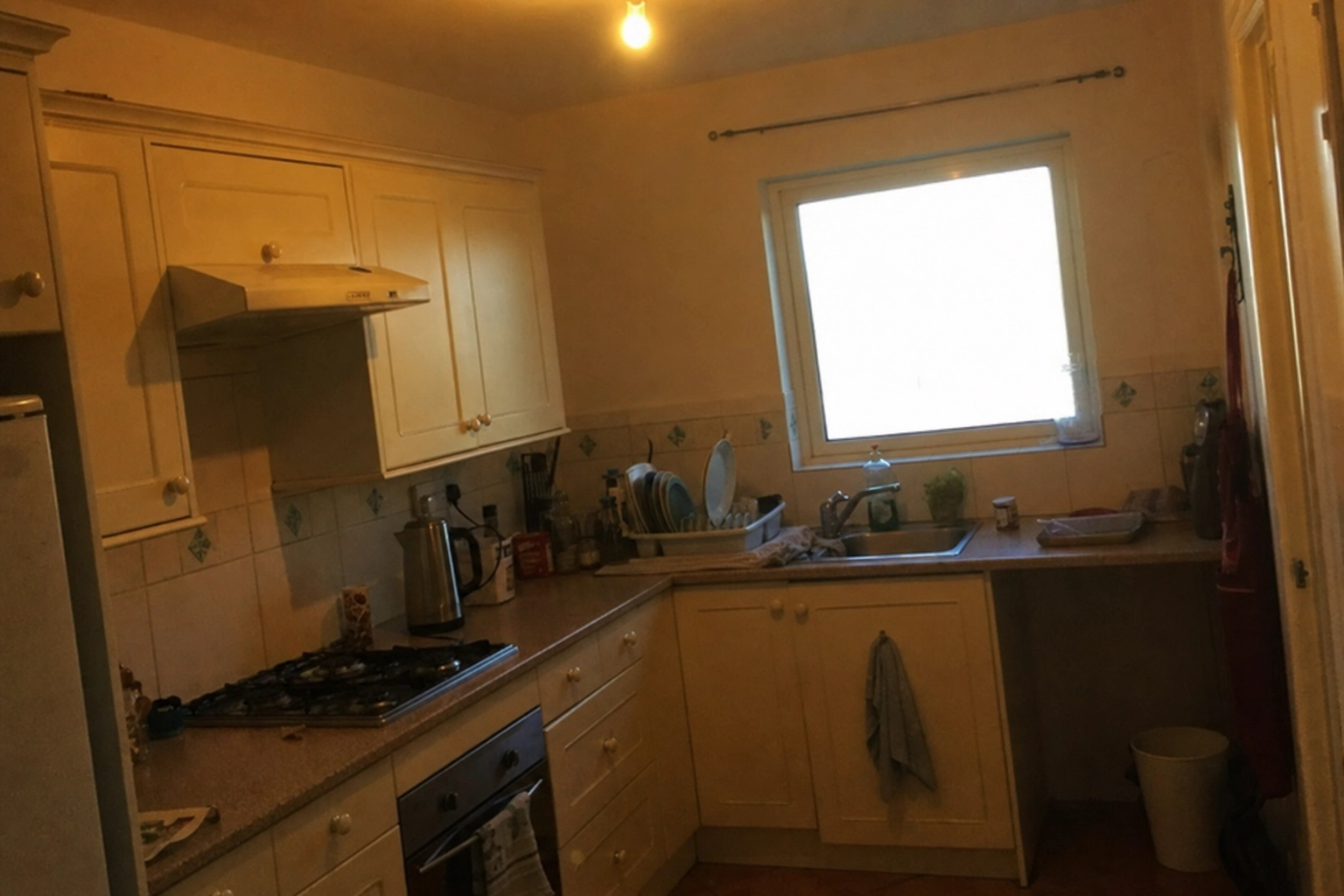
A guest browsing a destination sees a wall of thumbnails and makes a snap judgment on each one. A dim, color-cast snapshot like the kitchen above is the kind of photo people scroll past without registering — and once they scroll past, they don't come back.
The stakes are bigger than they look. Airbnb's own photography program has reported that listings with professional, verified photos get booked 2.5 times more often than those without. Airbnb's published figures also suggest professional-quality images can lift bookings by roughly a quarter and revenue by up to 40%. A peer-reviewed study of Airbnb listings, Image features and demand in the sharing economy, went further and showed it isn't just having photos that matters — specific visual qualities like brightness, composition, and clarity measurably move demand. And a Booking.com study found that around 71% of travelers move on from a listing the moment they hit a blurry image.
There's a trust layer underneath all of it. Hospitality researchers have repeatedly found that travelers read photo quality as a proxy for how well a place is kept — if the pictures look careless, guests quietly assume the cleaning and upkeep are too. So bad photos don't just cost you the click; they shave points off the reviews you do get.
For most hosts, the problem comes down to three recurring headaches:
- Dim phone shots. Interiors are hard. Your eye balances a bright window and a dark corner automatically; a phone camera doesn't, so rooms come out muddy and underexposed.
- An inconsistent look across units. Shoot a studio in March and a cabin in July and the two galleries look like they belong to different businesses.
- Stale, off-season photos. A pool listing photographed in August looks neglected when someone books it in January.
The fix isn't another reshoot. It's editing the shots you already have.
What good Airbnb photo editing actually fixes
If you've searched how to edit Airbnb photos, you've probably found a pile of conflicting apps and tutorials. Strip it back, though, and there are really only a handful of corrections that move the needle on a listing — you don't need five different apps, you need the right fixes applied consistently. Here's the working checklist, and what each one does for the photo.
- Exposure and brightness. Lift the shadows so the whole room reads, and rein in the window so it shows the view instead of a white rectangle. The goal is a bright, even frame that still looks real — not a flat, over-cooked HDR halo.
- White balance. Neutralize the orange tungsten cast from lamps and the blue cast in shadows so white walls read white and wood reads warm. This is the single biggest reason amateur interiors look "off."
- Perspective. Straighten the leaning verticals and bowed baseboards that wide phone lenses introduce. Level lines instantly make a room feel larger and more professional.
- Clutter. Pull the bins, charging cables, stray cars in the driveway, and personal odds and ends that distract from the space.
- Exterior and sky. Give the cover shot a clean blue sky, a green lawn, and clear pool water so curb appeal does its job in the first thumbnail.
You can do every one of these by hand in a desktop editor like Lightroom or Photoshop. It works — it's also slow, skill-dependent, and miserable across 30 photos. Plotpane runs those corrections automatically on the photo you already shot. Auto Enhance handles exposure, white balance, color, clarity, and a light level in one render; Perspective Fix squares badly leaning verticals; and Clutter Removal brushes out the distractions. Each of those is its own render and its own credit — they don't stack into a single pass — but for most phone shots Auto Enhance alone does the job. No layers, no sliders to dial in by hand, and no one-size-fits-all filter that wrecks every other shot.
Airbnb photo editing in about two minutes
Here's the whole workflow. Upload straight from your phone — Plotpane reads HEIC and iPhone files natively, plus JPEG, PNG, and WebP, up to 25MB a file — pick your tool, and download a finished JPEG in roughly two minutes. Add the corrected shots straight to your listing and the unit goes live the same day you shoot it.
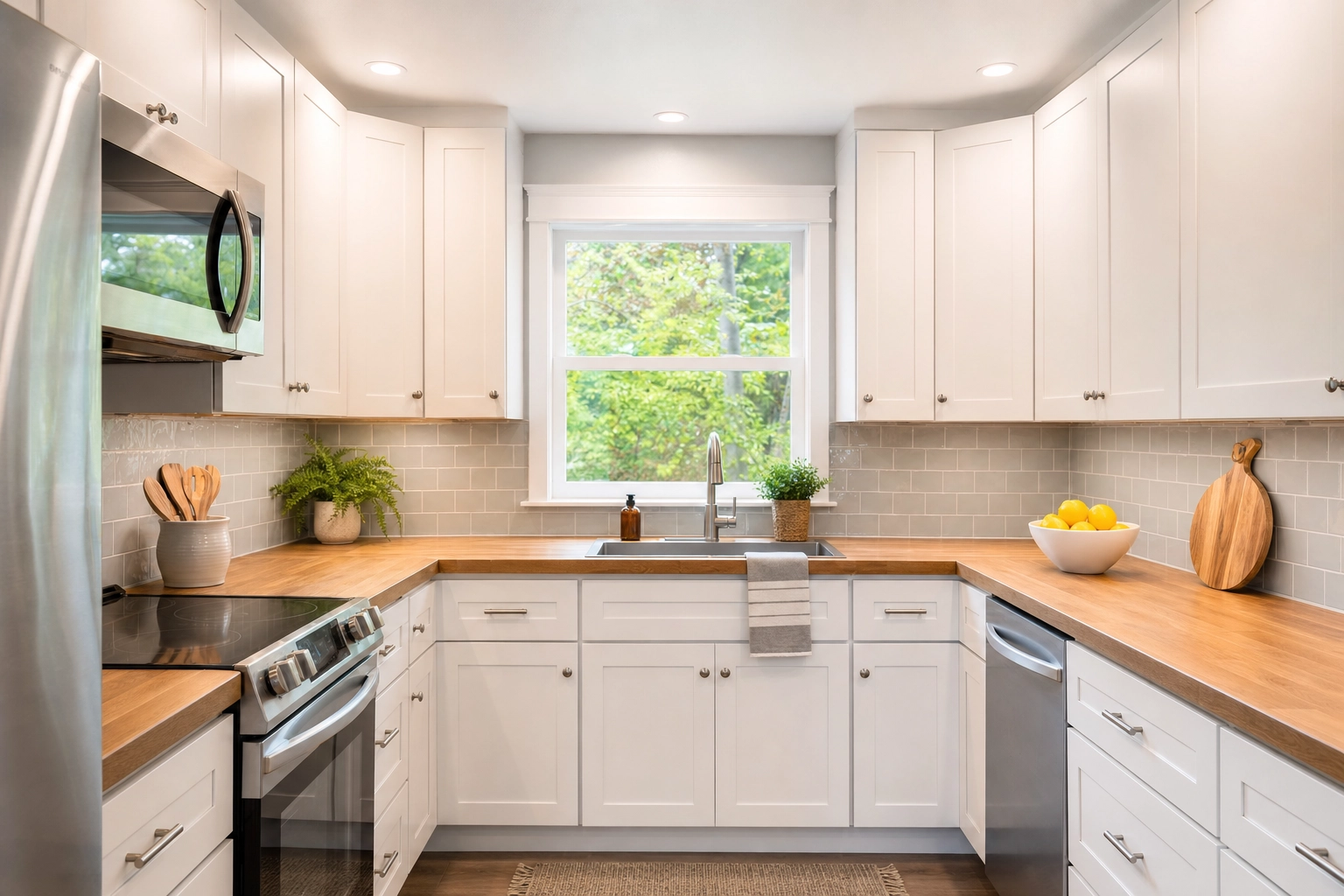
Put the two shots side by side and the difference is obvious. Before: the dim, off-balance kitchen further up the page — the kind of frame a phone hands you by default. After: the same type of space corrected to true-white cabinets, a window that shows the garden instead of glare, accurate wood tone, and level lines, like the kitchen above. Nothing in the room changed. The photo did.
What you skip is the part that usually kills momentum: no tripod, no exposure bracketing, no Lightroom session, no waiting two days for an editor to send files back. For a host who just wants the listing looking sharp tonight, that turnaround is the whole point.
One treatment across a whole set
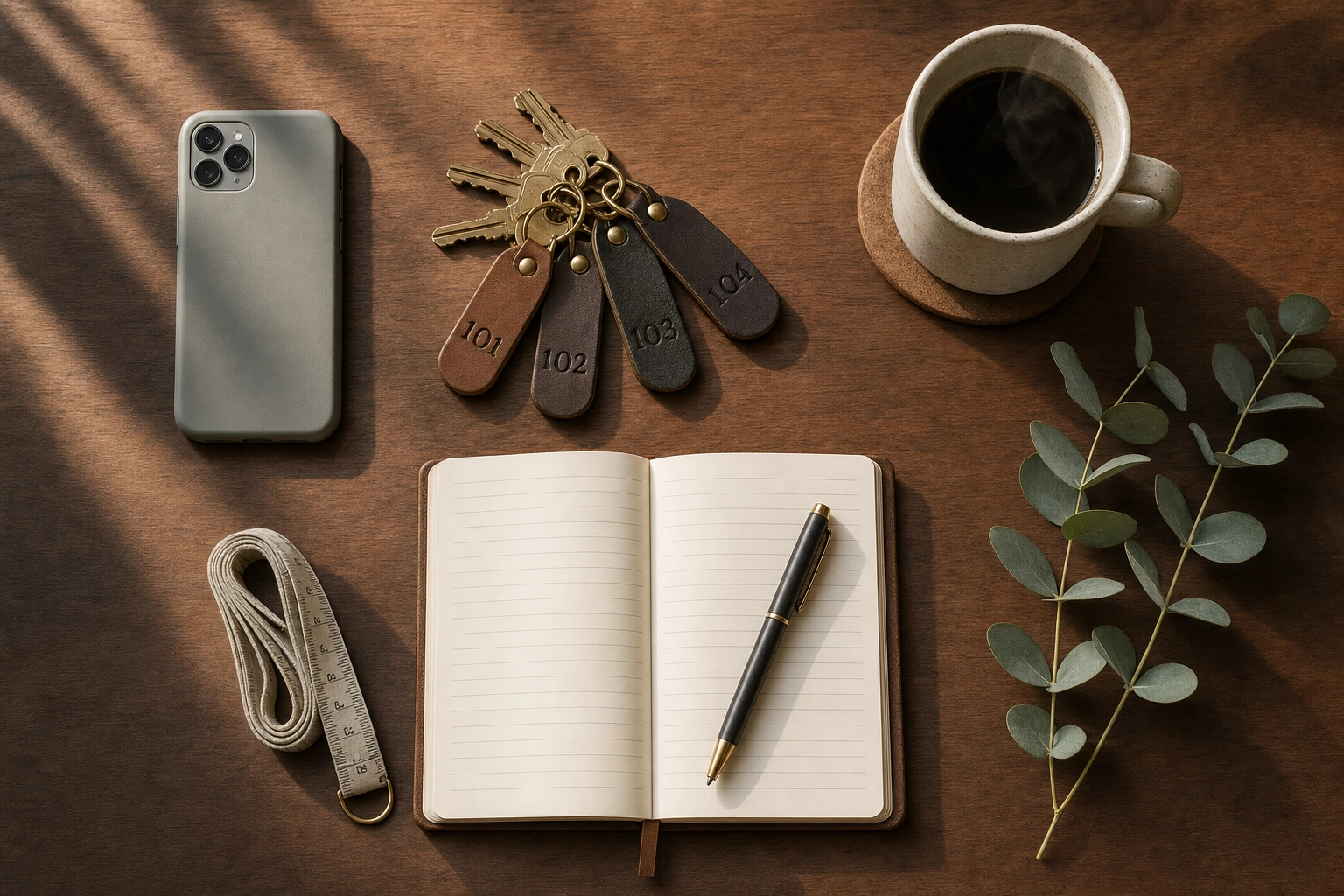
Short-term rental photo editing has a problem that single-listing advice never mentions: consistency. If you manage more than one place — or even one place you've re-shot a few times — each set of photos was taken on a different day, in different light, maybe on a different phone. Line them up and the grades clash. A guest can't name why, but a carousel that lurches from cool-and-gray to warm-and-yellow reads as careless.
Plotpane narrows this with batch mode: one tool at one setting runs across every photo you upload together, so a whole unit gets the same treatment instead of a different decision per frame. On the Pro plan and up that's 50 photos at a time, and our note on batch photo editing for listing consistency covers how to work it. Be clear about what it isn't: each frame renders on its own, so a bedroom shot at dusk and a kitchen shot at noon still start from different light. Consistent capture is still your half of the job.
This is the difference between a portfolio that looks managed and one that looks improvised. If you've grown past a few dozen units and the volume is the problem, our short-term rental solution sets out which plan carries it — it's a single-user account either way, with no seats to add.
Refresh for every season — without a reshoot
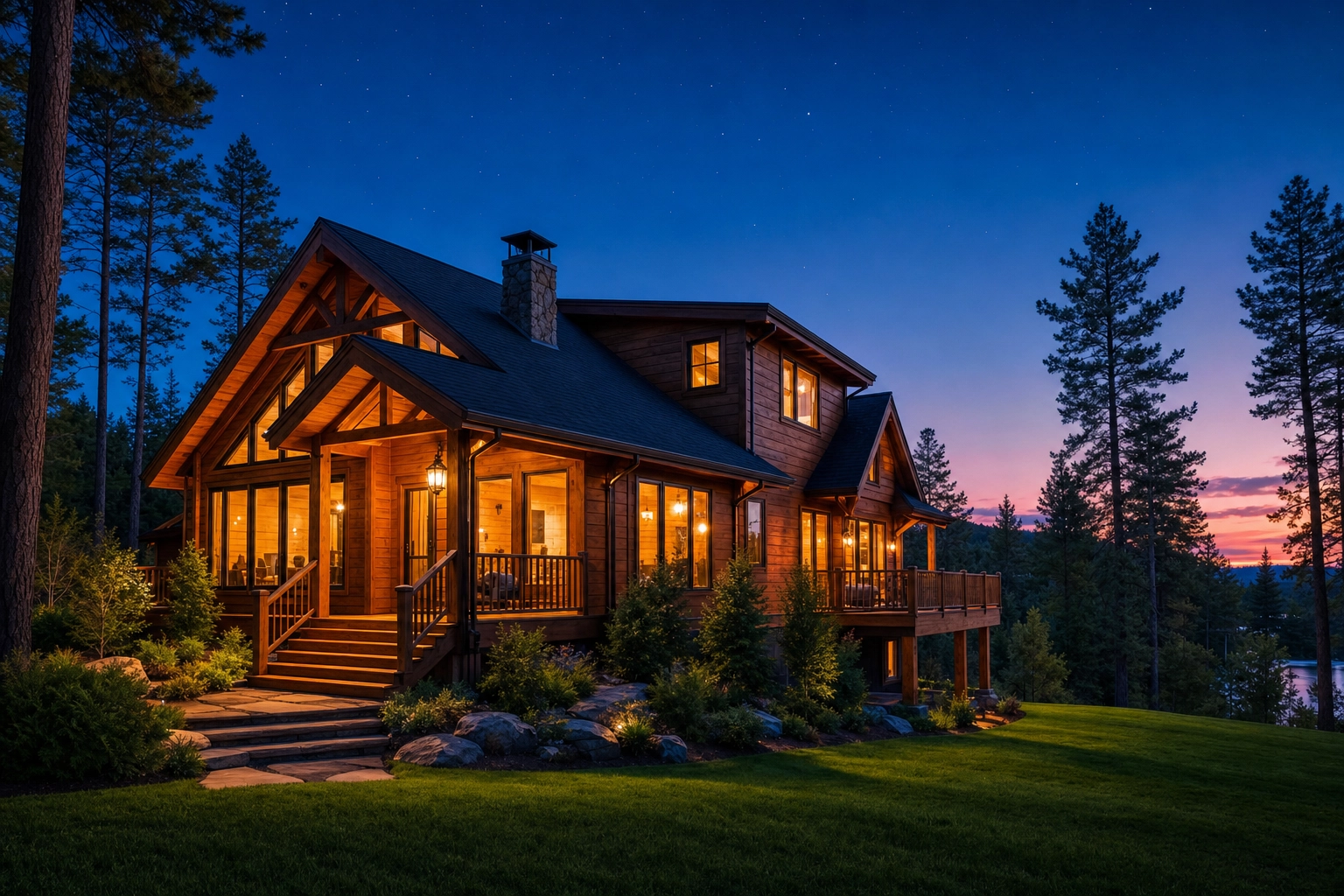
OTAs quietly reward freshness, and guests notice it consciously. A lakeside deck shot in peak summer sells the summer; the same photo does nothing for a guest booking a cozy winter weekend. Most hosts solve this by leaving the photos frozen for years — which is exactly how a listing starts to feel dated.
Vacation rental photo editing lets you generate the seasonal variants from a single clean capture instead of scheduling another visit. From one daytime plate, Plotpane can produce:
- A warm twilight cover shot with Day to Dusk — the glowing-window image above is the single most clicked exterior style in real estate, and it works just as hard for an STR.
- A clean blue sky on a flat, overcast exterior with Sky Swap.
- A green lawn and clear, inviting pool water with Lawn & Pool Revive.
Swap your cover photo a few times a year and the listing keeps signaling "active and well cared for" — the exact thing the search algorithm and the scrolling guest are both looking for.
Stage an empty or between-guest unit (and disclose it)
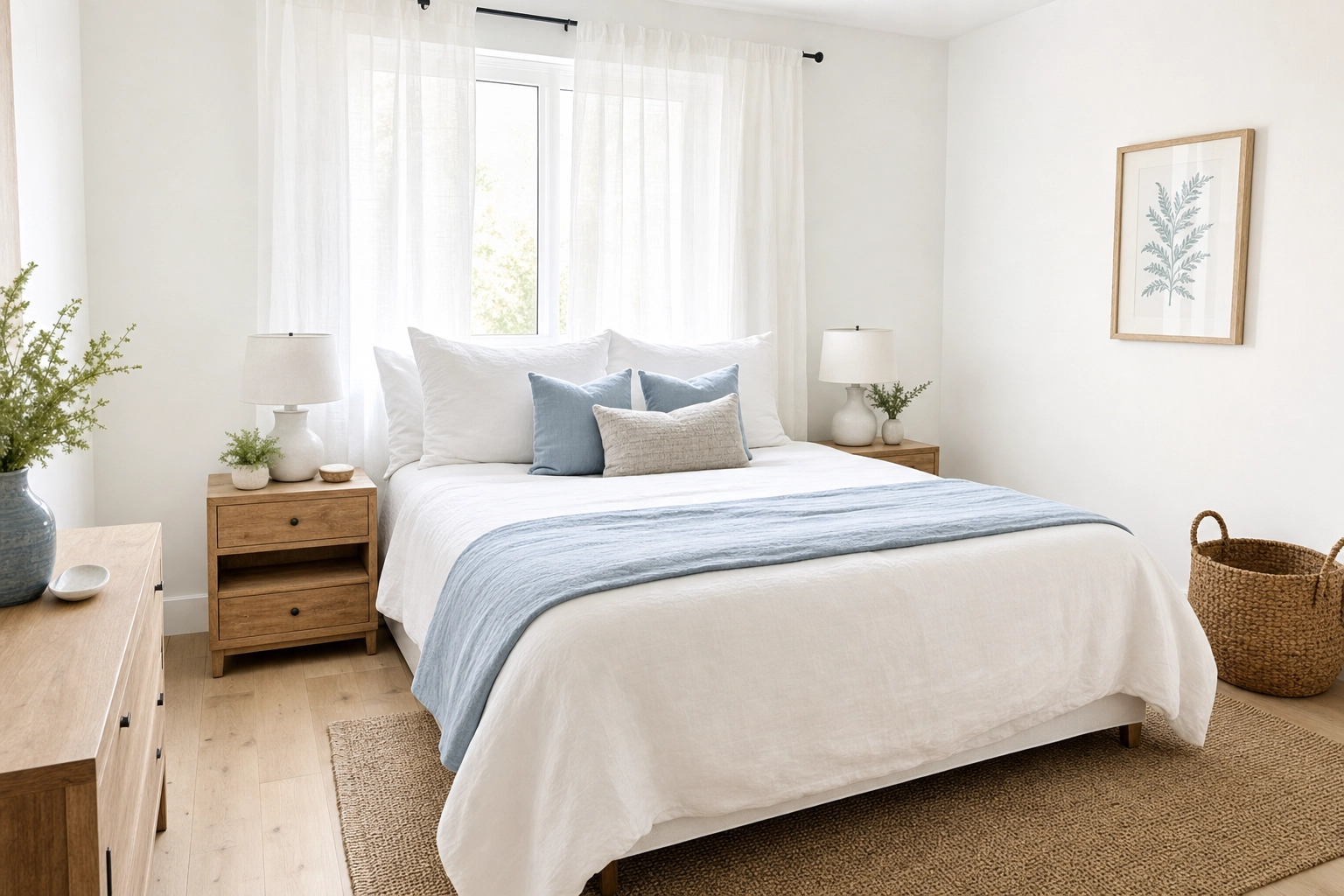
Sometimes the unit just isn't camera-ready. It's brand new and unfurnished, a previous owner took the couch, or it's mid-turnover between long stays. You still need it listable so it doesn't drop out of rotation.
Virtual Staging dresses a real room in any of ten design styles, with furniture placed at correct scale and lit with believable shadows — like the airy coastal bedroom above. The key word is real: Plotpane stages the actual room you photographed. It does not invent a room that doesn't exist, move walls, or conjure square footage.
Two responsibilities come with this, and they matter for short-term rentals specifically:
- Stage honestly. Use it to show a vacant space furnished, not to imply amenities or a layout the guest won't actually get.
- Disclose it. Every staged export carries invisible XMP disclosure metadata, and you should also note in your listing that a photo is virtually staged. Set the expectation, and the arriving guest is never surprised.
Airbnb photo editing that won't get your listing flagged
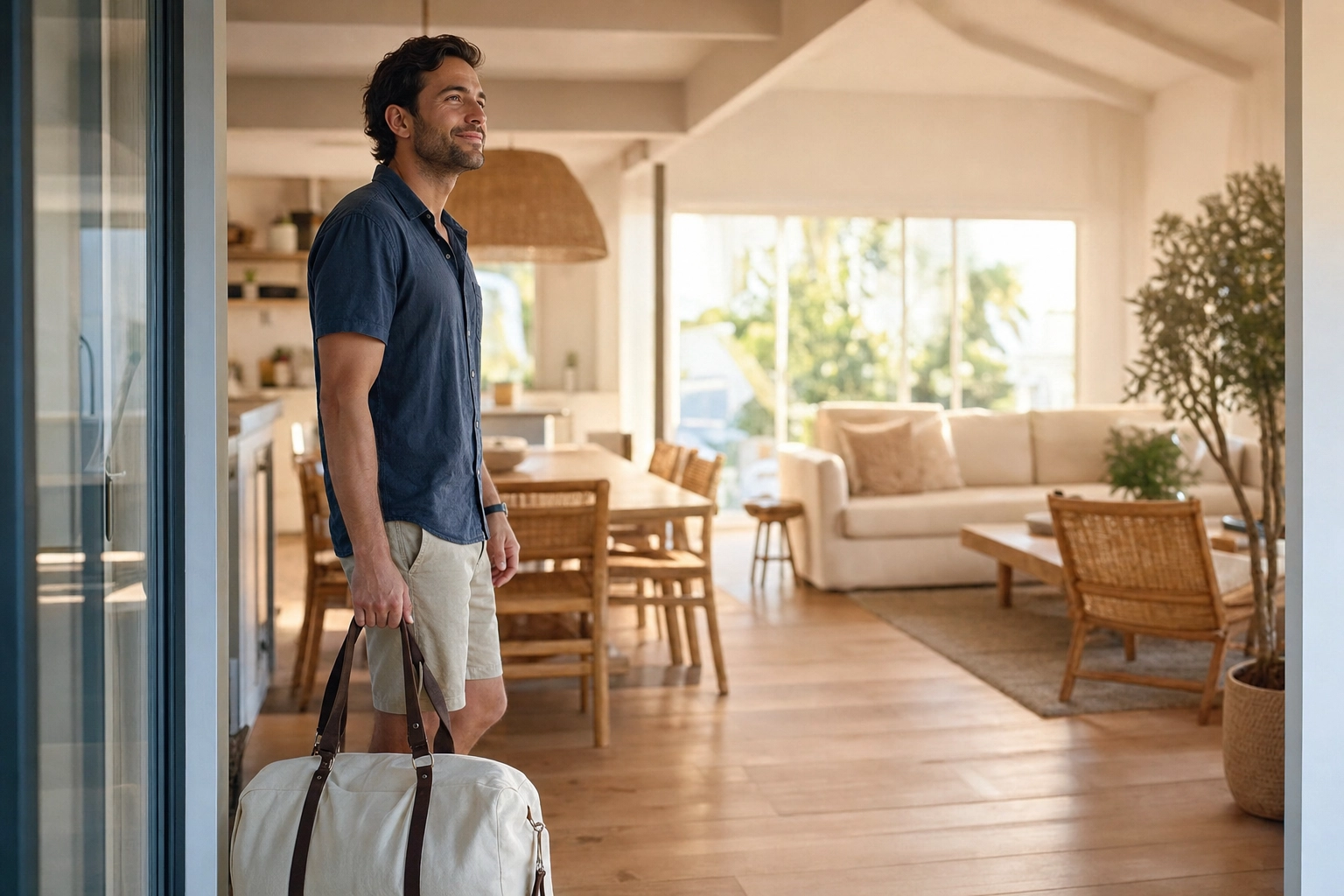
This is where a lot of hosts get nervous, and rightly so. There's a real and growing trend of hosts using AI to fake their listings — adding skies that don't exist, hiding damage, painting in amenities — and Airbnb has drawn a hard line on it.
Airbnb's Ground rules for hosts put it plainly: the photos "should accurately represent the space provided," and the platform "will ask hosts to remove content if AI or other digital technology has been used to edit flaws, hide damage, add amenities or attributes that are not part of a listing, or otherwise misrepresent the listing." Cross that line repeatedly and you risk warnings, lost Superhost status, or removal.
Here's why Plotpane fits inside that rule by design. It is a structure-preserving editor, not a text-to-image generator. It corrects light, color, and perspective on your real photo; it does not dream up rooms, relocate walls, or invent features. It's the opposite of the prompt-based image tools — your geometry, windows, and layout stay exactly as photographed. That's the same reason a corrected photo still has to match what the guest walks into: the picture above is the moment you want — a guest stepping in and finding the place looks just like the listing.
A few more things that protect you and your guests:
- No visible watermarks on any plan, on any export — so your hero photo isn't stamped, and you avoid the overlaid logos and text that Airbnb can suppress in search.
- Your uploads are never used to train AI. Your photos are yours; they're processed and stored securely, not fed into a model.
- Built-in disclosure. Staged images carry invisible metadata noting AI-assisted editing, which is exactly the kind of provenance signal platforms increasingly want. You can read more about how we draw these lines on our ethical AI use page.
Bright, corrected, honest photos do double duty: they win the booking and they protect the five-star review, because the guest gets the place they were promised.
OTA-ready exports for Airbnb, Vrbo, and Booking.com
Every platform displays photos a little differently, so the safest move is to edit once at maximum quality and crop from there. Airbnb recommends landscape photos at a minimum of 1024 × 683 pixels; Vrbo now recommends full 4K; and Booking.com simply rewards large, sharp, landscape images. The first five photos carry the most weight on Airbnb, so the hero shot has to be your strongest.
It's worth getting the gallery itself right, too. Airbnb arranges your photos into a photo tour grouped by room, and listings that add a deep set — aim for 20-plus strong images — tend to surface better in search. Put real thought into the order: lead with your single best room, because the first handful of thumbnails do most of the convincing. Edit every shot to the same standard so the whole tour reads as one place, not a scrapbook.
Plotpane outputs a JPEG at around 2400 px on the long edge on every plan — or roughly 4700 px if you add the optional high-resolution pass, for a second credit — which gives you room to crop for each OTA without softening the image. Export, push to your listing, done — same day, no watermark, no quality penalty.
What Plotpane doesn't do
Honesty saves everyone time, so here's where Plotpane stops:
- It edits photos, not video. There's no walkthrough-video editing — it does still images only.
- It's for property and listing imagery only. It's tuned for rooms and exteriors, not portraits, product shots, or general art.
- It won't invent a scene. No typing "cozy chalet with a fireplace" and getting a fake room. You bring the photo; Plotpane improves it.
- It won't hide damage or fabricate amenities. That's a deliberate guardrail, and it's also what keeps you on the right side of Airbnb's rules.
If any of those is what you need, Plotpane isn't the tool. If you want your real place to look its best, it is.
Airbnb photo editing pricing: start at $49/month
Every plan includes all seven tools, the same output resolution, and no visible watermark — there's no feature paywall hiding the good stuff on a higher tier.
- Starter — $49/mo ($39/mo billed yearly): 100 images per month at one credit each whichever tool you use, every tool unlocked, ~2400 px JPEG export, invisible disclosure metadata, and email support. Plenty for a single listing or a small handful of units.
- Pro — $99/mo ($79/mo billed yearly): 220 images, batch mode running one tool across the whole set, up to 50 photos at a time, and a ZIP download of a finished listing.
- Agency — $249/mo ($199/mo billed yearly): 600 images, batches of up to 150 photos at a time, and ZIP download.
A few things worth knowing before you sign up: every new account gets 3 free renders, no card, so you can put a real listing through it first. They carry a small corner mark that a plan removes. We also never auto-charge for overages; when you hit your monthly cap, renders simply pause until the next cycle. And you can cancel anytime in one click. See the full breakdown and subscribe on the pricing page.
Frequently asked questions
Is AI photo editing allowed on Airbnb?
Yes — as long as the edits don't misrepresent the property. Airbnb's Ground Rules require photos to "accurately represent the space provided" and prohibit using AI or other technology to hide damage, add amenities that aren't there, or otherwise mislead guests. Corrective edits — exposure, white balance, perspective, color, decluttering — are fine because they make an accurate photo look the way the room actually does in person. Plotpane is built around exactly that line: it enhances your real photo without reinventing the space.
How do I edit Airbnb photos taken on my phone?
Shoot in good light if you can (open every curtain, turn on every lamp), hold the phone level at chest height, and take a few frames per room. Then upload the best ones to Plotpane straight from your camera roll — it reads iPhone HEIC files and standard JPGs — and let Auto Enhance fix the exposure, color, and verticals. You'll have listing-ready versions in about two minutes each, no editing skills required.
Will editing my Airbnb photos lead to bad reviews?
Only if you edit dishonestly. Bad reviews come from a mismatch between the listing and reality — a photo that promised a sea view the room doesn't have, or hid a cramped layout. Corrective editing does the opposite: it makes a genuinely nice room read as nice on a small phone screen. Because Plotpane preserves the actual structure of the space and discloses any virtual staging, the guest who books gets the place they expected — which is what protects your rating.
What resolution and size should Airbnb photos be?
Airbnb recommends landscape orientation at a minimum of 1024 × 683 pixels, but bigger is better on modern screens. Vrbo now recommends a considerably larger file, and Booking.com favors large, sharp images too. Editing at maximum quality and exporting Plotpane's JPEG (around 2400 px on the long edge, or roughly 4700 px with the high-resolution pass) lets you meet every platform's bar and crop cleanly for each one from a single file.
Do I have to disclose virtual staging on Airbnb?
Yes. If a photo shows furniture or styling that isn't physically in the unit, you should make that clear in the listing so guests aren't surprised on arrival. Plotpane embeds invisible disclosure metadata in every staged export, but that's a behind-the-scenes signal — you're still responsible for noting "virtually staged" in your own listing text.
Can Plotpane edit video walkthroughs for my listing?
No. Plotpane is image-only — it enhances and stages still photos, not video. If your listing leans on a video tour, you'll need a separate tool for that; Plotpane handles the stills that make up your photo gallery.
Is there a free trial for Airbnb photo editing?
Every new account gets 3 free renders with no card. They carry a small Plotpane mark in the corner; any plan removes it. Every paid plan then gets the same output resolution and all seven tools from day one, with nothing throttled.
How is this different from hiring an Airbnb photographer?
A professional shoot is excellent and still worth it for a flagship property, but it typically costs a few hundred dollars per unit and takes days to schedule and deliver. Plotpane is the in-between: you shoot the place yourself on a phone and get bright, corrected photos back in about two minutes each, for a flat monthly fee. It shines for same-day turnovers, seasonal refreshes, and keeping a multi-unit gallery looking consistent — the jobs that are too frequent or too small to book a photographer for every time.
Ready to make your listing look the way the place actually feels? Upload your first shot and see the result in about two minutes. See plans and start at $49/month →