Plotpane · Batch consistency
Batch consistency

Batch photo editor — one listing, one coherent set

Plotpane is the batch photo editor built specifically for real estate listings: upload 10, 50, or 500 photos of one home and every frame comes back with the same white balance, the same exposure target, and the same color grade. BoxBrownie, REimagineHome, and VirtualStagingAI process each image independently — so the hero, the kitchen, and the master bath of the same house land with three different looks. Plotpane locks the preset, the reference frame, and the FIDELITY_CONTRACT across the entire shoot so the whole gallery reads as one editorial session.

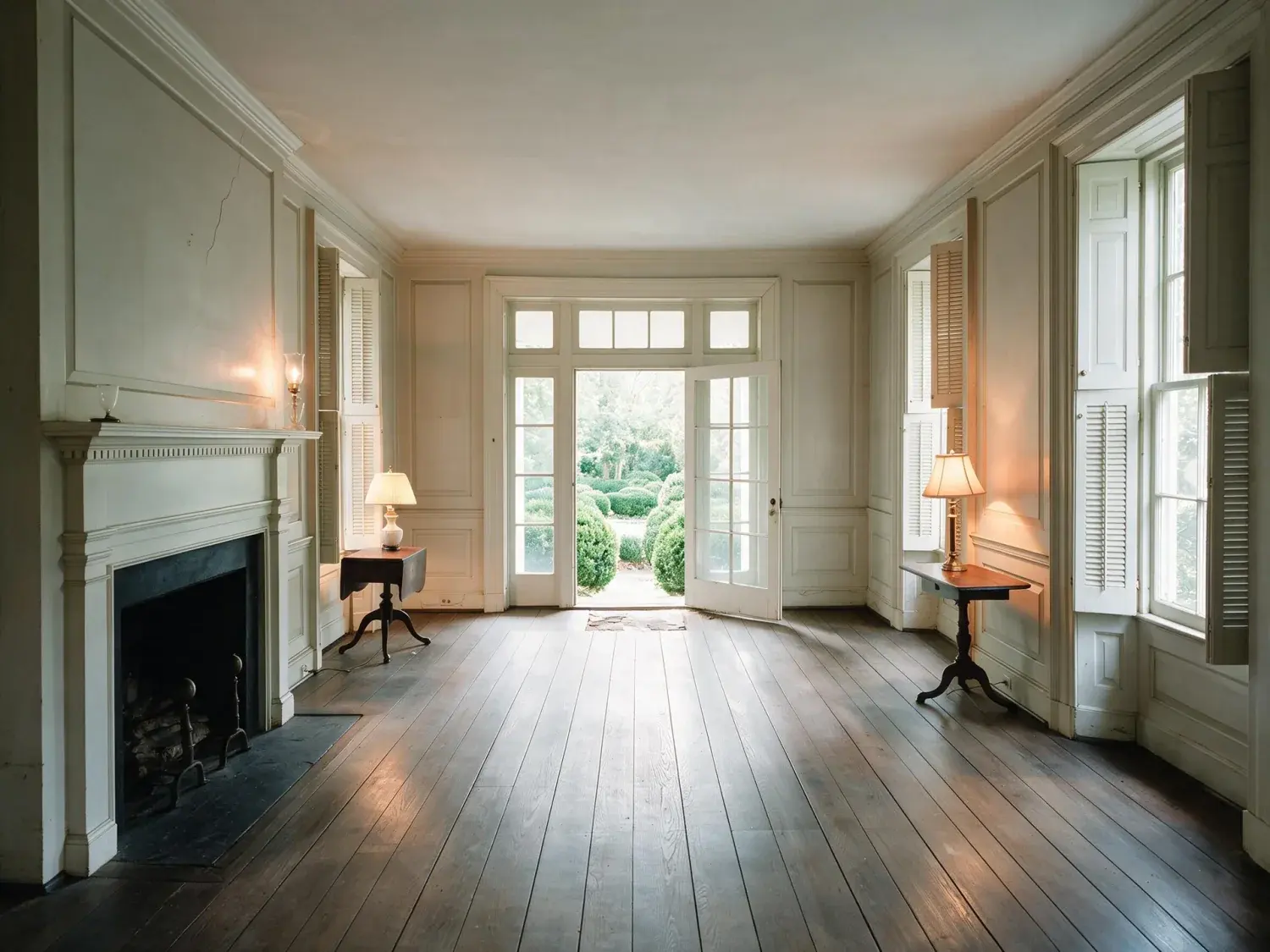
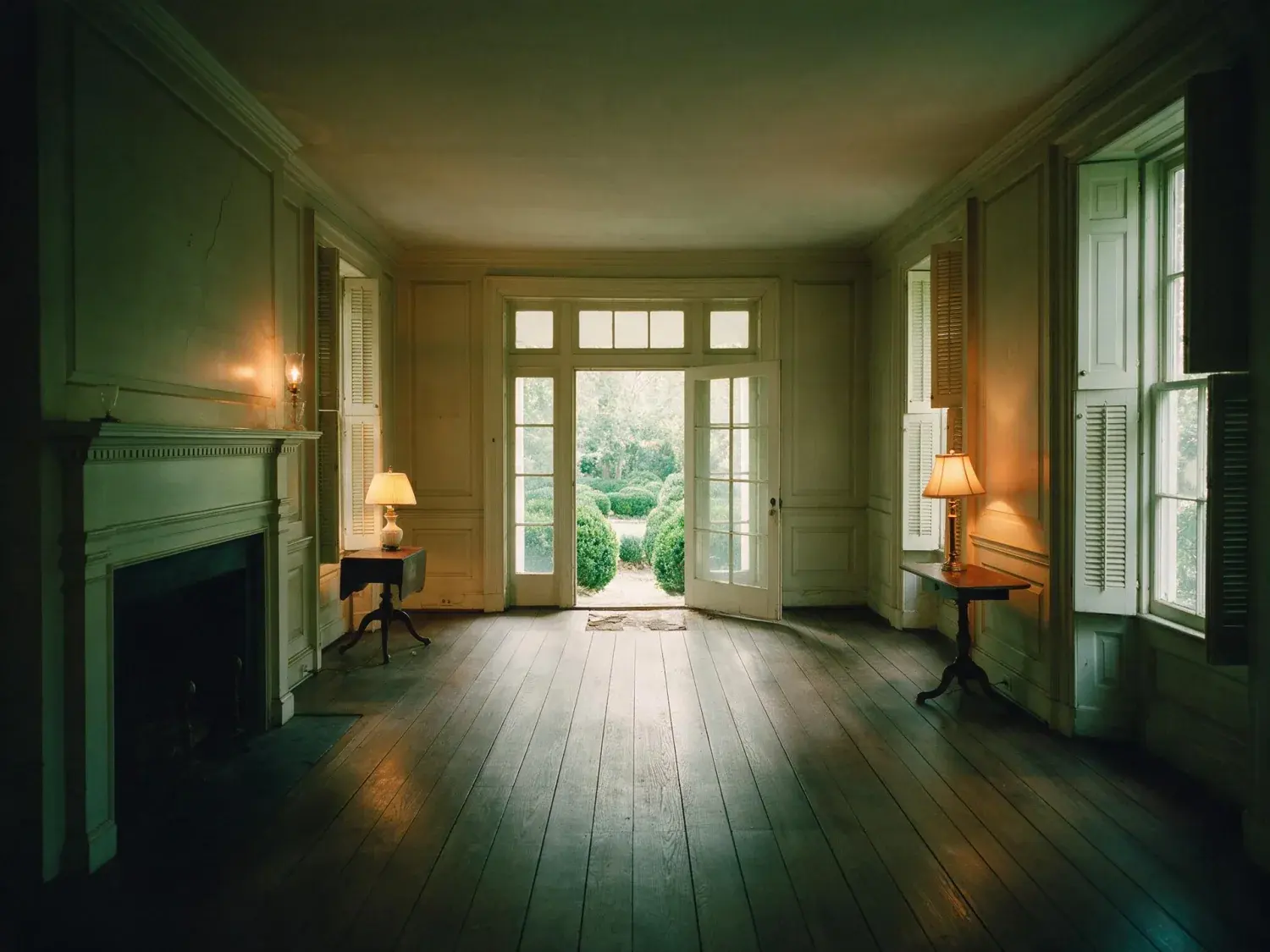
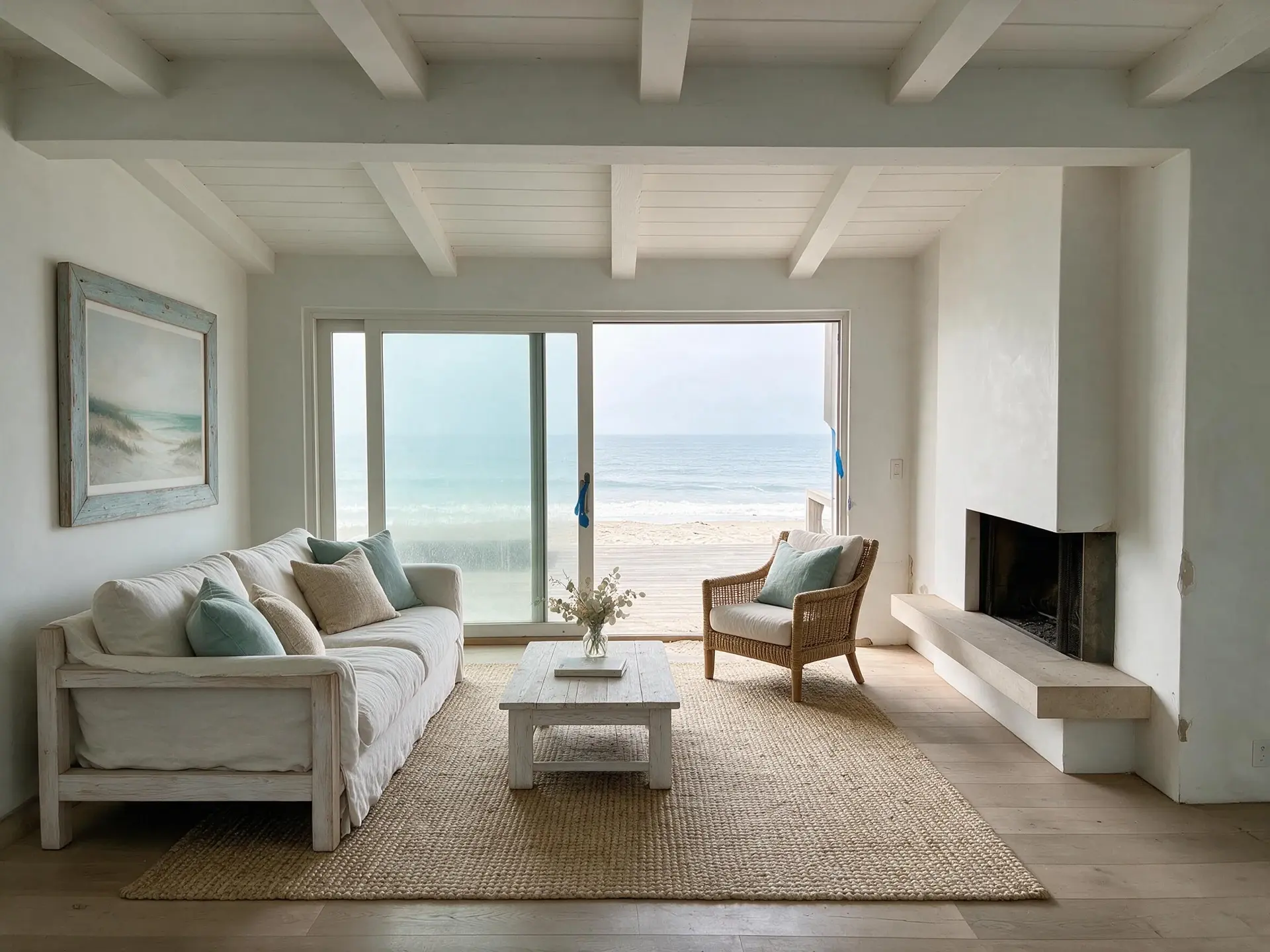
A South End Boston Victorian bowfront parlor with bay windows and original plasterwork — the exact listing that BoxBrownie charges $32 per room for, staged here in ~90 seconds at 4K. — enhanced by Plotpane
A South End Boston Victorian bowfront parlor with bay windows and original plasterwork — the exact listing that BoxBrownie charges $32 per room for, staged here in ~90 seconds at 4K. — original listing photo before editing
BeforeAfter
01

Why a batch photo editor for listings has to work differently

Pixlr, BeFunky, Picsart, BatchPhoto, and Photoroom all ship generic batch photo editors — they apply the same crop, the same resize, the same overlay filter to every image. That is fine for e-commerce product shots of white-background SKUs. It is not fine for a listing where a kitchen at 9am, a bedroom at 2pm, and a twilight exterior at 7pm all need to arrive as one coherent set. The portal buyer scrolls Zillow's or Rightmove's gallery strip in under eight seconds — and any mismatch in white balance, exposure, or color grade between frames reads subconsciously as 'amateur' long before they can articulate why. A listing-grade batch editor has to enforce cross-frame consistency, not just apply a filter in a loop.

  • Generic batch editors (Pixlr, BeFunky, Picsart) apply one filter across independent renders — no cross-frame lock
  • MLS and portal galleries render thumbnails side-by-side — mismatched grades are visible in the strip
  • A listing shot spans morning, midday, and twilight frames that must normalize to one look
  • Commercial, relocation, and luxury buyers are the most sensitive to editorial coherence
02

How Plotpane locks the batch: preset, reference frame, FIDELITY_CONTRACT

Every Plotpane render runs through the same FIDELITY_CONTRACT preamble — a per-photo guarantee to preserve source architecture, lines, reflections, and geometry. Layered on top: a fixed per-feature preset (enhance, stage, dusk, sky, declutter, perspective, lawn/pool) that is not re-sampled per image, and an optional reference frame — upload your hero shot first and the batch grades every subsequent frame toward that anchor's white balance and exposure. Output ships with per-image XMP metadata disclosing the AI edit, so your MLS compliance stays clean. You are not configuring consistency — it falls out of the architecture automatically.

  • FIDELITY_CONTRACT preamble on every render — no cross-frame architectural drift
  • Fixed per-feature preset — not freshly-sampled per image
  • Reference frame lock — first photo of the shoot becomes the color/WB anchor for the set
  • Bulk Enhance mode — queue 10-500 frames, export as 4K WebP ZIP
  • Per-image XMP metadata — AI-edit disclosure baked in for MLS compliance
03

Four listing shoot sizes this was built for

The batch photo editor workflow changes depending on shoot size. Plotpane is tuned for all four — a standard residential gallery, a luxury estate, a hotel room batch, and a portfolio flip at agency scale.

  • Standard residential shoot — 10-20 frames (hero, kitchen, living, dining, 3-4 beds, 2-3 baths, exterior, yard). Upload, pick enhance, export. Whole set lands in minutes.
  • Luxury estate shoot — 30-60 frames across wings, guest house, pool area, wine cellar, twilight exterior. Reference-frame lock is essential because the shoot spans hours of light change.
  • Hotel / hospitality batch — 100-500 room photos across identical room types (king, queen, suite, junior suite). Preset lock is what keeps all 180 'king' rooms reading as one brand.
  • Multi-listing agency flip — 40 listings/week, each a 15-20 frame batch. Folder-per-listing queue means preset is locked within the listing, not across listings.
04

How competitors fail cross-frame consistency

Every other tool in the category ships a generic batch photo editor or a per-image pipeline — not a listing-aware batch. BoxBrownie routes each image to a different human editor in a 24-48 hour turn; the grade is consistent by luck, not by design. REimagineHome and VirtualStagingAI each re-sample the grade per photo — one kitchen lands warm, the next lands cool, the hero and the bed look like they came from different homes. Topaz Gigapixel is a generic upscaler with no preset lock and no listing identity. Pixlr, BeFunky, and Picsart are generic batch editors with no real estate reference frame. Plotpane is the only one architected around cross-frame consistency from the preamble up.

  • BoxBrownie — per-photo manual retouch by different editors, 24-48h turn, consistent by luck only
  • REimagineHome — per-image grade re-sample, no reference frame, no listing anchor
  • VirtualStagingAI — staging model runs fresh per image, no cross-frame color lock
  • Topaz Gigapixel / Pixlr / BeFunky / Picsart — generic batch, no listing identity
  • Plotpane — shared preset + reference frame + FIDELITY_CONTRACT + per-feature lock
05

What a Plotpane batch run looks like end to end

Upload a full shoot — up to 500 images on Agency, 200 on Pro, 25 on Starter. Optionally flag one photo as the reference frame. Pick a feature (or stack enhance → dusk → sky). Plotpane renders each image independently but against the shared preset and anchor, so the output ships as a coherent listing set. Download the whole batch as a 4K WebP ZIP with XMP disclosure metadata per image. No watermarks, no per-image configuration, no re-uploads between tools.

For this region

Local questions, answered

How do I batch edit photos so all 20 frames of one listing look the same?+

Upload the whole listing to Plotpane, optionally tag your hero shot as the reference frame, pick one feature (enhance, dusk, sky, stage), and run the batch. Every image goes through the same per-feature preset — same white balance target, same exposure baseline, same color grade — and grades toward the reference anchor if you set one. The output ships as a coherent 4K WebP ZIP, not 20 independently-retouched frames.

How is this different from Lightroom batch edit or Photoshop batch edit?+

Lightroom and Photoshop batch edit apply one develop preset or one action across a selected set — you still have to build the preset, dial in the reference, and hand-check every frame for per-image drift (blown highlights, underexposed corners, white-balance shift near windows). Plotpane's batch photo editor is AI-native and listing-aware: the preset is pre-tuned for real-estate interiors, the FIDELITY_CONTRACT preserves architecture per frame, and reference-frame lock handles the mixed-light shoot automatically. You skip the Develop module entirely.

Can the batch editor handle a 500-photo hotel shoot?+

Yes — Agency tier supports up to 500 images per batch. The preset lock is exactly what hotel and hospitality shoots need: 180 'king' rooms across three floors of the same property have to read as one brand, not 180 slightly different rooms. Queue the whole batch, let Plotpane render, export the 4K WebP set with XMP disclosure.

What if the photos were taken at different times of day (morning kitchen, twilight exterior)?+

Use the reference frame. Tag your hero shot (the one whose look you want the set to match) as the anchor and Plotpane normalizes white balance and exposure across the batch toward that target. A bedroom shot at 9am and a living room shot at 4pm will both land at the same listing-ready baseline. Without a reference frame, the shared per-feature preset still normalizes the set — reference frame is the extra lock for shoots that span hours of light change.

Can I mix virtual staging and enhance in one listing batch?+

Yes. Stage the empty rooms, enhance the occupied ones, and ship them as one listing. Because every feature shares the FIDELITY_CONTRACT preamble and the same color-grade target, the staged bedrooms and the enhanced kitchen will read as one coherent set — not as two different tools stitched together. MLS disclosure is preserved via per-image XMP metadata on the staged frames.

Does the batch photo editor work for 40-listing-per-week agencies?+

Yes. Folder-per-listing queue: each batch is locked within the listing (same preset + reference frame across its 15-20 frames), and each new listing starts a fresh batch with its own preset + anchor. Agency tier ships a higher concurrency ceiling so a team pushing 40 listings/week can run multiple batches in parallel without waiting.

Do I need to configure anything to get batch consistency?+

No — it is the default. Upload a whole listing, pick a feature, render. The consistency is a property of how the system is built, not a setting you enable. The reference frame is optional and only adds anchor-grading on top of the shared preset that already ships with every batch.

Pricing

Premium where it counts.
4K on every plan.

Three plans. Every transformation unlocked. 4K output on every plan, watermark-free on every export, cancel anytime.

14-day refund

14-day no-questions refund. If your first render isn’t MLS-ready, we refund it.

Starter

For the solo agent shooting their own listings.

$39/mo billed yearly

100 renders per month · ~20 staged / 100 enhanced

Subscribe to Starter
  • 100 renders per month
  • Every transformation · all seven tools
  • 4K output on every export
  • Zero watermarks — clean image ships with every render
  • Invisible XMP disclosure metadata on staged output
  • Email support
Most popular

Pro

For top-producing agents and real-estate photographers.

$79/mo billed yearly

300 renders per month · ~60 staged / 300 enhanced

Subscribe to Pro
  • 300 renders per month
  • Batch mode — consistent grade across every shot of the listing
  • Bulk upload & batch processing
  • Priority rendering queue
  • Brand presets (studio logo on export)
  • Composed pipeline (stack tools in one render)
  • Priority support

Agency

For brokerages, teams, and photography networks.

$199/mo billed yearly

800 renders per month · ~160 staged / 800 enhanced

Subscribe to Agency
  • 800 renders per month
  • Bulk upload — whole-shoot processing with shared preset lock
  • Up to 5 team seats
  • Roll-over renders (up to 3× monthly cap)
  • Shared brand presets across the team
  • White-label export (studio logo on delivery ZIP only — never on the image)
  • Dedicated account manager

Agencies only
Includes 5 seats · additional seats $25/mo

FeatureStarter$39/mo annualPro$79/mo annualAgency$199/mo annual
Renders per month100300800
Every transformation (staging, dusk, sky, declutter, enhance, renovate, sketch-to-render)
4K output (up to 3840×2160)
Watermark on exportNoneNoneNone
Invisible XMP disclosure metadata
Bulk upload & batch processingUp to 25 at a timeUp to 200 at a timeUp to 200 at a time
Batch consistency (shared preset, white balance, and grade across the listing)
Priority render queue
Composed pipeline (stack tools in one render)
Brand presets (studio logo on delivery ZIP)Shared across team
Team seats115 (additional $25/mo each)
Roll-over rendersUp to 3× monthly cap
White-label delivery ZIP
SupportEmailPriority emailDedicated account manager
Cancel anytime, one click in Stripe portal
14-day refund on first render
Pricing FAQ

Billing, quotas, and refunds.

  • Yes — one click in the Stripe billing portal from your dashboard. Billing stops immediately and any remaining credits stay usable through the end of the billing period.

  • Starter and Pro renders refresh at the start of each billing cycle and do not roll over. Agency renders roll over up to 3× your monthly cap, so a slow month isn't wasted.

  • We never auto-charge for overages. Once you hit your cap, new renders pause until your next cycle. If you need more room immediately, upgrade your plan from the billing page and your new quota applies instantly with proration.

  • No free trial. Instead, every plan carries a 14-day no-questions refund — if your first render isn't MLS-ready, we refund it. We chose a hard paywall over a throttled free tier so every plan gets full 4K output and every tool from day one.

  • Yes — annual billing is roughly 20% off the monthly rate (Starter $39 vs $49, Pro $79 vs $99, Agency $199 vs $249, all per month). The toggle above swaps the two.

Enterprise

MLSs, franchises, portals, and photography networks.

Custom volume packages, SSO, SOC 2 readiness, private-cloud deployment, and dedicated CSMs. We partner with networks processing 50,000+ listings per month.

Talk to sales
Questions

The usual questions,
answered directly.

  • No. Midjourney and DALL-E invent scenes from text prompts — beautiful for art, disqualifying for a listing. Plotpane is a structure-preserving pipeline: your room geometry, windows, and floor plan stay exact. We stage, re-light, swap skies, declutter, and 4K-enhance your actual photo. No hallucinated architecture, no invented rooms.

  • BoxBrownie and Styldod are human-edit services: you upload, a retoucher works overnight, you get a result in 24–48 hours at $2–$32 per image per treatment. Plotpane runs the full listing pipeline — staging, dusk, sky, clutter, enhancement — in one upload, in ~90 seconds, for a flat monthly subscription. Same 4K quality, no queue, no per-image fees.

  • Yes, when disclosed. NAR guidelines, California AB 723, and REBNY Rule 3.3 all allow virtually staged photos provided the listing discloses them. Every Plotpane export embeds invisible XMP disclosure metadata so the staging record travels with the file. You still handle the listing-remarks disclosure in your MLS portal — that's the part only you can do.

  • Not on staging or enhancement — our Fidelity Contract enforces structure-preserving masks that lock architecture, windows, and floor plan before any generation runs. Furniture is added to empty rooms; clutter is removed from furnished rooms; lighting and sky are re-graded. Renovation features (new flooring, wall colors) require you to explicitly mark the surface. We never reinvent what's already there.

  • Yes — one click in the Stripe billing portal from your dashboard. Billing stops immediately, remaining credits stay usable through the end of the billing period, and there's no cancellation fee.

  • Yes — any AI-generated or AI-modified image is considered an edit requiring disclosure under NAR's standards. That's why every Plotpane export writes invisible XMP disclosure metadata by default. The flag is machine-readable by MLS tooling and survives Lightroom round-trips. You still add the disclosure line to your listing remarks; we make sure the image itself is self-describing.

  • We don't train on your uploads — ever, with no opt-out toggle needed. Storage is per-account R2 (Cloudflare's object store), isolated from other tenants. When you cancel, your account's files are deleted on schedule. Transit is TLS 1.3, at-rest is AES-256. Full details in /legal/privacy.

  • Yes. Upload HEIC straight from your phone or desktop — we validate by magic bytes (not just file extension) and convert server-side. PNG, JPG, WebP, and HEIC are all first-class inputs. Output is 4K JPG by default, or request PNG if you need lossless.

  • Upgrade is instant and prorated: Stripe credits the unused portion of your current plan against the new one, and your new render quota applies immediately. Downgrades take effect at the next billing cycle so you keep your current quota until then. No credits are lost in either direction.

  • Yes. All plans include a commercial-use license for the agent, brokerage, or photography business on the account. Agency plan adds 5 team seats and a white-label delivery ZIP so you can hand enhanced photos to clients under your own studio brand. Full licensing terms in /legal/terms.

Ready when you are

Stop re-uploading.
Start shipping listing-ready.

One upload, every tool, 4K out in 90 seconds — on every plan.

Get startedSee 50 before/afters4K every plan · cancel anytime