Day to Dusk Photo Editing in ~2 Minutes, Not 24h
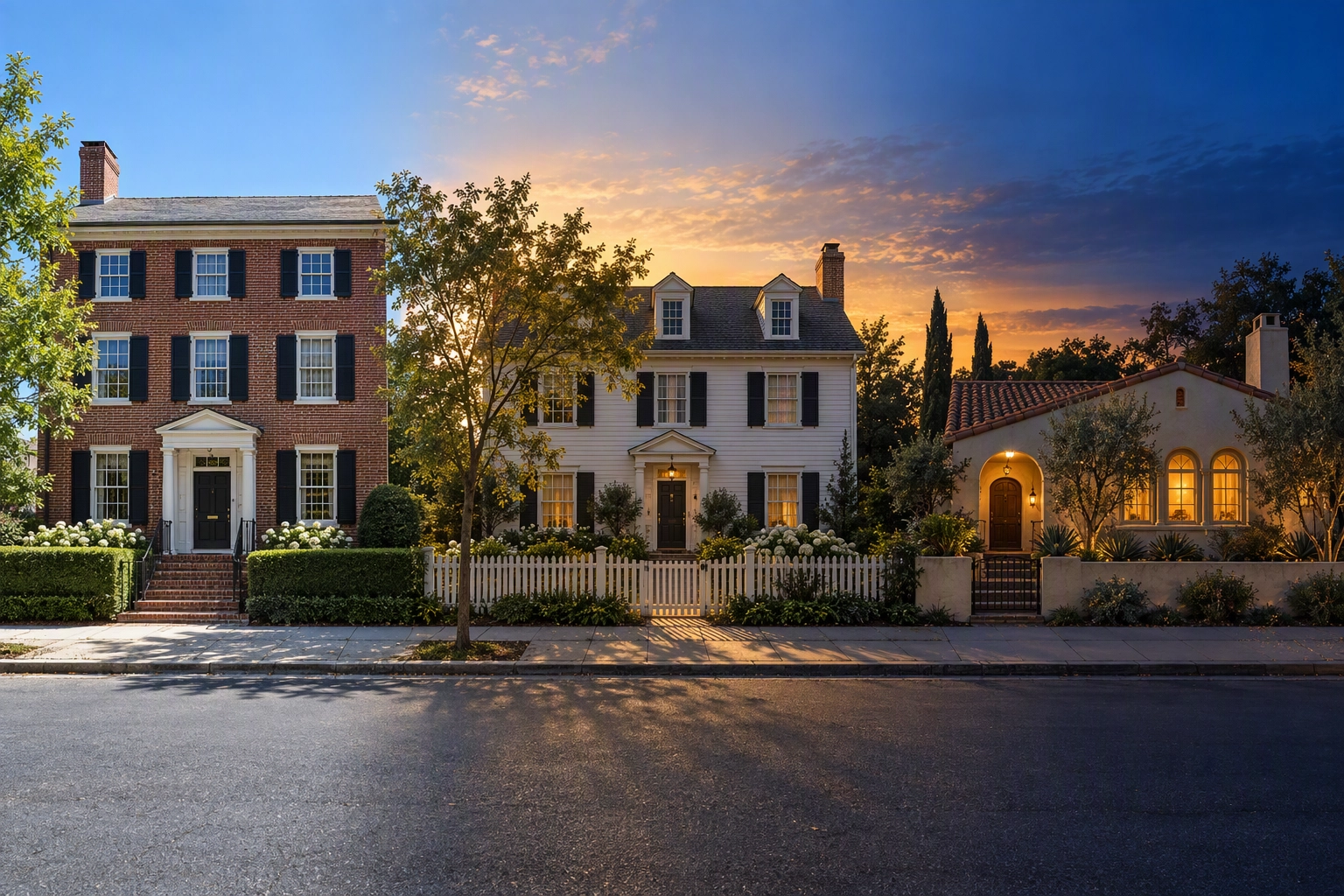
You shot the listing at 1 p.m., the sky is a flat sheet of blue, and the agent wants a twilight cover by tomorrow. Day to dusk photo editing solves exactly that: it relights the daytime exterior you already have as evening, with a graded dusk sky, warm window glow and balanced exposure, so nobody drives back at sunset. Plotpane's Day to Dusk tool does it in about two minutes per image for one credit on every plan, without redrawing the property.
Quick Summary: Day to dusk photo editing converts a daytime exterior into a twilight photo by re-grading the sky, turning on window glow and rebalancing exposure. A real estate photographer's twilight reshoot typically adds $100–$300, human editing services charge about $4–$5 a photo and take 24–48 hours, and Plotpane returns one in about two minutes for one credit (33–49¢ by plan), with 3 free renders and no card.
What day to dusk photo editing changes, and what it must leave alone
A dusk conversion changes the light and nothing else. The sky becomes an evening gradient, interior lights read as glow, the façade drops toward evening exposure, and shadows soften to match a sun that has just set. The building, the garden, the view through the glass and any visible defect stay exactly as photographed.
A good conversion changes four things:
- Sky: flat noon blue or grey overcast becomes a gradient, cobalt overhead and paler toward the horizon.
- Glow: glass that photographed dark now reads as lit rooms.
- Exposure and white balance: the façade is pulled down so the glow can carry the frame.
- Shadows: hard midday shadows are softened so the light direction makes sense after sunset.
It must leave alone walls, rooflines, doors and fixtures (no lights the property doesn't have), the lawn and planting, the view through the glass, and any crack, stain or wear. A dusk edit is not a cover-up.
Plotpane sends every render with a preserve list that forbids touching anything the instruction doesn't name, so an invented detail is a bug and the credit comes back. For the physics of why a dusk frame reads as "home", see the science of day-to-dusk.
Before and after: day to dusk photo editing on three real homes
These are real Plotpane renders from the product's own sample set, not mockups: the original upload, then the result.
Tudor Revival: cloudless noon to warm dusk
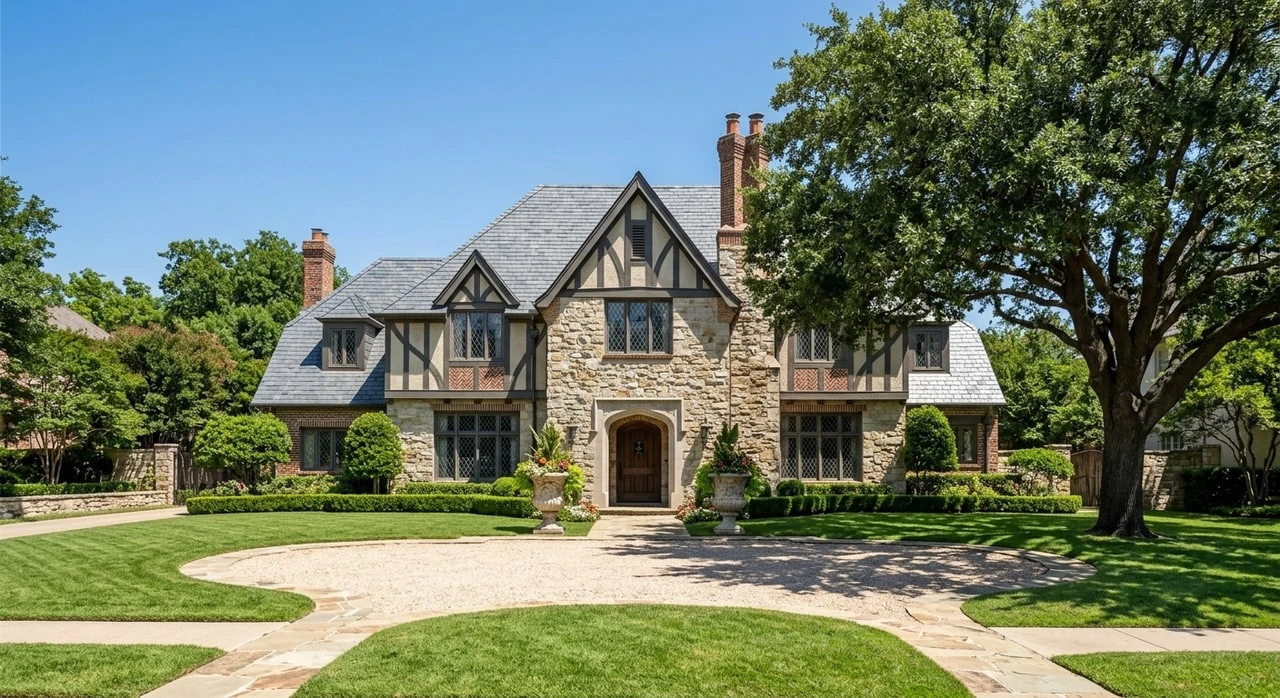
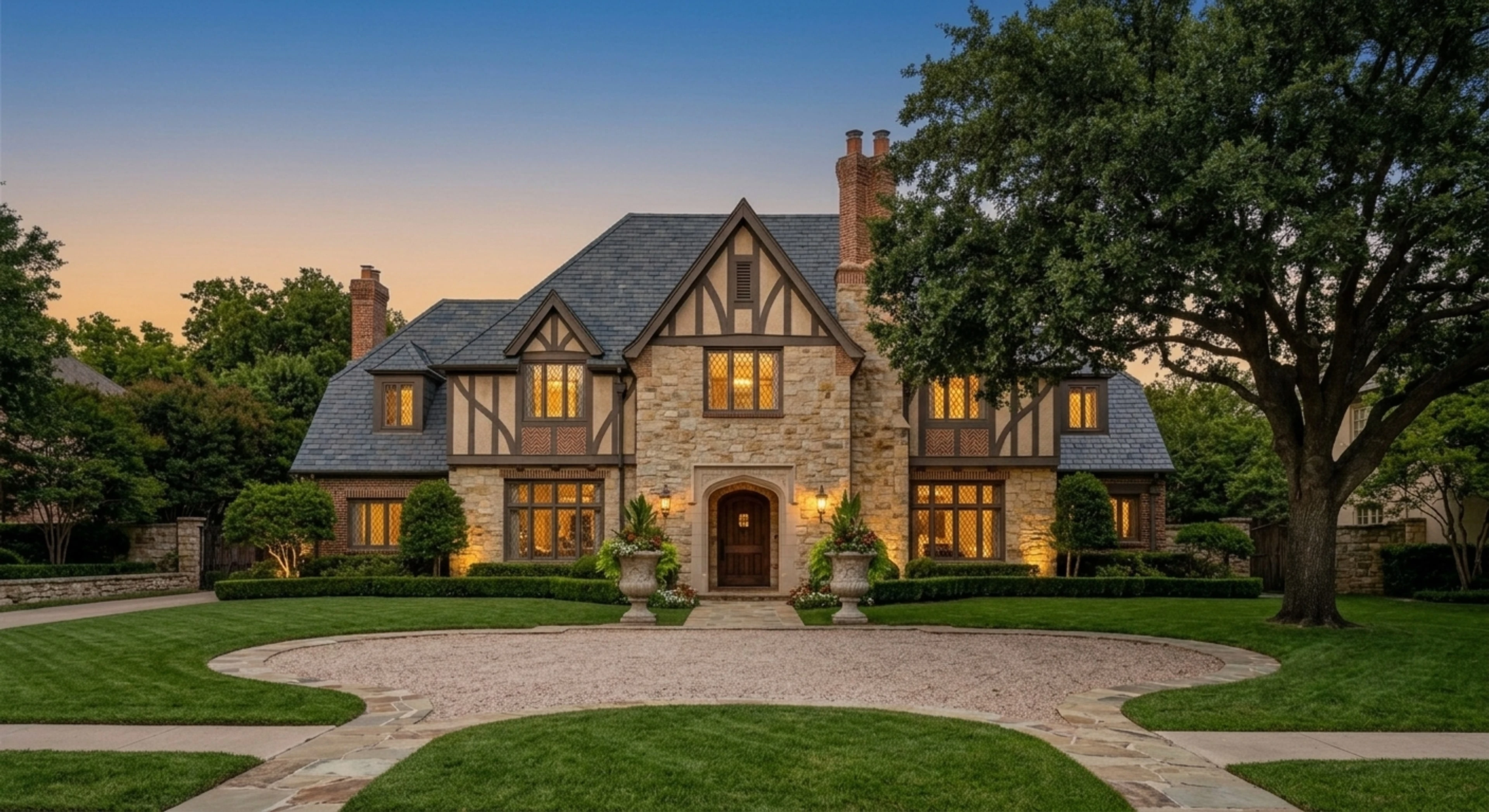
A cloudless noon sky is the toughest input for any dusk conversion, because the light direction fights the result. Here the sky moves to an amber-to-blue gradient and the leaded windows and entrance lanterns glow, while the stone, half-timbering and gravel forecourt keep their shape.
Timber-and-glass modern: grey overcast to blue hour
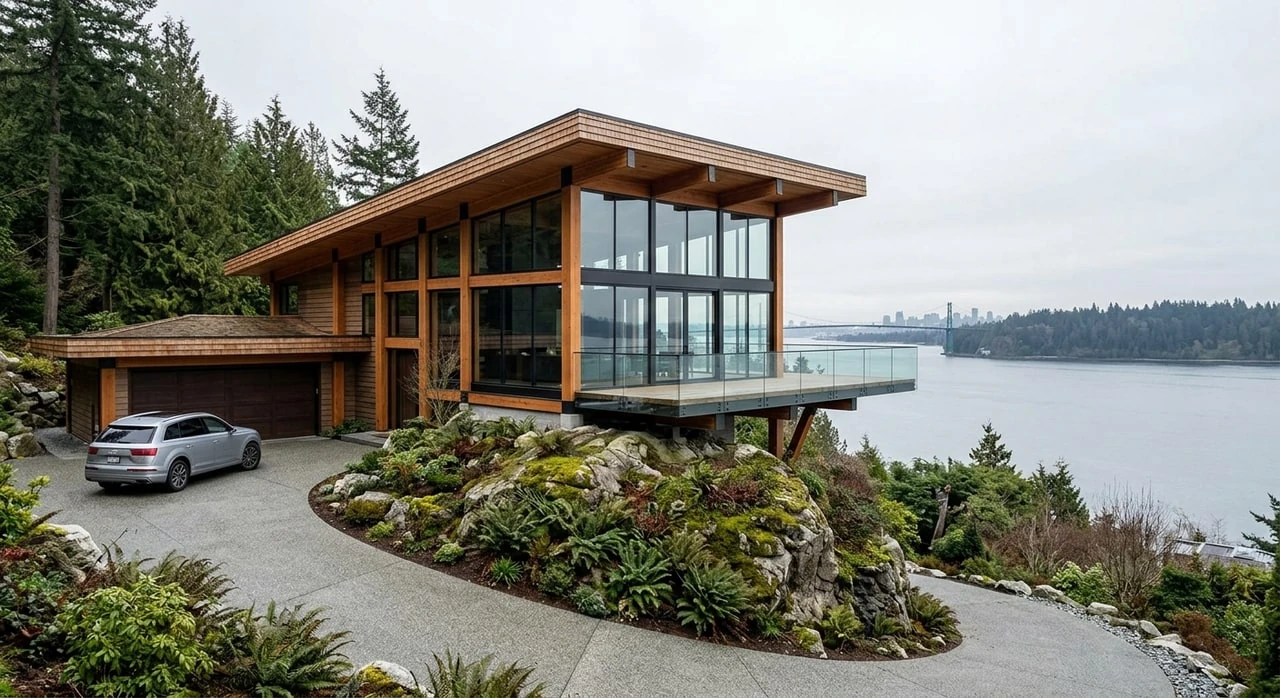
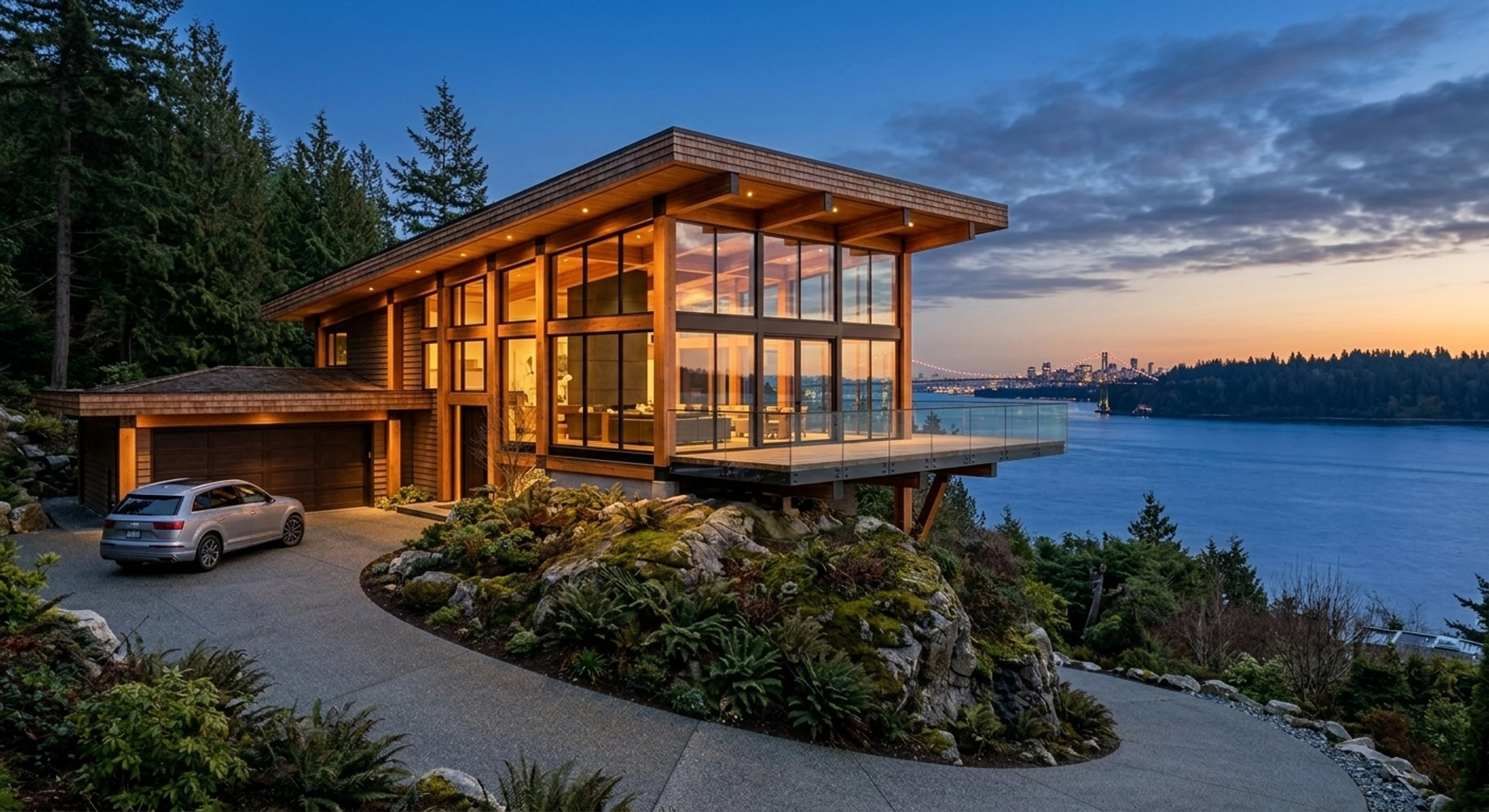
Overcast is the friendliest input there is: no hard shadows to explain away. The grey becomes a blue-hour sky with a band of sunset color over the water, the glass box lights up from inside, and the deck, driveway and parked car stay put.
Alpine chalet in snow: flat winter light to blue hour
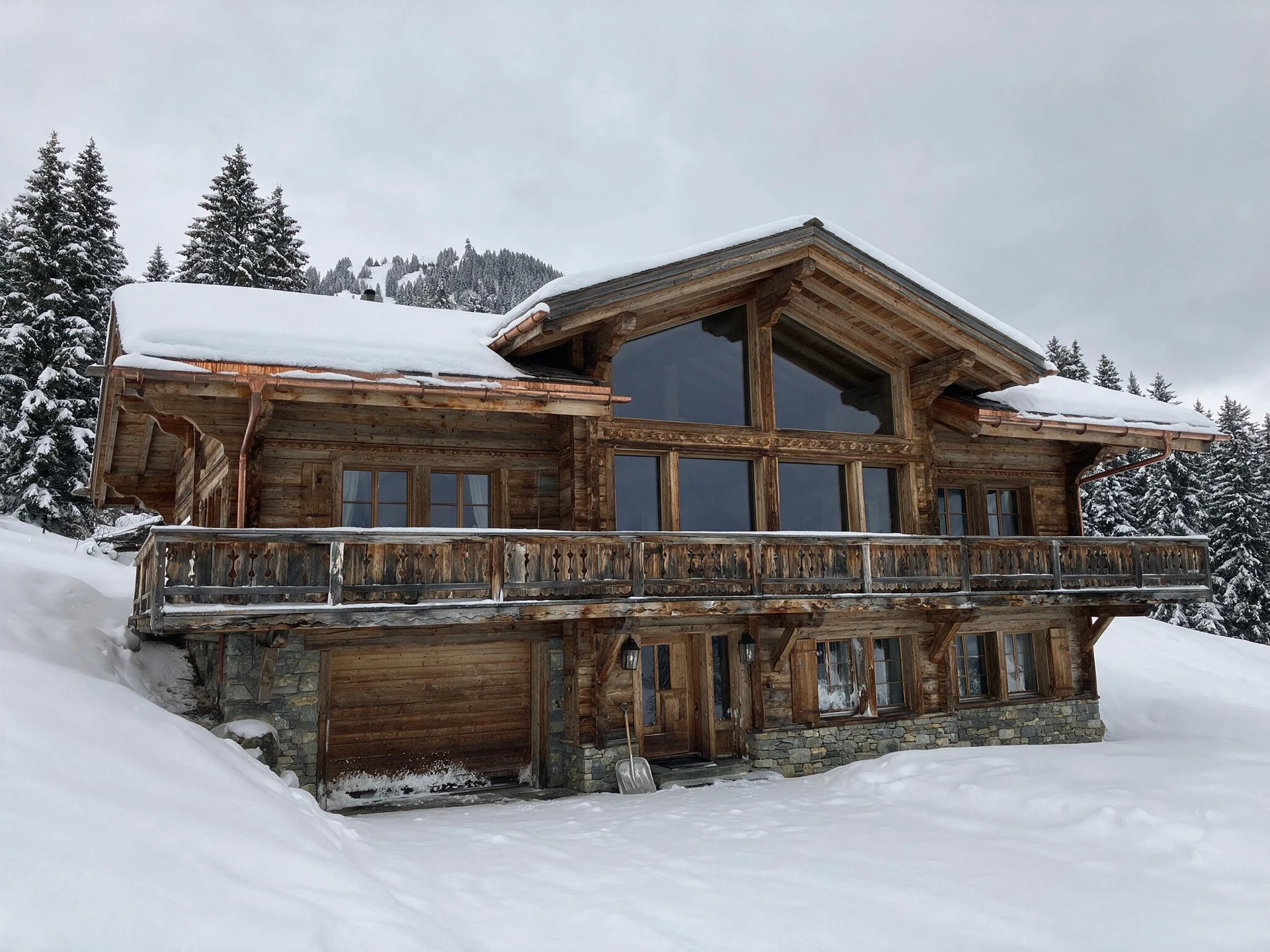
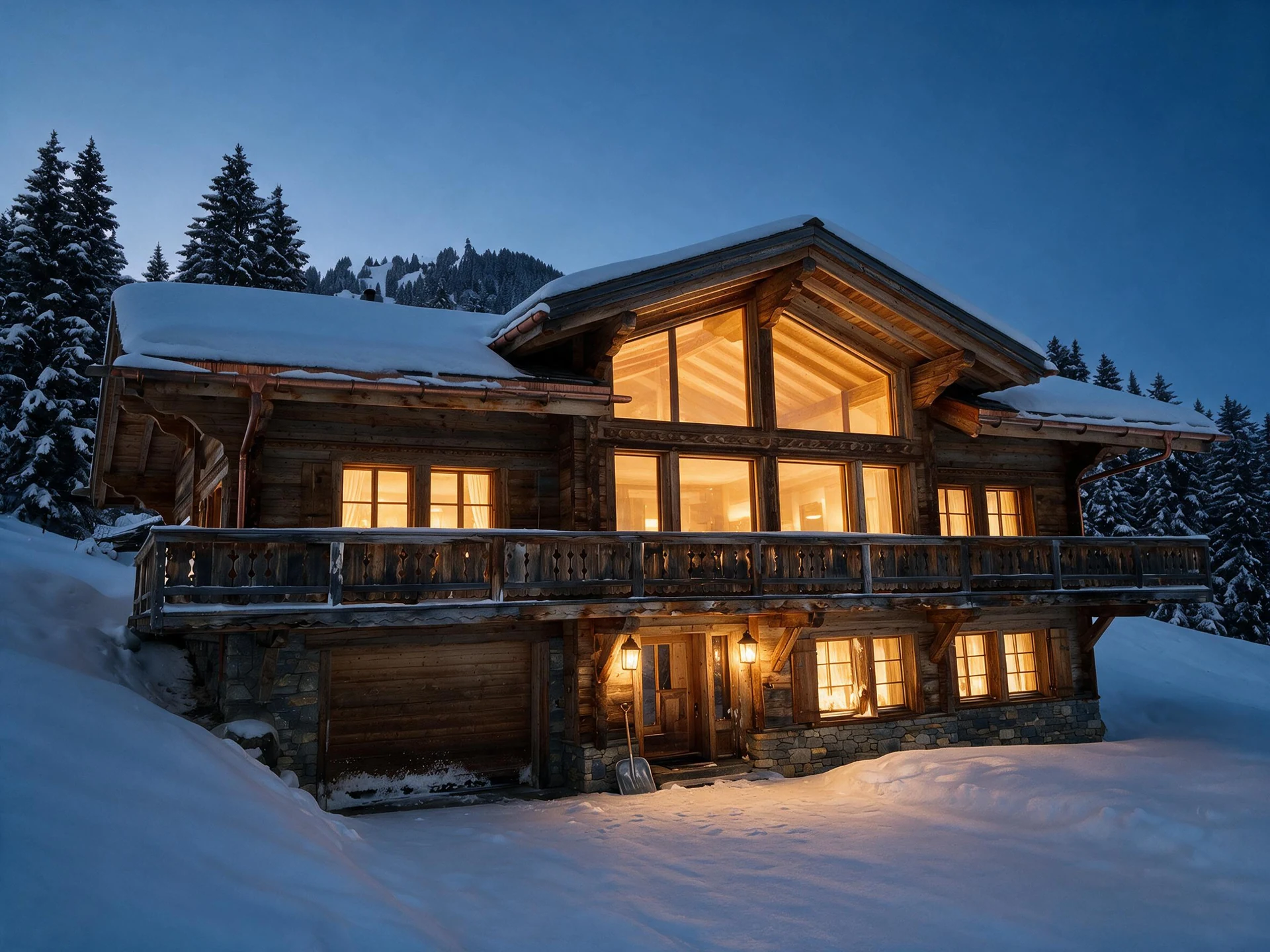
After conversion the snow picks up the blue of the sky and the gable glazing glows, while the copper gutters, the carved balcony rail and the snow shovel by the door are all still there. Leaving the shovel in is the point: the edit relights the photo without staging it.
Reshoot, editing service or AI: what a dusk hero costs
Day to dusk photo editing comes in three forms, and they differ more in time than in money. A photographer's return trip costs the most and gives you real light. Human editing services such as BoxBrownie, Styldod and esoft work from a queue; the first two list a few dollars a photo. AI returns the frame while you wait.
| Route | Price per photo | Turnaround | Best for |
|---|---|---|---|
| Twilight shoot by your photographer | $100–$300 add-on on the same trip; $300–$450 as a separate visit | Booked around sunset, files after the edit | Luxury homes, working pool and landscape lighting, video |
| Human editing service | About $4–$5 at the entry tier; Styldod adds $12 a photo for 24-hour rush | 24–48 hours | HDR blends, composites, revision rounds |
| Plotpane Day to Dusk (AI) | One credit, 33–49¢ by plan; the ~4.7K version costs a second credit | About two minutes, three in parallel | A midday shoot that needs a dusk cover now |
Prices were checked on each vendor's own page in October 2026: BoxBrownie lists its dusk edit at US$5 with a 24-hour turnaround, Styldod lists $4 with 24–48 hour delivery. Photographer add-on ranges come from our real estate photographer pricing guide and 2026 rate surveys.
The math on one listing
Take a common case: the front elevation for the cover plus the backyard pool shot.
- Reshoot: one return visit, usually $100–$300 on top of the original shoot, at the mercy of that evening's weather.
- Editing service: 2 × $5 = $10 at BoxBrownie, back overnight. At Styldod, $8 in 24–48 hours, or $32 with rush.
- Plotpane: 2 credits, about 72¢ on Pro billed yearly, both back in about two minutes because they render side by side.
The honest takeaway: per photo, editing services are already cheap; what you pay for is the wait, and the wait sinks a same-day launch. A subscription earns its keep when the same credits cover enhancement, sky, clutter and staging across the shoot. Our BoxBrownie and Styldod comparisons run that math for a month of real estate listings.
When a real twilight shoot still wins
Real twilight runs on a hard clock. Evening civil twilight lasts from sunset until the sun's center is 6° below the horizon, per the U.S. Naval Observatory, roughly half an hour at mid-latitudes. Book the trip anyway when pool, landscape or architectural lighting is a selling point buyers need to see working, for luxury-tier listings, or when you're shooting video or drone at dusk anyway. Our twilight real estate photography guide covers timing, settings and the shoot itself.
How to do day to dusk photo editing in Plotpane
Upload the exterior, pick Day to Dusk, choose the warm or Blue hour preset, and download the result about two minutes later. The details that change the outcome:
- Pick the frame. Use the cover angle with open sky above the roof and windows facing the camera.
- Clear clutter first. Each render does one operation, so bins, hoses or a car in the driveway go through Clutter Removal first, then the dusk pass runs on the cleaned photo. That's two credits.
- Upload. JPG, PNG, WebP, HEIC or camera RAW, up to 25MB a file. Blend HDR brackets first: RAW files render from the embedded JPEG.
- Choose the look. Warm golden dusk for traditional homes; the Blue hour preset for modern, coastal and glass-heavy ones.
- Render. About two minutes per image, three in parallel. Send the rear and pool shots in the same batch (10, 50 or 150 photos by plan).
- Check it against the five tells below.
- Export. Standard output is ~2.4K, plenty for portals; ~4.7K for print costs a second credit. Exports carry invisible XMP disclosure metadata and, on paid plans, no mark.
If the sky is the only problem and you want daylight rather than evening, use Sky Swap for a straight sky replacement instead.
Which daytime photos make the best dusk conversions?
The best input for day to dusk photo editing is a level exterior in soft light, with open sky above the roofline and windows facing the camera. Hard noon shadows are the hardest thing to hide, whoever does the edit; it's why BoxBrownie sells shadow removal as a separate $10 step.
- Overcast or open shade: the ideal input, with no hard shadows to contradict a set sun.
- High sun, black shadows under the eaves: after sunset there are no hard shadows, so noon ones give the edit away. Pick a frame with the façade in shade.
- Open sky above the roofline: the gradient needs room. Avoid frames cropped tight to the gutter.
- Curtains open: glow should come from rooms, not the glass surface.
- Bare branches against the sky: zoom to 100% on those edges when you check.
- Cars, bins, hoses, leaning verticals: they read louder once the eye goes to the glow. Fix them first with Clutter Removal or Perspective Fix, then convert.
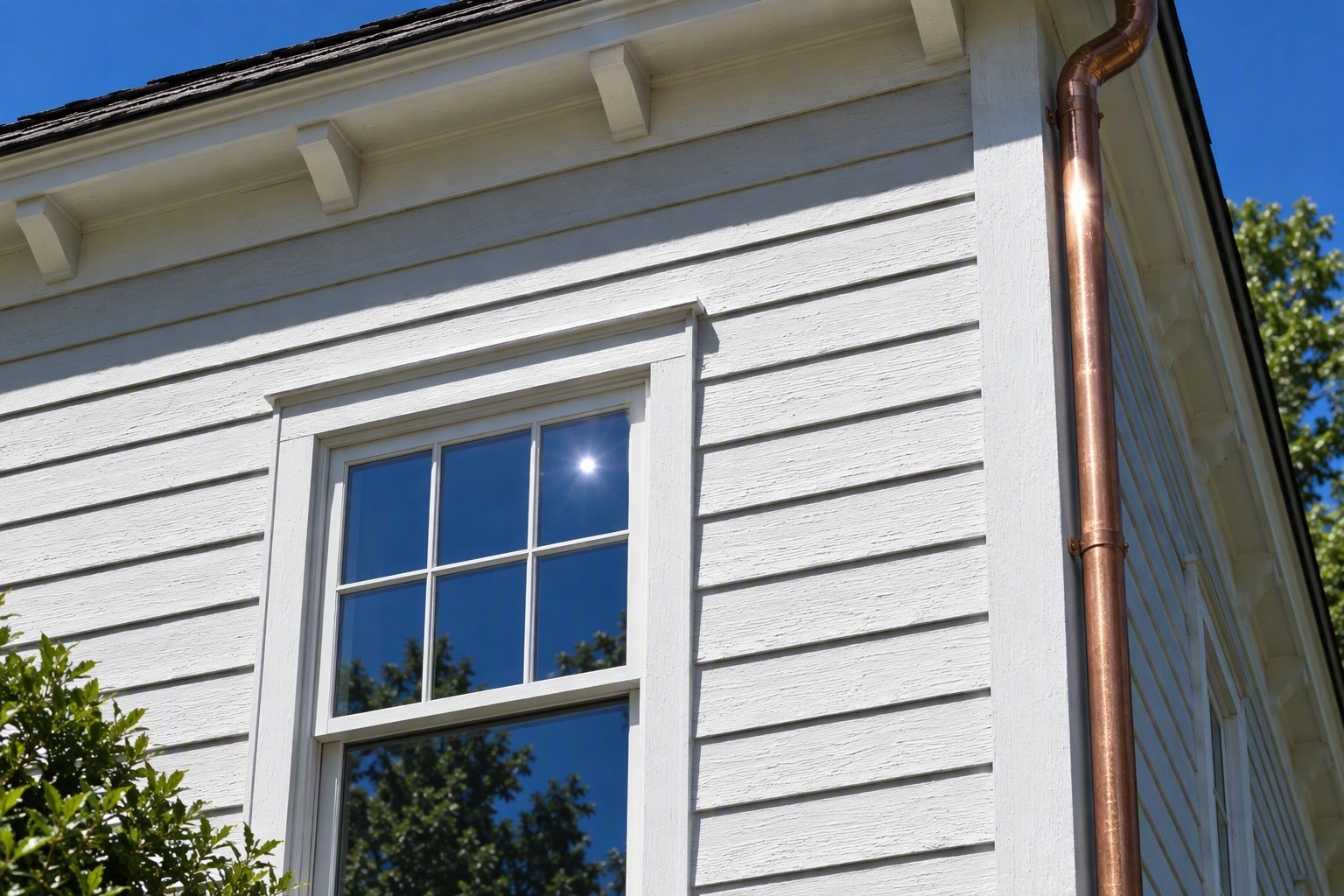
Getting better exterior photos to start with is a shooting decision; our exterior real estate photography guide covers heights and angles.
Check the result in 30 seconds: five tells of a fake dusk
Day to dusk photo editing results need one quick pass at full size before they go to the MLS. Check the sky gradient, where the glow comes from, shadow direction, reflections, and whether the building is unchanged.
- Sky gradient. A real dusk sky is never one flat color; it runs darker overhead and paler toward the horizon.
- Glow from inside. Lit windows should show a room, a curtain or a ceiling, not flat yellow panes.
- Shadows. Anything still casting a short, hard, noon-angle shadow breaks the time of day.
- Reflections. Pool water, glass, car paint and wet paving should pick up the evening sky, not the noon one.
- Same building. Count the windows, trace the roofline, look through the glass. Nothing added, nothing removed.
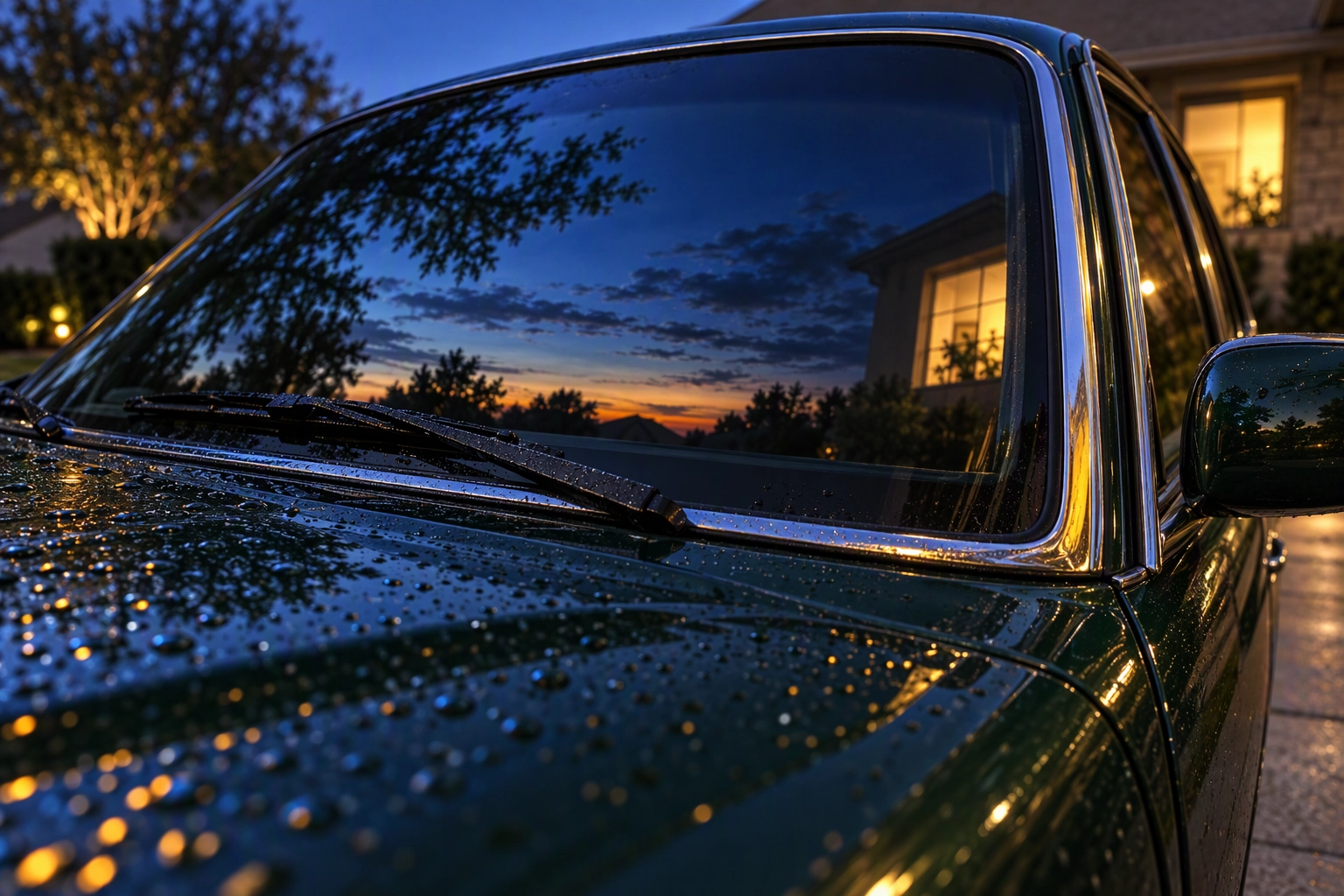
If any of these fails on a Plotpane render, run it again or report it: a render that comes back wrong is credited back.
Warm dusk or blue hour? Pick by architecture
Choose warm dusk for traditional homes and blue hour for modern ones. Colonial, Craftsman, Tudor and Mediterranean façades look right under a golden sky that echoes their tungsten interior light; flat-roofed modern, coastal and glass-heavy homes read better against deep blue.
Plotpane ships both inside one tool: the cooler look, once a separate feature called Cool Twilight, is now the Blue hour preset. Unsure? Render both for two credits and let the seller pick.
Do you have to disclose a virtual dusk photo?
Often yes, and disclosure is the safe default. Article 12 of NAR's Code of Ethics requires a "true picture" in advertising, and Standard of Practice 12-10 has named images explicitly since a 2017 amendment. In California, AB 723 (Business and Professions Code §10140.8, in force since January 1, 2026) requires a disclosure statement plus a link or QR code to the unaltered original whenever an advertised photo is digitally altered.
The grey area is the exemption for "lighting, sharpening, white balance, color correction, angle, straightening, cropping, exposure" and similar adjustments that do not change the representation of the property. Most day to dusk photo editing is a lighting change, but it also replaces the sky and shows lights on, which a regulator could read as more than a common adjustment. Until your MLS or broker says otherwise, treat a dusk hero as altered in California: add a line such as "Exterior digitally converted to dusk" and link the daytime original.
Plotpane writes XMP disclosure metadata into every export; the listing remarks are your part. See our MLS disclosure guide and local pages like day to dusk for Los Angeles listings.
What day to dusk photo editing costs on Plotpane
One conversion is one credit on any plan, the same as every other tool: 33–39¢ billed yearly, or 41–49¢ month to month.
| Plan | Price (billed yearly) | Credits a month | Cost per render | Photos per batch |
|---|---|---|---|---|
| Starter | $39/mo ($49 monthly) | 100 | $0.39 | 10 |
| Pro | $79/mo ($99 monthly) | 220 | $0.36 | 50 |
| Agency | $199/mo ($249 monthly) | 600 | $0.33 | 150 |
- Try it free first: 3 free renders, no card. They carry a small corner mark; paid exports are unmarked.
- No overage bills: renders pause at your cap; unused credits don't roll over.
- Wrong results: a render that comes back wrong or fails is credited back.
- Cancelling: one click; credits last to the end of the period, with no refunds for partial months.
- Reel: the free vertical listing reel is built from your finished photos, dusk cover included.
Compare the plans, or spend the free renders on your own exterior first. Photographers selling day to dusk photo editing as an add-on can see the delivery workflow on Plotpane for real estate photographers.
Frequently Asked Questions
How long does day to dusk photo editing take?
About two minutes per image in Plotpane, with three rendering in parallel. Human editing services typically quote 24–48 hours, and a reshoot waits for the next clear evening.
How much does day to dusk photo editing cost?
On Plotpane, one credit: 33–49¢ depending on plan and billing. Human services list about $4–$5 per photo at the entry tier, and a photographer's twilight add-on typically runs $100–$300.
Is virtual twilight the same as day to dusk?
Yes. Virtual twilight, virtual dusk and day to dusk conversion all describe relighting a daytime photo to look like evening. "Twilight" often implies the deeper blue-hour look and "dusk" the golden one, which is why Plotpane offers both presets.
Will the AI change my house?
It shouldn't. The tool runs one operation with a preserve list that keeps walls, doors, fixtures and the view through the glass as photographed; it is not a text-to-image generator inventing a scene. If it does change the property, the credit comes back.
Can I use photos from my iPhone?
Yes. HEIC files upload directly, up to 25MB each. Shoot the exterior level, from chest height, with the whole roofline and some open sky in frame; the 0.5× ultra-wide lens usually fits the full façade from across the street.
Can I convert every exterior in a listing at once?
Yes. Upload the front, rear and pool shots together; batches hold 10, 50 or 150 photos by plan, and three images render at a time. In our view one or two dusk frames per listing is the sweet spot, before the set starts to feel staged.