iPhone Real Estate Photo Editing at About $17 a Listing
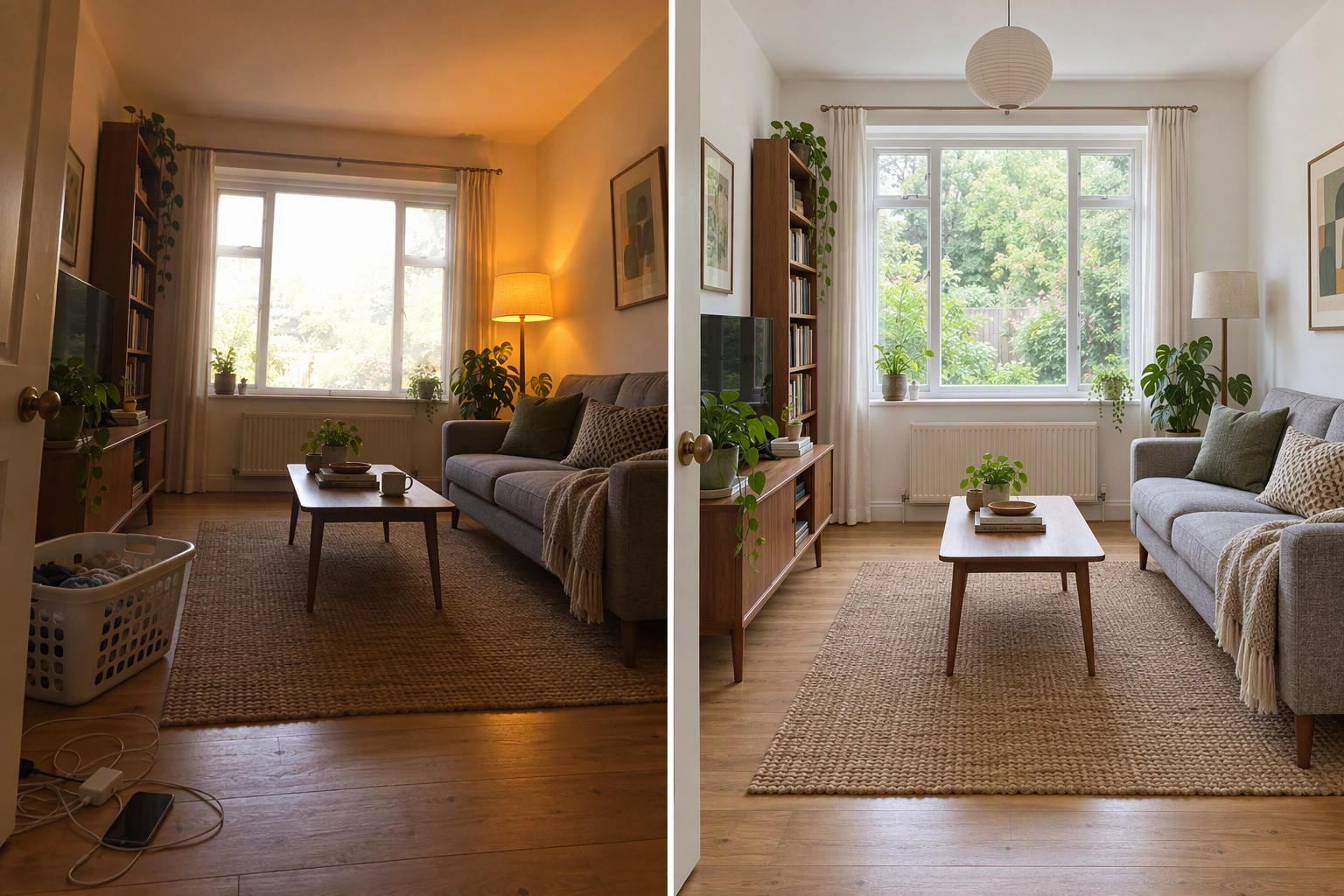
Your iPhone took a sharp photo. The listing still looks amateur next to the agent down the street who paid for real estate photography: the living room is dim, the window is a white rectangle, the walls lean in, and a recycling bin sits in the driveway. iPhone real estate photo editing fixes those faults after the shot, without a DSLR, without Lightroom skills, and without changing the property itself.
Quick Summary: Most iPhone listing photos fail on four things: flat light with blown windows, mixed color casts, leaning walls and clutter. Plotpane takes the HEIC straight from your iPhone and fixes them in renders of about two minutes and one credit each. A typical 25-photo listing needs about 43 credits, roughly $17 on the Starter plan billed yearly.
Why do iPhone listing photos look amateur?
iPhone listing photos look amateur because of four fixable faults, not because of the camera: interiors that read dim and flat while the windows blow out, orange and blue casts from mixed lighting, walls that lean because the phone was tilted, and clutter nobody moved. Professional real estate photography fixes all four in post, and you can too.
NAR's 2025 Profile of Home Buyers and Sellers reports that 52% of buyers found the home they bought online and 70% used a mobile or tablet device during their search. Your photos sit in the same scroll as listings shot on full-frame cameras.
Dim interiors and blown-out windows
A phone sensor is far smaller than a full-frame sensor, so it holds less range between the darkest corner and the brightest window. Automatic HDR blends several exposures to compensate, but in a space lit by natural light from one side, the result often looks grey in the middle with a hot, featureless window.
Orange or blue color casts
Most homes mix warm bulbs with daylight. Auto white balance picks one compromise for the whole frame, so either the lamps glow orange or the window side turns blue, and white walls come out cream or grey.
Walls that lean
Tilt the phone up to fit the ceiling and vertical lines converge: door frames, cabinets and window edges lean in. Photographers call it keystoning. The 0.5x lens makes it worse; on the iPhone 17 Pro it is a 13 mm Ultra Wide with a 120° field of view, per Apple's tech specs, so a small tilt becomes a big lean at the edges.
Clutter the eye skips and the lens keeps
You stop seeing the charger on the counter and the bins by the garage. The camera will capture both as sharply as the countertops.
The fault-to-fix table for iPhone real estate photos
Each fault has a cause, a free fix in the Photos app, and a matching Plotpane tool. The Photos app works one frame at a time, by eye. Plotpane runs each tool as one render of about two minutes and one credit; stacking two tools on one photo means two renders.
| Fault | Cause on an iPhone | Free fix in the Photos app | Plotpane tool | Credits |
|---|---|---|---|---|
| Dim interior, white window | Small sensor; HDR blend leaves interiors grey | Exposure, Shadows, Highlights sliders | Auto Enhance | 1 |
| Orange lamps, blue window side | Mixed lighting; one white balance per frame | Warmth and Tint sliders | Auto Enhance (same render) | 0 extra |
| Walls lean in or out | Camera tilted; 0.5x lens exaggerates it | Crop: Vertical and Horizontal | Perspective Fix | 1 |
| Crooked floor line or horizon | Handheld roll | Crop: Straighten | Perspective Fix (same render) | 0 extra |
| Bins, cords, toiletries, yard sign | Nobody moved them | Clean Up, on iPhone 15 Pro or later | Clutter Removal | 1 |
| Grey or blown-out sky | Overcast day | No sky tool | Sky Swap | 1 |
| Brown lawn or green pool | Season and maintenance | No equivalent | Lawn & Pool Revive | 1 |
The Photos app is good for a single photo. Across a listing, 25 photos edited by eye drift in brightness and warmth from room to room, and that inconsistency is what makes phone photography look amateur.
How iPhone real estate photo editing works in Plotpane
Upload the photos your iPhone already took, choose a tool, and get a finished JPEG back in about two minutes, three images at a time, with no editing skills needed. This order works best.
1. Upload the HEIC straight from your Camera Roll
HEIC, JPEG, PNG and WebP files upload directly, with nothing to convert, up to 25 MB each. The exception is 48 MP Apple ProRAW, which Apple puts at about 75 MB a file (Apple Support), so shoot HEIF or JPEG for listings. Details: HEIC and raw upload notes and batch upload help.
2. Straighten verticals with Perspective Fix
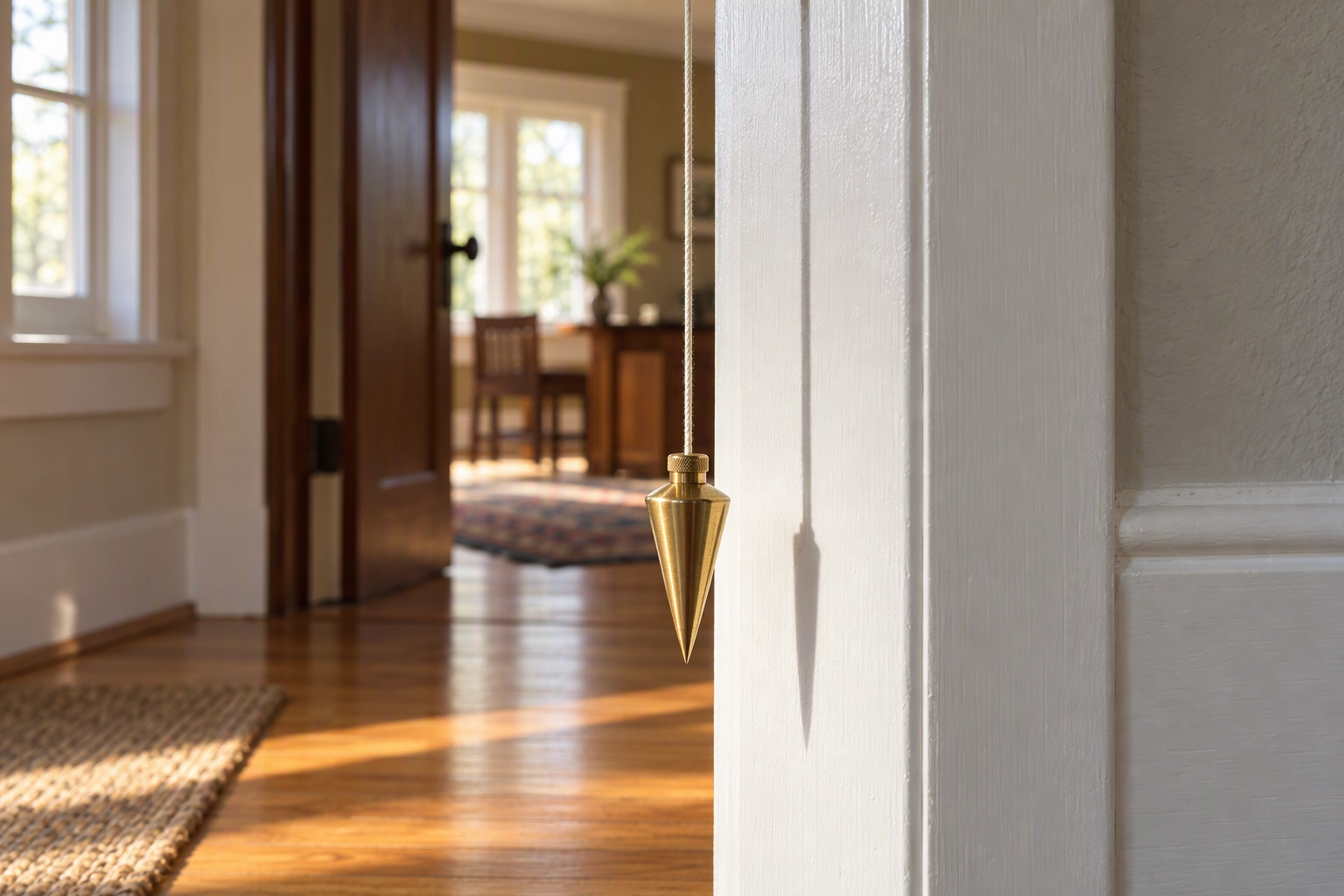
Run Perspective Fix first on any interior where door frames or cabinets lean. It detects verticals, floors and horizons and corrects them automatically, the same correction a photographer makes with a tilt-shift lens or Lightroom's Transform panel. Straightening always trims a little from the edges, so frame slightly wider than you need.
3. Fix light and white balance with Auto Enhance
Auto Enhance corrects exposure, white balance, color and clarity in one render. Dark corners lift and white walls go back to white. It will not invent a view through a window that is pure white in your file: every render carries a preserve list that forbids changing what is visible through glass.
4. Name the clutter you want gone
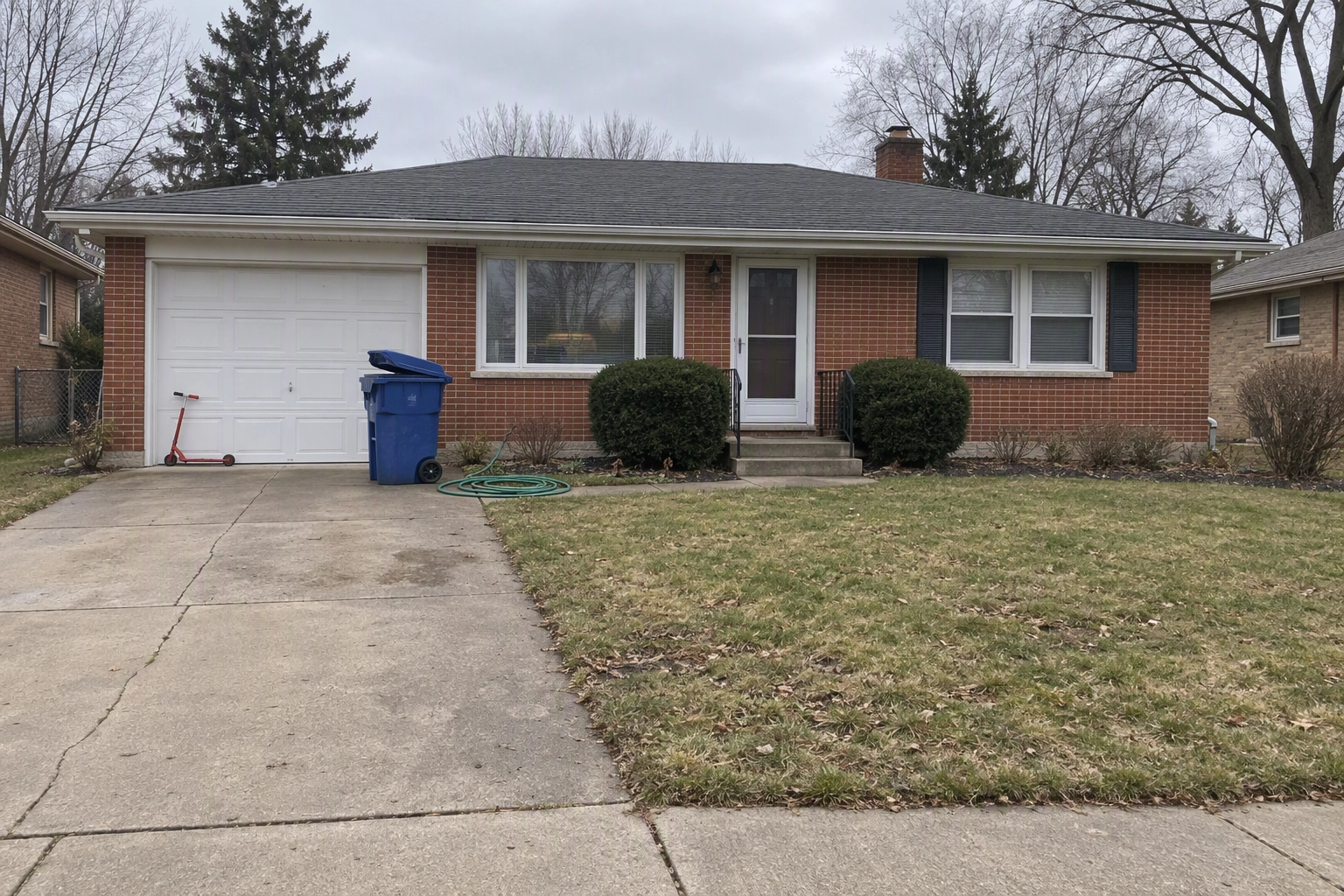
In Clutter Removal you name the objects ("the blue recycling bin and the garden hose") and Plotpane rebuilds the surface behind them with matching material, grain and shadow. Anything you don't name stays, and the preserve list forbids concealing a stain, crack or other defect.
5. Download MLS-ready JPEGs
Each render comes back as a JPEG at about 2.4K (around 2,400 px on the long edge), or about 4.7K for a second credit, above the 2048 × 1536 px most boards recommend (MLS photo size requirements). There is no watermark, every export carries XMP disclosure metadata, and the listing downloads as a ZIP.
Before and after: what changes in an iPhone shot
The image at the top of this page illustrates a typical iPhone living-room shot before and after these passes. In a real render, four things change:
- Verticals: door frames and wall corners run parallel to the sides of the frame.
- Exposure: the far corner comes out of shadow; the window keeps whatever detail the file holds.
- Color: lamplight and daylight meet at a neutral white wall.
- Clutter: the named items, say a laundry basket and chargers, are gone.
What does not change: the size of the space, the windows, the flooring, the view, and any scuff a buyer would see at the showing. If you see something invented, report the render and the credit comes back. More in what retouching must not change in real estate photos.
Which iPhone edits are safe on a listing photo?
Edits that change light, color and geometry are safe on a listing photo; edits that generate new pixels are not. NAR's Code of Ethics Article 12 requires REALTORS® to "present a true picture in their advertising, marketing, and other representations" (NAR case interpretations), and Standard of Practice 12-10, amended in November 2017, names misleading images explicitly. A brighter, straighter image of the real space passes; one with a wall, a view or floor area that isn't there fails.
That line got harder to see this year. iOS 27 added Apple Intelligence tools, including Extend and Reframe, to the Photos app on iPhone 15 Pro and later (Apple Support):
| iPhone edit | What it does to the pixels | Safe for an MLS listing? |
|---|---|---|
| Adjust: Exposure, Shadows, Warmth | Re-grades the pixels you captured | Yes |
| Crop: Straighten, Vertical, Horizontal | Re-projects captured pixels, trims the edges | Yes |
| Clean Up | Removes an object and fills the gap | Yes for movable clutter; never for defects, fixtures or views |
| Extend | Generates new image area beyond the frame | No: that extra wall or yard does not exist |
| Reframe | Moves the virtual camera and generates what the shift exposes | No: it can change apparent size and layout |
Extend and Reframe are impressive on vacation shots. On a listing, they draw parts of a home the buyer will never find at the showing, the "extreme distortion of a space's size" that Illinois REALTORS® flagged when explaining the misleading-images rule. Virtual staging is a separate case, allowed by most boards with disclosure; see our MLS disclosure guide.
What it costs to edit a 25-photo iPhone listing
A typical 25-photo iPhone listing needs about 43 credits: Auto Enhance on every photo, plus Perspective Fix on the interiors that lean, Clutter Removal where the seller didn't tidy, and Sky Swap on grey exteriors. On Starter billed yearly, that is about $17 per listing.
Worked example: a three-bedroom home, 25 photos (6 exteriors, 19 interiors) taken on a phone in one afternoon.
| Pass | Photos | Credits |
|---|---|---|
| Auto Enhance (light, white balance, color) | All 25 | 25 |
| Perspective Fix (0.5x interiors that lean) | 12 | 12 |
| Clutter Removal (bins, counter clutter, cords) | 4 | 4 |
| Sky Swap (grey-sky exteriors) | 2 | 2 |
| Total | 43 |
| Plan | Price | Credits a month | Cost per credit | One 43-credit listing | Listings like this a month |
|---|---|---|---|---|---|
| Starter, billed yearly | $39/mo | 100 | $0.39 | $16.77 | 2 |
| Starter, billed monthly | $49/mo | 100 | $0.49 | $21.07 | 2 |
| Pro, billed yearly | $79/mo | 220 | $0.36 | $15.44 | 5 |
At about two minutes per render and three at a time, 43 renders is roughly half an hour of processing you don't have to watch: upload before a showing, download after. A tidy condo might need only 25 credits. To compare with hiring out, see our photographer pricing guide.

Shoot for the edit: 6 iPhone camera settings
Editing can't fix a blurry frame or a window that is pure white in the file. These six settings help every later fix; the full playbook is in our 21 real estate photography tips and the interior real estate photography guide.
- Turn on Grid and Level in Settings > Camera (Apple Support). Less lean in the file means less trimmed later.
- Shoot at chest height, camera straight up and down. Step back instead of tilting to fit the ceiling.
- Use 0.5x only for small spaces. The Ultra Wide lens fits a bathroom but stretches furniture at the edges; in living areas, 1x from a corner looks more natural.
- Hold landscape. MLS galleries are horizontal, so vertical shots get cropped or letterboxed.
- Know your HDR switch. Smart HDR can only be turned off on iPhone 11 models, iPhone SE (2nd generation) and iPhone 12; later models apply HDR automatically (Apple Support). On those older phones, turn it off for interiors, since heavy HDR merges can confuse the straightening model. Skip Portrait mode.
- Turn on every light, then tap to focus on the far wall. Even lighting lets Auto Enhance balance the space instead of rescuing it.
The shot doesn't need to be perfect. It needs to be level, sharp and complete, and using these settings to capture it gets you there.
When an iPhone is not enough
An iPhone plus Plotpane covers most everyday listings. It is the wrong setup in a few cases:
- Luxury and architectural listings, where buyers expect drone footage, a floor plan and professional real estate photography. Hire a photographer; Plotpane also serves photographers who want faster edit nights.
- Anything that isn't a property. Plotpane only edits listing images, not headshots or product photography.
- Changing the building. Plotpane does not draw floor plans or add rooms. For a twilight cover, Day to Dusk re-lights the exterior you already have.
Plans for agents who shoot their own listings
Starter is built for the solo agent: $39 a month billed yearly ($49 billed monthly) for 100 credits, one credit per image whichever of the seven tools you use, up to 10 photos per batch, no watermark, and one-click cancellation. There is no free plan, but every account starts with 3 free renders and no card until you subscribe: enough to test one of your own real estate photos and judge the quality yourself.
Pro suits agents listing several homes a month: $79 a month billed yearly, 220 credits, up to 50 photos per batch. Running a team? See how brokerages and teams use Plotpane, or compare plans on the pricing page.
See the plans and start with 3 free renders
Frequently Asked Questions
Can you edit real estate photos on an iPhone without another app?
Yes, using the Photos app: its Adjust sliders handle exposure, shadows and warmth, and the Crop tool straightens leaning walls. Across a 25-photo listing, though, editing by eye makes brightness and color drift between rooms, which is the gap an AI photo editor for real estate closes.
Does Plotpane accept HEIC photos from an iPhone?
Yes. HEIC, JPEG, PNG and WebP upload directly with no conversion, up to 25 MB per file. Raw files upload too, but Plotpane reads the JPEG preview inside them instead of developing the raw, so export a 48 MP ProRAW (about 75 MB) as a JPEG first.
Is it OK to edit iPhone listing photos for the MLS?
Correcting light, color and perspective and removing movable clutter is standard real estate practice. What crosses Article 12's "true picture" line is changing the property: hiding defects, inventing views or altering size. Virtual staging is allowed by most MLSs when disclosed in the listing remarks, which you write yourself.
How long does iPhone real estate photo editing take in Plotpane?
About two minutes per render, three images at a time. A photo that needs Perspective Fix and Auto Enhance takes two renders, so a 43-render listing is roughly half an hour of processing.
Is there a free trial?
There is no free trial and no free plan. Every account gets 3 free renders with no card required, and paid plans start at $39 a month billed yearly.
Will Plotpane change what my rooms look like?
It changes light, color, geometry and the clutter you name, not the property. Walls, windows, fixtures and the view stay as photographed, and Plotpane doesn't train models on your uploads.