Plotpane · Interior listing photography
Interior listing photography

Interior Real Estate Photography real estate

Interior Real Estate Photography turns a flat listing into 4K marketing-grade exports. Every room in a listing has its own photography failure mode. The kitchen battles reflective stainless and mixed under-cabinet tungsten. The primary suite loses window detail to backlighting. The bathroom fights a tight frame and hard overhead light. Plotpane ships per-room presets so each image in the set gets the specific correction that room needs, rather than a one-grade-fits-all HDR default.

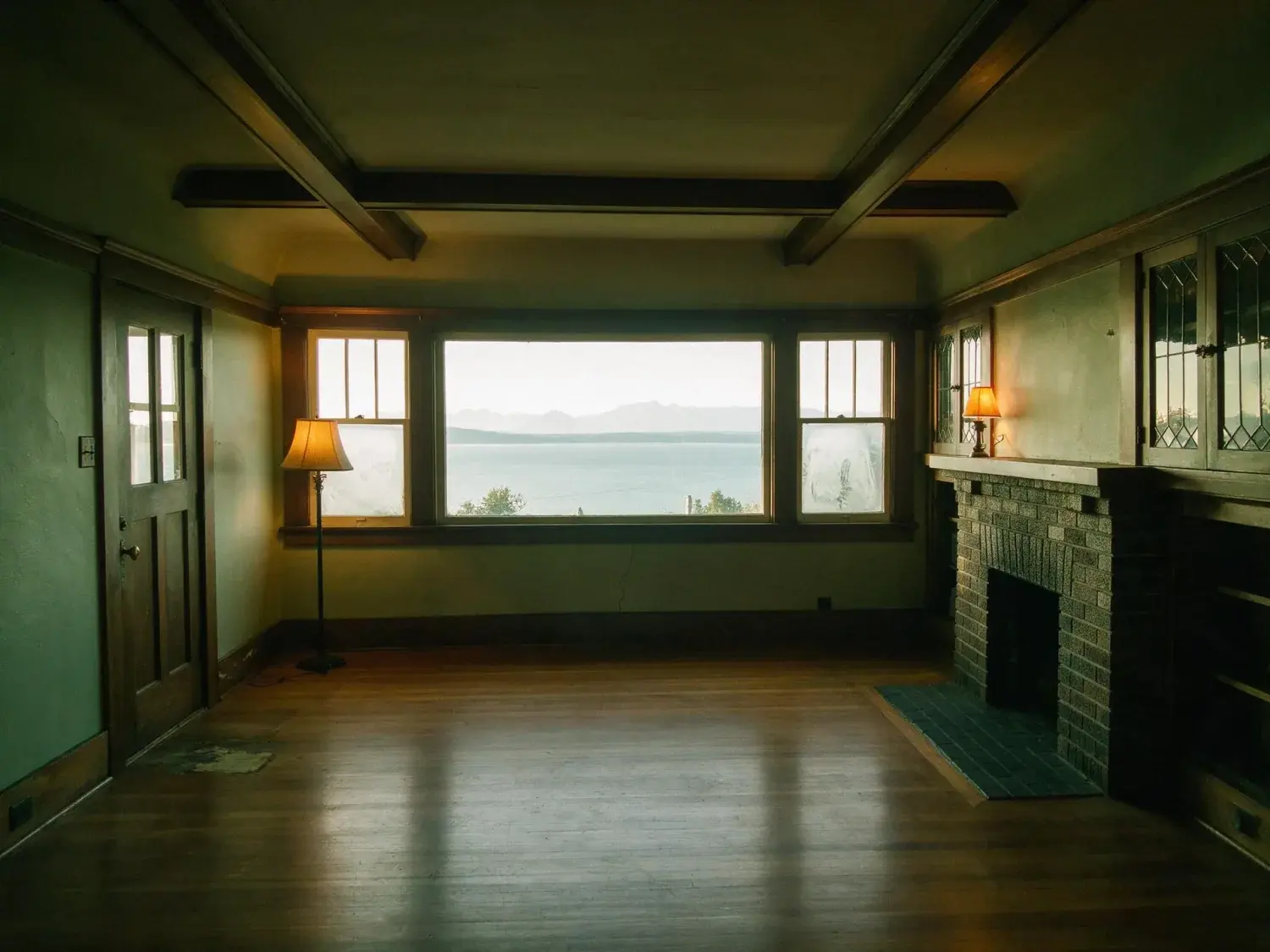
A grand prewar Park Avenue living room with crown moldings and herringbone floors, stripped of a family's lived-in clutter to reveal its bones. — enhanced by Plotpane
A grand prewar Park Avenue living room with crown moldings and herringbone floors, stripped of a family's lived-in clutter to reveal its bones. — original listing photo before editing
BeforeAfter
01

Built for Interior Real Estate Photography

Interior Real Estate Photography is a specific craft, not a generic filter. The kitchen has stainless-steel reflections that go blown-white under any auto-enhance, mixed under-cabinet tungsten plus overhead LED plus window daylight, and a dark range hood that eats shadow detail. The primary suite has a window-backlit bed silhouette that confuses every single-frame HDR model. The bathroom has a tight frame with hard overhead light and a mirror that reflects the photographer. The dining room has a chandelier that's either blown or missing entirely. The home office has a monitor glowing four stops brighter than the desk surface. Plotpane reads the room type from the image and applies the correct per-room correction — not a single general grade.

02

How the per-room presets differ

Kitchen: stainless recovery, mixed-light white balance, range-hood shadow recovery. Primary suite: backlit-bed exposure balance, window-pull recovery, bedside-lamp warmth preservation. Bathroom: mirror-ghost removal, overhead-light softening, vertical correction for tight frame. Dining room: chandelier HDR recovery at 4K, wall-color accuracy. Home office: monitor-glow tempering, desk-surface exposure balance. Living room: window-pull recovery, fireplace warmth preservation, sofa-fabric color accuracy. Each preset is calibrated against the failure mode specific to that room.

  • Kitchen: stainless recovery + mixed-light WB + range-hood shadow
  • Primary suite: backlit-bed + window-pull + lamp-warmth
  • Bathroom: mirror-ghost + overhead softening + vertical fix
  • Dining room: chandelier HDR + wall-color accuracy
  • Living room: window-pull + fireplace warmth + fabric color
03

Room-by-room as the way buyers actually browse

Buyers don't browse listings chronologically — they browse by room type, looking for the kitchen first (the most-clicked room on every listing), then primary suite, then living, then bathrooms. A photo set that's inconsistent room-to-room fails at the single-room scrutiny stage: a strong kitchen shot undercut by a weak primary suite shot kills the whole listing. Plotpane's per-room presets produce a consistent per-room register — every kitchen reads as a proper kitchen hero, every primary suite reads as a proper primary hero — and the set holds together under the room-by-room buyer browse pattern.

For this region

Local questions, answered

Does Plotpane automatically detect which room it's looking at, or do I have to tag each image?+

Auto-detect by default — the model reads kitchen, primary, bathroom, living, dining, home office, hallway, and exterior from the source image. You can override the detected room if needed, but for most listing sets the auto-tag is accurate and you batch through the full set without per-image attention. Plotpane's interior real estate photography pipeline ships as a first-class preset — upload, select, export 4K, done.

The primary suite has a bed that's window-backlit. Every AI I've tried either blows the window or black-crushes the bed. How does Plotpane handle it?+

The primary-suite preset is specifically tuned for this — single-frame HDR recovery that holds bed exposure (fabric detail, pillow shape) and window exposure (skyline or garden view) at the same time. No bracketing, no tripod. The preset also preserves bedside-lamp warmth so the room reads as warm-lived rather than clinical.

Can it handle a bathroom shot where my reflection is visible in the vanity mirror?+

Yes — the bathroom preset runs item-removal on the photographer-reflection in the mirror as part of the standard pass. The output reads clean without the manual Photoshop cloning that consumer AI tools skip.

Pricing

Premium where it counts.
4K on every plan.

Three plans. Every transformation unlocked. 4K output on every plan, watermark-free on every export, cancel anytime.

14-day refund

14-day no-questions refund. If your first render isn’t MLS-ready, we refund it.

Starter

For the solo agent shooting their own listings.

$39/mo billed yearly

100 renders per month · ~20 staged / 100 enhanced

Subscribe to Starter
  • 100 renders per month
  • Every transformation · all seven tools
  • 4K output on every export
  • Zero watermarks — clean image ships with every render
  • Invisible XMP disclosure metadata on staged output
  • Email support
Most popular

Pro

For top-producing agents and real-estate photographers.

$79/mo billed yearly

300 renders per month · ~60 staged / 300 enhanced

Subscribe to Pro
  • 300 renders per month
  • Batch mode — consistent grade across every shot of the listing
  • Bulk upload & batch processing
  • Priority rendering queue
  • Brand presets (studio logo on export)
  • Composed pipeline (stack tools in one render)
  • Priority support

Agency

For brokerages, teams, and photography networks.

$199/mo billed yearly

800 renders per month · ~160 staged / 800 enhanced

Subscribe to Agency
  • 800 renders per month
  • Bulk upload — whole-shoot processing with shared preset lock
  • Up to 5 team seats
  • Roll-over renders (up to 3× monthly cap)
  • Shared brand presets across the team
  • White-label export (studio logo on delivery ZIP only — never on the image)
  • Dedicated account manager

Agencies only
Includes 5 seats · additional seats $25/mo

FeatureStarter$39/mo annualPro$79/mo annualAgency$199/mo annual
Renders per month100300800
Every transformation (staging, dusk, sky, declutter, enhance, renovate, sketch-to-render)
4K output (up to 3840×2160)
Watermark on exportNoneNoneNone
Invisible XMP disclosure metadata
Bulk upload & batch processingUp to 25 at a timeUp to 200 at a timeUp to 200 at a time
Batch consistency (shared preset, white balance, and grade across the listing)
Priority render queue
Composed pipeline (stack tools in one render)
Brand presets (studio logo on delivery ZIP)Shared across team
Team seats115 (additional $25/mo each)
Roll-over rendersUp to 3× monthly cap
White-label delivery ZIP
SupportEmailPriority emailDedicated account manager
Cancel anytime, one click in Stripe portal
14-day refund on first render
Pricing FAQ

Billing, quotas, and refunds.

  • Yes — one click in the Stripe billing portal from your dashboard. Billing stops immediately and any remaining credits stay usable through the end of the billing period.

  • Starter and Pro renders refresh at the start of each billing cycle and do not roll over. Agency renders roll over up to 3× your monthly cap, so a slow month isn't wasted.

  • We never auto-charge for overages. Once you hit your cap, new renders pause until your next cycle. If you need more room immediately, upgrade your plan from the billing page and your new quota applies instantly with proration.

  • No free trial. Instead, every plan carries a 14-day no-questions refund — if your first render isn't MLS-ready, we refund it. We chose a hard paywall over a throttled free tier so every plan gets full 4K output and every tool from day one.

  • Yes — annual billing is roughly 20% off the monthly rate (Starter $39 vs $49, Pro $79 vs $99, Agency $199 vs $249, all per month). The toggle above swaps the two.

Enterprise

MLSs, franchises, portals, and photography networks.

Custom volume packages, SSO, SOC 2 readiness, private-cloud deployment, and dedicated CSMs. We partner with networks processing 50,000+ listings per month.

Talk to sales
Questions

The usual questions,
answered directly.

  • No. Midjourney and DALL-E invent scenes from text prompts — beautiful for art, disqualifying for a listing. Plotpane is a structure-preserving pipeline: your room geometry, windows, and floor plan stay exact. We stage, re-light, swap skies, declutter, and 4K-enhance your actual photo. No hallucinated architecture, no invented rooms.

  • BoxBrownie and Styldod are human-edit services: you upload, a retoucher works overnight, you get a result in 24–48 hours at $2–$32 per image per treatment. Plotpane runs the full listing pipeline — staging, dusk, sky, clutter, enhancement — in one upload, in ~90 seconds, for a flat monthly subscription. Same 4K quality, no queue, no per-image fees.

  • Yes, when disclosed. NAR guidelines, California AB 723, and REBNY Rule 3.3 all allow virtually staged photos provided the listing discloses them. Every Plotpane export embeds invisible XMP disclosure metadata so the staging record travels with the file. You still handle the listing-remarks disclosure in your MLS portal — that's the part only you can do.

  • Not on staging or enhancement — our Fidelity Contract enforces structure-preserving masks that lock architecture, windows, and floor plan before any generation runs. Furniture is added to empty rooms; clutter is removed from furnished rooms; lighting and sky are re-graded. Renovation features (new flooring, wall colors) require you to explicitly mark the surface. We never reinvent what's already there.

  • Yes — one click in the Stripe billing portal from your dashboard. Billing stops immediately, remaining credits stay usable through the end of the billing period, and there's no cancellation fee.

  • Yes — any AI-generated or AI-modified image is considered an edit requiring disclosure under NAR's standards. That's why every Plotpane export writes invisible XMP disclosure metadata by default. The flag is machine-readable by MLS tooling and survives Lightroom round-trips. You still add the disclosure line to your listing remarks; we make sure the image itself is self-describing.

  • We don't train on your uploads — ever, with no opt-out toggle needed. Storage is per-account R2 (Cloudflare's object store), isolated from other tenants. When you cancel, your account's files are deleted on schedule. Transit is TLS 1.3, at-rest is AES-256. Full details in /legal/privacy.

  • Yes. Upload HEIC straight from your phone or desktop — we validate by magic bytes (not just file extension) and convert server-side. PNG, JPG, WebP, and HEIC are all first-class inputs. Output is 4K JPG by default, or request PNG if you need lossless.

  • Upgrade is instant and prorated: Stripe credits the unused portion of your current plan against the new one, and your new render quota applies immediately. Downgrades take effect at the next billing cycle so you keep your current quota until then. No credits are lost in either direction.

  • Yes. All plans include a commercial-use license for the agent, brokerage, or photography business on the account. Agency plan adds 5 team seats and a white-label delivery ZIP so you can hand enhanced photos to clients under your own studio brand. Full licensing terms in /legal/terms.

Ready when you are

Stop re-uploading.
Start shipping listing-ready.

One upload, every tool, 4K out in 90 seconds — on every plan.

Get startedSee 50 before/afters4K every plan · cancel anytime