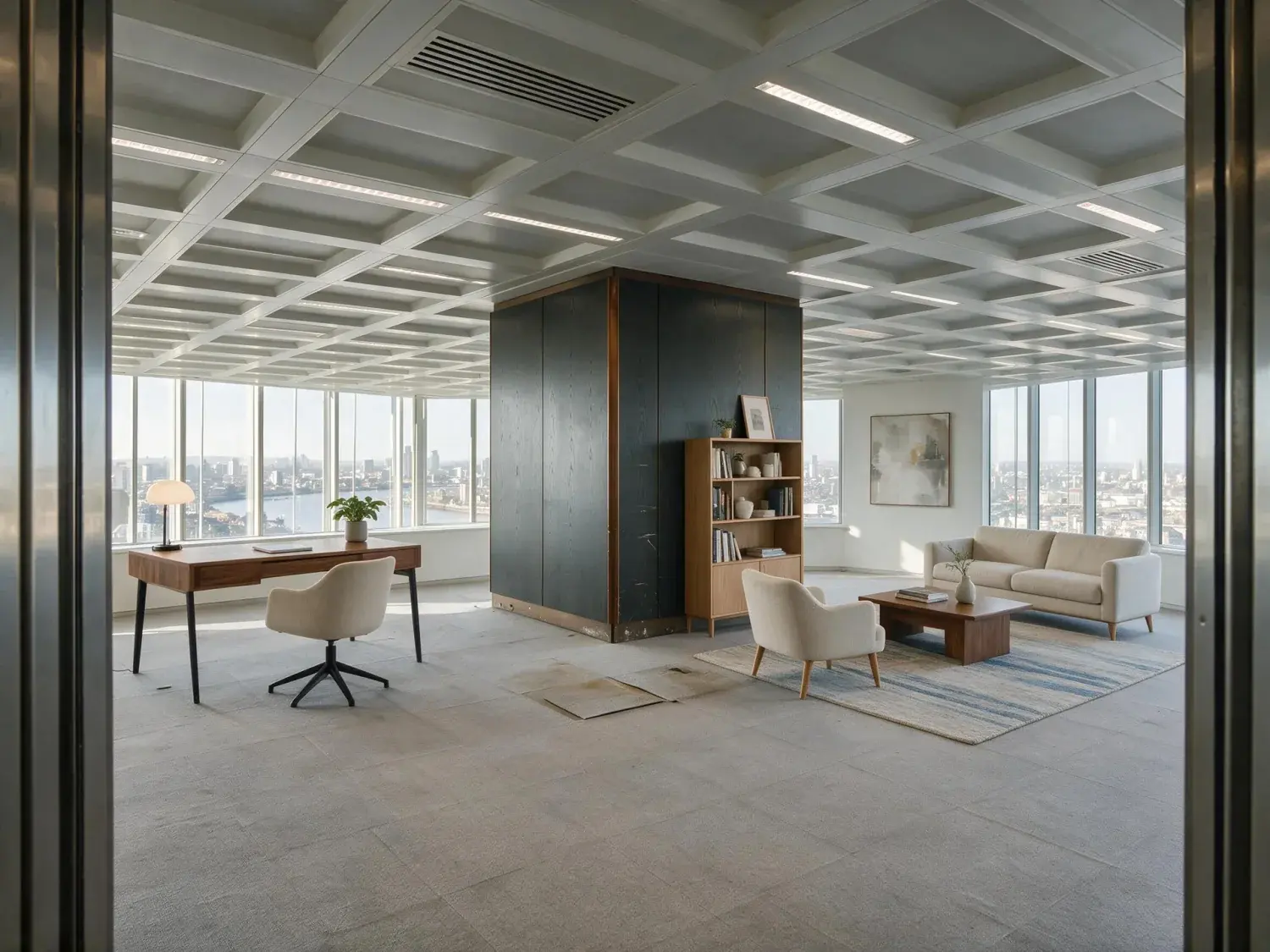
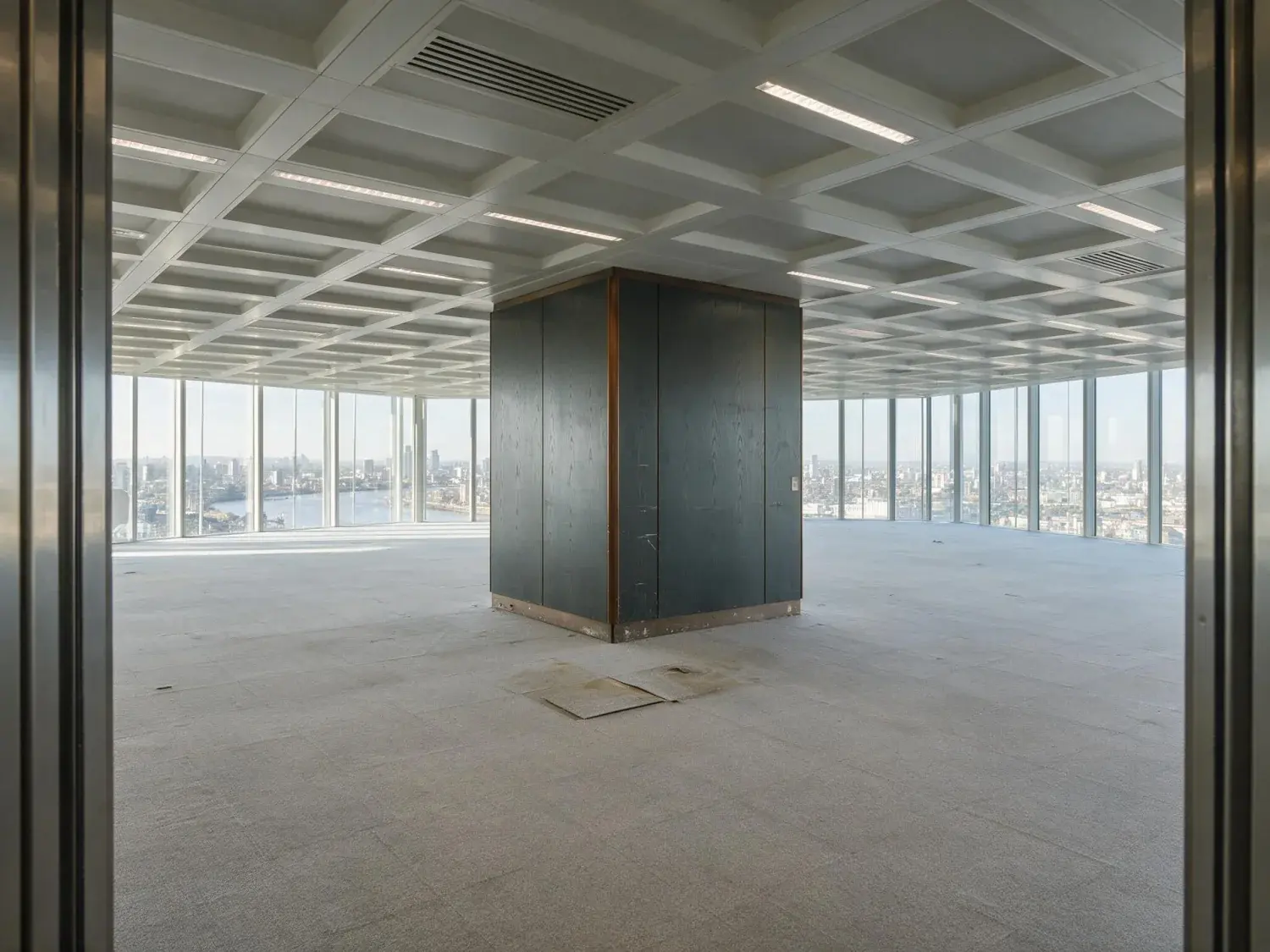
Virtual Staging AI alternative for full-listing realtor workflows
Virtual Staging AI (virtualstagingai.app) is a well-built, Harvard-Innovation-Labs-born virtual staging tool with 50+ curated furniture styles, a 10-second turnaround on single photos, and an intuitive drag-and-drop UI that puts a first render on screen in under a minute. It is a credible choice for agents staging one or two empty-room hero shots a month. Plotpane is the alternative for realtors who stage the whole listing every week on deadline and care about MLS-grade output: one credit an image whichever of the seven tools you use, the same output size on every plan rather than a resolution parameter gated behind a higher tier, one staging style applied across every angle in a batch, and XMP virtual-staging disclosure written into every file we export.
Virtual Staging AI publishes four tiers on virtualstagingai.app/prices. Basic is $16/month for 6 photos. Standard is $19/month for 20 photos. Professional is $39/month for 60 photos. Enterprise is $79/month for 150 photos. All tiers include unlimited re-renders and downloads of the photos you have uploaded, but the photo count itself is hard-capped — a realtor with a 22-photo shoot on Standard pays an overage or upgrades mid-listing. Plotpane meters in credits instead: one credit per image whichever of the seven tools you use, the same output size on every plan, and credits that reset each period rather than rolling over. Starter is $49 for 100 images, Pro $99 for 220, Agency $249 for 600. An agent closing 4-8 listings a month with 15-25 photos each typically lands between 60 and 200 images, which is VSA's Professional or Enterprise tier and Plotpane's Starter or Pro. The difference is not the cap but what the cap covers: the same allowance also pays for Auto Enhance, Perspective Fix, Sky Swap, Lawn and Pool Revive, Clutter Removal and Day to Dusk, though a re-render does cost another credit rather than nothing.
VSA Basic $16/mo · 6 photos · resolution selectable 4k or full-hd via API
VSA Standard $19/mo · 20 photos · unlimited re-renders on those 20
VSA Professional $39/mo · 60 photos · most popular tier for active agents
VSA Enterprise $79/mo · 150 photos · API access included at this tier
Plotpane · $49 for 100 images, $99 for 220, $249 for 600 · one credit any tool · same ~2.4K on every tier
02
Output resolution: the same size on every plan vs a size you have to reach for
Virtual Staging AI's public API documentation specifies the output resolution parameter must be either '4k' or 'full-hd' — meaning the larger render is supported but 1080p is the pragmatic standard for most web UI flows, and the bigger size is a deliberate selection made through the API, which their own tier table includes at Enterprise. That is fine for Zillow hero tiles, where most portals downscale anyway. It starts to matter when a listing goes to print, to a glossy brochure, to a Matterport-adjacent gallery, or to a photographer who is retouching staged output in Lightroom and wants pixel headroom. Plotpane does not tier resolution at all: every plan, every tool and every render exports the same size — no toggle, nothing to select. The standard export lands around 2.4K on the long edge, and if you want print headroom a second credit re-renders the same image at roughly 4.7K, on Starter exactly as on Agency.
Plotpane · the same ~2.4K on every plan, every render, every tool; ~4.7K for a second credit
VSA · 1080p standard in most UI flows; the larger render selected via API or toggle
Matters for print marketing, brochure spreads, post-processing headroom
Portal display is unaffected — both look equivalent on MLS thumbnails
03
Batch consistency: the multi-angle problem nobody has fully solved
The hardest unsolved problem in AI virtual staging is not the first render — it is the second. Stage the living room from angle A, then stage the same room from angle B, and most staging AIs will hallucinate a different sofa, different artwork, different rug. Buyers notice. The listing feels stitched together. Virtual Staging AI's own support FAQ states their AI 'does not currently support' cross-angle furniture consistency — they route that work to their human designer team for an additional fee. Plotpane's honest answer is one style, chosen once, applied across the batch: put every photo of the room in the same batch, pick one of the ten built-in styles, and each angle is furnished out of the same vocabulary, so the room reads as one listing rather than five. What no AI stager can promise, ours included, is that angle B holds the identical sofa down to the stitching. If a room has to hold up from three directions, stage the hero angle and let the others run unstaged.
Plotpane · one style across the whole batch, picked once, one credit an image
VSA · per their FAQ, AI does not support multi-angle consistency
VSA workaround · human designer team at additional cost
Why buyers notice · swapped sofa between angle A and angle B breaks trust
04
MLS disclosure: XMP metadata built in by default
NAR, most state associations, and every major MLS now require virtually staged photos to be disclosed. The burden of proof sits with the listing agent. Plotpane writes XMP metadata into every staged file automatically — 'VirtualStaging: true', render timestamp, style key, tool version — so if compliance asks, it is already in the file. Virtual Staging AI ships an optional visible 'Virtually Staged' label in its mobile app and markets itself as MLS-compliant, but XMP-embedded disclosure is not the documented default across all export paths. Plotpane has the same optional visible label if you want it, sitting on top of the metadata rather than instead of it. For a brokerage that wants an audit trail on every staged photo it ever exported, Plotpane's default is the safer policy.
Plotpane · XMP disclosure metadata embedded in every export, every plan
VSA · visible 'Virtually Staged' label option in app; XMP defaults vary
NAR 2026 guidance · disclose any material alteration of property photos
Set and forget · nothing to remember to tick before you export
05
Where Virtual Staging AI is genuinely the better pick
Honest comparison matters, so here is where VSA wins. Their UI is more intuitive for a first-time user — drag, drop, pick a style, done in 10 seconds. Their furniture-style library is broader: VSA advertises 50+ curated styles spanning Modern, Scandinavian, Coastal, Bohemian, Farmhouse, Mediterranean, and niche aesthetics. Their render queue is fast on single-photo jobs because the model is narrower. The Harvard Innovation Labs origin lends brand credibility with procurement teams at larger brokerages. If you are a solo agent staging one empty-room hero shot a week, VSA is the right tool. The differentiator is workflow scope: VSA is a focused virtual staging app; Plotpane is a full listing-photo pipeline where staging is one of several integrated steps (auto-enhance, perspective fix, sky swap, lawn and pool revive, clutter removal, day-to-dusk).
VSA strength · intuitive drag-drop UI, fastest first render
VSA strength · 50+ curated furniture styles, broad aesthetic coverage
VSA strength · fast single-photo turnaround, narrow model optimization
VSA strength · Harvard Innovation Labs brand credibility
Plotpane strength · full-listing batch, untiered ~2.4K output, XMP disclosure record, 7 tools in one
06
Decision framework: which tool fits your listing volume
Pick Virtual Staging AI if: you stage fewer than 20 photos per month, single-photo renders are your primary use case, you prefer a pure staging tool, and you value the 50+ curated style library above all else. Pick Plotpane if: you stage full listings of 15-25 photos regularly, want output that is the same size on every plan rather than a setting to remember, want one style applied across a whole batch without an upsell to human designers, want XMP disclosure baked into every export, and want staging to live alongside auto-enhance, perspective fix, sky swap, lawn revive, clutter removal, and day-to-dusk in the same subscription at one credit an image. Both tools are legitimate. The choice is workflow scope and listing volume, not render quality — both produce convincing furniture on well-lit, wide-angle empty rooms.
For this region
Local questions, answered
Is Plotpane cheaper than Virtual Staging AI?+
It depends on volume. On the monthly bill alone VSA's entry tiers are smaller — $16 for 6 photos, $19 for 20, against a $49 Starter. On price per photo Plotpane is now the lower of the two at every tier: $49 for 100 images is 49 cents, against 65 cents on VSA's $39-for-60 Professional plan. What the Plotpane credit buys on top of that is width. One credit covers any of the seven tools, so the same allowance handles Auto Enhance, Perspective Fix, Sky Swap, Lawn and Pool Revive, Clutter Removal and Day to Dusk as well as staging, instead of stacking separate subscriptions. If staging is all you do and the volume is low, VSA is the cheaper answer and we would rather say so.
Does Plotpane put a bigger render behind a higher plan?+
No. Every plan renders at the same size — around 2.4K on the long edge as standard, or roughly 4.7K if you spend a second credit on the same image, and that second-credit option sits on Starter exactly as it does on Agency. Virtual Staging AI's public API documentation shows the output resolution parameter must be either '4k' or 'full-hd', so their larger render is a deliberate selection made through the API rather than the default across all UI paths. For print marketing, brochure spreads, and post-processing headroom, the number to compare is what each tool actually hands back.
Can Plotpane keep the same furniture across multiple angles of one room?+
Not piece for piece, and you should be sceptical of any tool that claims otherwise. What Plotpane does is apply one style across a batch: put every angle of the room in the same batch, pick the style once, and each frame is furnished from that same vocabulary, so the set reads as one room rather than three. Individual pieces can still differ between angles. Virtual Staging AI's own support FAQ states that their AI does not currently support cross-angle consistency and routes that work to their human designer team for an extra fee, which is at least an honest account of where the technology sits.
Is Virtual Staging AI MLS-compliant?+
Virtual Staging AI markets itself as MLS-compliant and their mobile app ships an optional visible 'Virtually Staged' label. That is fine for most MLS boards. Plotpane goes one step further and writes XMP disclosure metadata into every export by default — 'VirtualStaging: true', render timestamp, style, tool version — so if a compliance officer or a buyer's attorney asks for proof, it is already embedded in the file. If you want a disclosure record on every staged photo you have ever published, metadata by default is the safer habit than remembering to tick a box.
What does Virtual Staging AI do better than Plotpane?+
Intuitive first-use UX with a 10-second first render, a broader curated furniture-style library (50+ named styles across Modern, Scandinavian, Coastal, Bohemian, Farmhouse, Mediterranean, Industrial, and niche aesthetics), fast single-photo turnaround because the model is narrower, and the Harvard Innovation Labs origin that resonates with procurement teams at larger brokerages. If those attributes matter more than full-listing workflow integration, VSA is the right call.
Is there a free virtual staging AI alternative I can test first?+
Yes. Three free renders on signup, no card, at the same ~2.4K a paid render gets, with a small visible Plotpane mark, so you can compare side by side against Virtual Staging AI on your actual listing photos before subscribing — every paid plan drops the mark. The input — a JPEG, PNG, WebP or HEIC of an empty, well-lit, wide-angle room — is the same as VSA's, so you can take the same file you already uploaded to virtualstagingai.app, run it through Plotpane, and judge for yourself on furniture realism, angle consistency, and output quality at the size you actually get back.
Which tool is better for virtual staging for realtors doing full listings?+
Plotpane. Virtual Staging AI is a focused single-photo tool; Plotpane is a full listing-photo pipeline where staging is one of seven integrated tools. If you shoot 15-25 photos per listing and close 4-8 listings a month, Plotpane's one-credit-any-tool allowance, batches of 50 on Pro and 150 on Agency with ZIP download of the finished listing, output that is never tiered by plan and built-in XMP disclosure are designed for that workflow. VSA is a stronger pick for low-volume single-hero-shot staging.
Pricing
One credit per image. Every tool, every plan.
Three plans. Every tool unlocked on all of them. Every render unmarked, standard or high resolution, cancel anytime.
Every plan starts with 3 free renders. No card until you subscribe.
Starter
For the solo agent shooting their own listings.
$39/month
billed yearly
100 credits monthly
100 images per month — 1 credit each, whichever tool you use
No Plotpane mark on any render
Every tool, no tier gating
Standard output ~2.4K, or ~4.7K for a second credit
XMP disclosure metadata written into every export
Download a finished listing as a ZIP
Free vertical listing reel from your finished photos
Cinematic clips from a single photo — 1 credit per second of video
That is the whole pricing model. No per-tool rates, no seat maths, nothing to negotiate. We are not SOC 2 certified and there is no SSO, private deployment or API — if you need those to buy, better you know now than after a call.
Starter
4
listings a month
Pro
8
listings a month
Agency
24
listings a month
Questions
The usual questions, answered directly.
No. Midjourney and DALL-E invent scenes from text prompts — beautiful for art, disqualifying for a listing. Plotpane is a structure-preserving pipeline: your room geometry, windows, and floor plan stay exact. We stage, re-light, swap skies, declutter, and enhance your actual photo. No hallucinated architecture, no invented rooms.
BoxBrownie and Styldod are human-edit services: you upload, a retoucher works overnight, you get a result in 24–48 hours at $2–$32 per image per treatment. They also sell things we do not have at all — floor plans, renderings, item removal by a person who can ask you what you meant. Plotpane is one machine pass: you pick one of seven tools, and the image comes back in about two minutes for one credit, whichever tool you picked, on a flat monthly subscription. Stacking two treatments on one photo means running it twice.
Yes, when disclosed. NAR guidelines, California AB 723, and REBNY Rule 3.3 all allow virtually staged photos provided the listing discloses them. Every Plotpane export embeds invisible XMP disclosure metadata so the staging record travels with the file. You still handle the listing-remarks disclosure in your MLS portal — that's the part only you can do.
Every render is sent with a preserve list as well as an instruction. It names one operation and forbids the rest: do not touch windows, doors, walls, ceilings, floors, cabinetry or fixtures unless the instruction names them; do not remove or conceal a defect, stain or crack; do not change what is visible through glass, and never invent a view. Furniture is added to empty rooms; named objects are removed from furnished ones; sky and light are re-graded. If you do see something invented, that is a bug — report the render in the app and the credit comes back.
Yes — one click in the Stripe billing portal from your dashboard. Billing stops immediately, remaining credits stay usable through the end of the billing period, and there's no cancellation fee.
Yes — any AI-generated or AI-modified image is considered an edit requiring disclosure under NAR's standards. That's why every Plotpane export writes invisible XMP disclosure metadata by default. The flag is machine-readable by MLS tooling and survives Lightroom round-trips. You still add the disclosure line to your listing remarks; we make sure the image itself is self-describing.
The toolkit
Seven tools. One credit each.
Every one is a single structure-preserving pass: it changes what you asked for and leaves the building alone.