Plotpane · Property developers
Property developers

Property Developer Marketing Photography

A 200-unit tower launch does not ship 12 hero photographs. It ships 300-500 frames — marketing site hero, every unit type gallery, every amenity floor, neighborhood context, drone aerials, CGI of unreleased phases, brochure spreads, sales-gallery flat-screen loops, trade-show booth graphics, and the international investor roadshow deck. Plotpane runs the photographed ones through the same tool with the same choices, one credit an image, so the 47th amenity shot and the first website hero read as the same building.

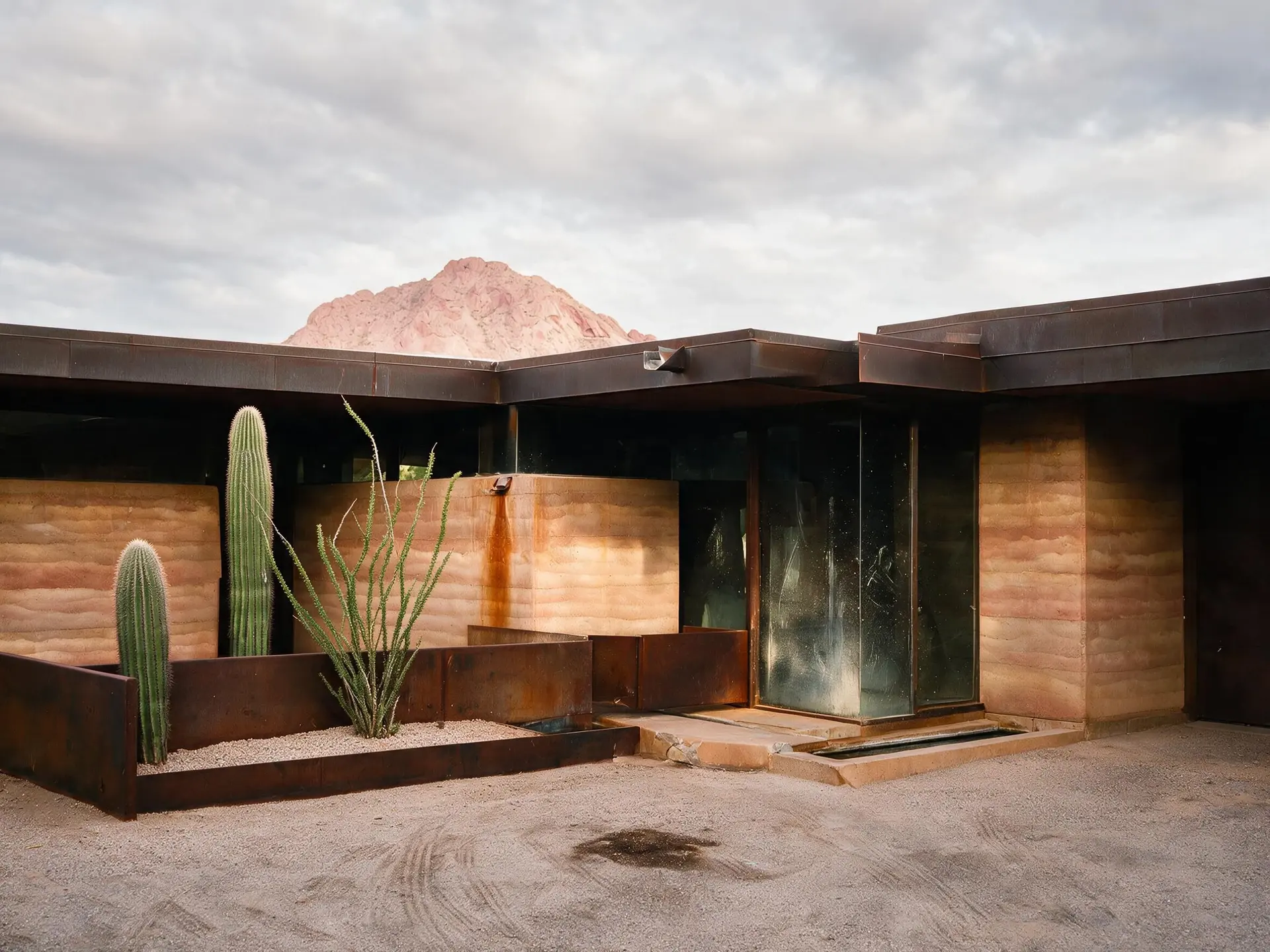
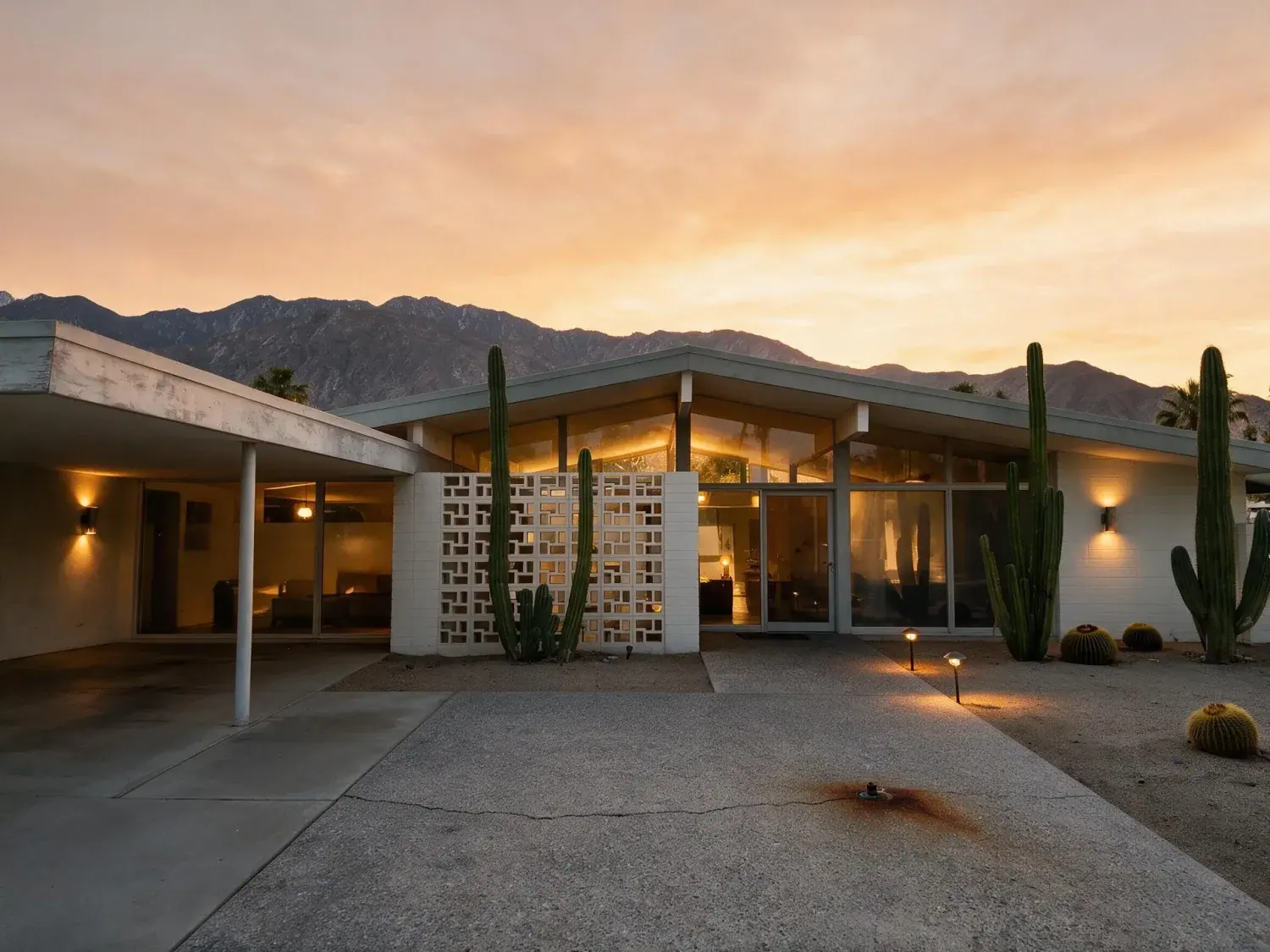
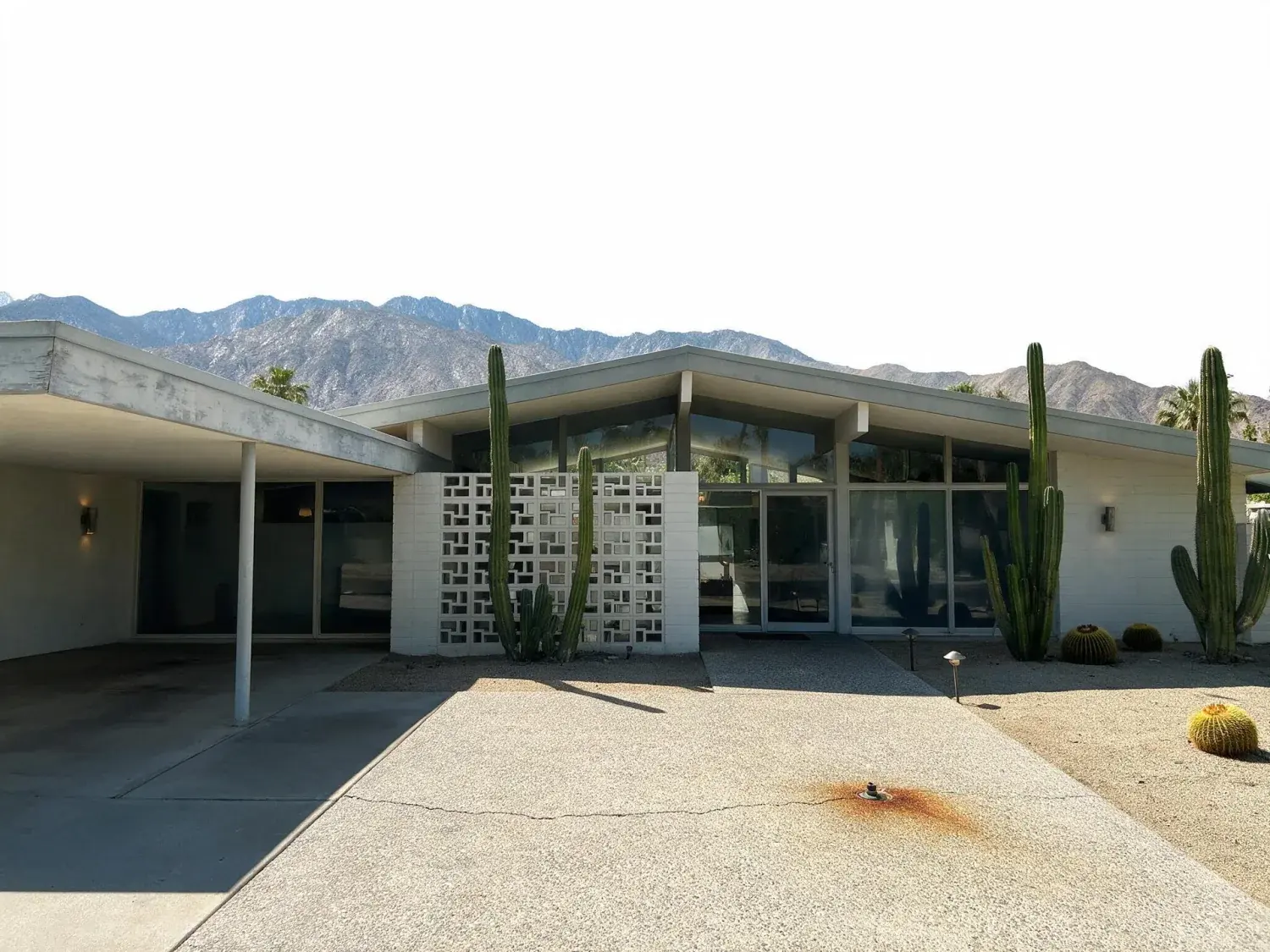
Before and after of a butterfly-roof palm springs desert modern home shifts from hot flat midday to an iconic magenta-mountain twilight — enhanced by Plotpane
Before and after of a butterfly-roof palm springs desert modern home shifts from hot flat midday to an iconic magenta-mountain twilight — original listing photo before editing
Before
After
01

The three project types, the same consistency problem

Three distinct developer scales, one shared pain. Multi-unit residential — a 20 to 500-unit tower from Related, JDS, TF Cornerstone, RXR in New York or Greystar across the US apartment portfolio — ships a marketing site plus per-floorplate unit galleries plus amenity-floor shoots. Mixed-use — retail podium, residential tower, Class-A office — needs three audience books: leasing brokers get the office, retailers get the ground plane, buyers get the units. Master-planned communities — 500 to 5,000 homes from Berkeley, Landsec, British Land in the UK or DAMAC, EMAAR, Sobha in Dubai, or CapitaLand in Singapore, or Country Garden in China — need phase-by-phase photography spanning 36 months of construction while the early phases are already selling. Plotpane keeps the register identical across all three, provided the choice stays identical: the same tool, the same sky, on every frame that ships. There is nothing to save and reload — the consistency is a decision you take at kickoff and keep taking for the next three years.

02

Marketing website hero + unit gallery batch

The website hero sets the brand grade — dusk, saturated sky, warm-lit tower against city lights. Every downstream asset has to match that grade. A typical Plotpane developer workflow: the construction photographer ships a 300-frame shoot on a clean midday with consistent cloud cover. The developer's marketing team picks the hero angle and runs it through Day to Dusk. Once that frame is signed off, every remaining frame — 280 unit gallery shots, 40 amenity plates, 30 neighbourhood context frames — goes through the same tool, 150 photos to a batch on Agency, one credit each, about two minutes a render. Output: 350 JPGs at about 2.4K with XMP disclosure metadata written in, all reading as the same building shot during the same 20-minute dusk window. That is the frame set that ships to the portal, the marketing site, the sales gallery touchscreens, and the Hong Kong investor roadshow deck on Tuesday morning.

03

Amenity shots, neighborhood context, drone aerials

Amenity floors are where developer marketing differentiates from 400-unit competitors two blocks over. The rooftop pool at dusk, the pet spa, the co-working floor, the wine cellar, the Peloton studio. These are photographed while the building is still in punch-list, when the landscape is half-installed and the sky is whatever sky the photographer got that day. Sky Swap puts the same sky behind every one of them — four built-in options, and the discipline is picking one and staying with it — while the warm interior spill is matched against the blue-hour exterior, so the frame reads as if the amenity floor had opened six months after TCO in perfect weather. The same pass runs on the aerial frames the drone team already shot — rooftop-and-sky, tower-and-park, tower-and-skyline — and on the neighbourhood context shots that anchor the masterplan in its geography.

04

CGI for the unreleased phases — and where we stop

Developer marketing is 50% photograph and 50% CGI. Phase 1 is photographed; phase 2-5 only exist in Chaos Corona, V-Ray, Enscape. The failure mode is obvious: the CGI reads as render, the photograph reads as photograph, and the brochure spread looks like two different projects stapled together. Plotpane does not solve that half. There is no CGI mode here — nothing adds sensor grain, haze or lens falloff to a render, and nothing models a building that has not been built. What it works on is the photographed half, which is also the half you control: grade the photography toward the register the renders already sit in and the spread stops looking stapled together. For brochure prep the export is a JPEG at quality 92 and about 2.4K — roughly eight inches at 300dpi, so a half-page sits fine and a full-bleed spread should be set from the original capture. The sRGB-to-CMYK convert stays with your print house, and the twilight sky is the first thing to check when the proof comes back, because that is where the magenta shift shows.

05

Sales gallery flat-screen content + trade show booth graphics

The sales gallery is where the transaction closes. 85-inch flat screens loop the marketing film; backlit booth graphics wrap the scale model; touchscreen kiosks let the buyer browse floorplates. Every surface needs the same frame library at the right aspect ratio and resolution. Plotpane returns one JPEG per frame at about 2.4K, or roughly 4.7K for a second credit, and the four sizes come out of it: 16:9 for the flat-screen loops, 3:2 for the brochure spreads, 2:1 ultrawide for the backlit booth wraps, square for social and the investor deck inline. The booth wrap is the one that wants the larger export. One tool, one source frame, four crops, the same grade under all of them. The sales director does not call on Friday saying the booth graphic does not match the website.

06

International investor roadshow decks

DAMAC, EMAAR, Sobha, CapitaLand, Country Garden — the investor roadshow through Singapore, Hong Kong, London, Dubai, Mumbai is where the real capital comes in. The deck opens with the tower hero at dusk, cuts to a masterplan aerial, walks through the amenity floors, lands on the ROI math. Each slide needs the image at presentation-grade — color-managed for projector output, zero banding in the sky gradient, and enough pixels behind the 16:9 crop. Plotpane returns a ~2.4K master you crop the slide from, comfortably past what any conference-room projector resolves, with a sky gradient smooth enough to survive a conference-room projector in humidity-80% Singapore. The same tool that produced the Tuesday website hero produces the Thursday Hong Kong investor deck.

07

Batch consistency: one tool, one choice, 500 frames

The differentiator on a 500-frame developer shoot is not creative flair on any single frame. It is consistency across all 500. There is no preset to save, and that is the whole discipline: settle the tool and the sky at frame one, then run frames 2 through 500 through the identical choice, 150 photos to a batch, one credit an image. Agency's 600 images a month covers a full launch set inside a single period, and credits reset rather than roll over, so the batch belongs in the month you need it. The marketing director does not pick the 500 best of 600 tries; the marketing director gets 500 frames, all at grade. That is what lets a 48-page brochure span three Greater London sites and still read as one developer, or two amenity books for two towers ship at once without the photography budget doubling.
For this region

Local questions, answered

How does this work for a 200-unit tower launch with 300-500 frames?+

One tool, one setting, applied to the full frame set in batch. Day one: your marketing director picks the hero angle and runs Day to Dusk on it until the hero is brand-book accurate — a judgement, not a saved file, because nothing here stores a preset between sessions. Day two through five: the same tool runs across the remaining 299-499 frames, 150 photos to a batch on Agency, one credit an image, about two minutes a render. Output: a JPG per frame at about 2.4K with XMP AI-disclosure metadata, downloadable as a ZIP on Pro and Agency, in one size that you crop for whatever the asset library needs. There is no enterprise tier and no project quote — Agency is $249 a month, or $199 billed annually, for 600 images.

We run CGI for unreleased phases and photography for built phases. Can one tool cover both?+

No, and it is worth being plain about it. Plotpane has no CGI mode: it will not add sensor grain, haze or lens character to a render, and it does not model or generate a building. It covers the built phases — Day to Dusk, Auto Enhance, Sky Swap, Perspective Fix on real photography. Your Corona, V-Ray or Enscape output stays with the rendering studio. What makes the brochure spread cohere is grading the photography toward the register the renders already sit in, which is the half of the book you can actually control.

Does the look hold across amenity, exterior, aerial and neighbourhood frames?+

That is the design goal, and it is met by repetition rather than by a saved parameter set. Run exterior dusk, amenity interior, aerial and neighbourhood wide through the same tool with the same one of four skies and the register holds even though the scene changes. The result is a 500-frame library where any frame sits next to any other frame and reads as the same project.

How does this handle international investor roadshow decks across Singapore, Hong Kong, London, Dubai?+

There is no separate roadshow export. Every render leaves as one JPEG at about 2.4K and the 16:9 slide is a crop of it, with a sky gradient clean enough to hold up under a projector. Same source frame, same grade — which is exactly why your Tuesday website hero and your Thursday Hong Kong investor deck match.

What about trade show booth graphics at ultrawide aspect ratios?+

Booth graphics typically run 2:1 or 3:1 backlit wraps. Plotpane hands you the master — about 2.4K as standard, or roughly 4.7K for a second credit — and the booth vendor crops the ultrawide from that. Check the vendor's minimum before you commit the wrap, because a backlit graphic at 150dpi wants the larger file. Same frame, same grade against the 16:9 website hero and the 3:2 brochure spread.

Pricing

One credit per image.
Every tool, every plan.

Three plans. Every tool unlocked on all of them. Every render unmarked, standard or high resolution, cancel anytime.

Every plan starts with 3 free renders. No card until you subscribe.

Starter

For the solo agent shooting their own listings.

$39/month

billed yearly

100 credits monthly

  • 100 images per month — 1 credit each, whichever tool you use
  • No Plotpane mark on any render
  • Every tool, no tier gating
  • Standard output ~2.4K, or ~4.7K for a second credit
  • XMP disclosure metadata written into every export
  • Download a finished listing as a ZIP
  • Free vertical listing reel from your finished photos
  • Cinematic clips from a single photo — 1 credit per second of video
  • Up to 10 photos per batch
  • Email support
Subscribe to Starter

For one agent, listing by listing.

Most popular

Pro

For top-producing agents and real-estate photographers.

$79/month

billed yearly

220 credits monthly

  • 220 images per month — 1 credit each, whichever tool you use
  • No Plotpane mark on any render
  • Up to 50 photos per batch, one tool across the shoot
  • Download a finished listing as a ZIP
  • Free vertical listing reel from your finished photos
  • Everything in Starter
  • Priority support
Subscribe to Pro

The plan a working photographer buys.

Agency

For brokerages, teams, and photography networks.

$199/month

billed yearly

600 credits monthly

  • 600 images per month — 1 credit each, whichever tool you use
  • No Plotpane mark on any render
  • Up to 150 photos per batch
  • Download a finished listing as a ZIP
  • Free vertical listing reel from your finished photos
  • Everything in Pro
  • Direct line to the founder, not a ticket queue
Subscribe to Agency

For a brokerage running whole shoots.

FeatureStarter$39/mo annualPro$79/mo annualAgency$199/mo annual
Renders per month100220600
Credits per image111
All seven tools
Free renders on sign-up333
Plotpane mark on the imageNoneNoneNone
Standard output (~2.4K)
High resolution (~4.7K, second credit)
XMP disclosure written into every export
Optional visible “Virtually Staged” label
Photos per batch1050150
Download a set as a ZIP
Refund a render that came back wrong
SupportEmailPriority emailDirect to the founder
Cancel anytime, one click
At volume

A 25-photo listing costs 25 credits.

That is the whole pricing model. No per-tool rates, no seat maths, nothing to negotiate. We are not SOC 2 certified and there is no SSO, private deployment or API — if you need those to buy, better you know now than after a call.

Starter

4

listings
a month

Pro

8

listings
a month

Agency

24

listings
a month

Questions

The usual questions,
answered directly.

  • No. Midjourney and DALL-E invent scenes from text prompts — beautiful for art, disqualifying for a listing. Plotpane is a structure-preserving pipeline: your room geometry, windows, and floor plan stay exact. We stage, re-light, swap skies, declutter, and enhance your actual photo. No hallucinated architecture, no invented rooms.

  • BoxBrownie and Styldod are human-edit services: you upload, a retoucher works overnight, you get a result in 24–48 hours at $2–$32 per image per treatment. They also sell things we do not have at all — floor plans, renderings, item removal by a person who can ask you what you meant. Plotpane is one machine pass: you pick one of seven tools, and the image comes back in about two minutes for one credit, whichever tool you picked, on a flat monthly subscription. Stacking two treatments on one photo means running it twice.

  • Yes, when disclosed. NAR guidelines, California AB 723, and REBNY Rule 3.3 all allow virtually staged photos provided the listing discloses them. Every Plotpane export embeds invisible XMP disclosure metadata so the staging record travels with the file. You still handle the listing-remarks disclosure in your MLS portal — that's the part only you can do.

  • Every render is sent with a preserve list as well as an instruction. It names one operation and forbids the rest: do not touch windows, doors, walls, ceilings, floors, cabinetry or fixtures unless the instruction names them; do not remove or conceal a defect, stain or crack; do not change what is visible through glass, and never invent a view. Furniture is added to empty rooms; named objects are removed from furnished ones; sky and light are re-graded. If you do see something invented, that is a bug — report the render in the app and the credit comes back.

  • Yes — one click in the Stripe billing portal from your dashboard. Billing stops immediately, remaining credits stay usable through the end of the billing period, and there's no cancellation fee.

  • Yes — any AI-generated or AI-modified image is considered an edit requiring disclosure under NAR's standards. That's why every Plotpane export writes invisible XMP disclosure metadata by default. The flag is machine-readable by MLS tooling and survives Lightroom round-trips. You still add the disclosure line to your listing remarks; we make sure the image itself is self-describing.

Ready when you are

Stop re-uploading.
Start shipping listing-ready.

Seven tools, one credit an image, a finished JPEG back in about two minutes — on every plan.

Get startedSee the before/aftersEvery tool on every plan · cancel anytime