AI real estate photo editing for Australian listings
This page is an audit, not a pitch. Someone typing "ai real estate photo" is usually deciding between a general image model, an overnight editing house, and software that edits the frame it was handed. PlotPane is the third kind: seven tools on one image-editing model, one credit per render whichever tool you pick. The useful thing to know before you spend anything is not what it promises but what it is structurally incapable of doing to an Australian listing photo. That list is below, along with the jobs it hands straight back to a human and the disclosure record it writes into every file.
Region edit, not regeneration — the fact that decides everything else
Two very different kinds of software wear the same label. One generates an image from a description. The other edits the photograph you uploaded and leaves every other pixel where it was. PlotPane is the second kind — one image-editing model, handed one operation and an explicit preserve list. That distinction is not positioning; it came out of a complaint from the first person who paid for this. He ran clutter removal on his own listing and watched the model open a closed curtain and invent a garden that was not his. When he named the objects instead, it deleted windows and moved the camera. The prompt already forbade all of that, at length, and more prohibitions were never going to fix a model that rewrites the whole frame, so the engine was replaced rather than the wording. Four sentences now run ahead of every instruction, on every render: this is a listing photo and a buyer will stand in this room and compare it to what you produce; edit only what the instruction names; do not touch windows, doors, walls, ceilings, floors, cabinetry or fixtures unless the instruction names them; do not remove, soften or conceal any defect, stain, crack or sign of wear.
One image-editing model, one operation per render, one credit whichever tool
The preserve list runs ahead of the instruction on every single render
Defects, stains and wear are never touched unless you explicitly target them
02
The refusal list, and why it differs by tool
The restrictions are not uniform across the seven tools, because a universal list makes the instructions contradict each other. Perspective Fix used to be told not to change perspective. Lawn & Pool Revive was told not to change colour. Day to Dusk was told not to change what shows through a window while being asked to light every window from inside. Three of seven tools were sending the model self-cancelling instructions, and what came back was the model picking a side. The conditional clauses are now attached per operation. Auto Enhance, Sky Swap and Day to Dusk may not move, rotate or re-frame the camera. Perspective Fix may — squaring the frame is the operation — but may not touch exposure, colour, or anything visible through glass. Lawn & Pool Revive may recolour grass and water, and nothing else. Clutter Removal carries all three restrictions at once. Virtual Staging may furnish the open floor and may not alter the room. Day to Dusk is the only tool allowed to change what a window shows, because lighting the house from within is the job. Reading that list is the fastest way to know whether the tool does what you need before you spend a credit finding out.
Sky Swap adds no hills, skyline or landmark that was not in the original frame
Nothing but Day to Dusk may change what a window shows — a blown-out view stays blown out
Lawn & Pool Revive stays inside the existing lawn and pool boundary; it plants nothing
03
What it will do if you ask, and shouldn't
Clutter Removal is the one tool where the software's restraint runs out and yours has to start. Name your targets and it removes exactly those objects, rebuilding the surface behind each to match the material, grain and shadow it sat on; name nothing and it takes loose personal clutter only, leaving anything it cannot confidently classify. It holds no view about which objects are fair game. Name the power pole on the verge, the overhead lines across the frontage, the split-system condenser, the solar inverter, the rainwater tank or the neighbour's second storey, and they go. None of them should. They are permanent features of what the buyer is being sold, and section 18 of the Australian Consumer Law turns on what a buyer reasonably takes from the advertisement, not on whether the edit was technically disclosed somewhere. Same logic on a pool fence, which the tool will not add or remove by itself and should never be asked to: a certificate of compliance has to be attached to the contract for sale in New South Wales, and Queensland requires a pool safety certificate. A vendor's clutter is cosmetic. Infrastructure, services and boundaries are not.
Named mode removes exactly what you list; unnamed objects stay, even if they look like clutter
The engine will delete a power pole on request — that judgement is yours, not the model's
Pool barriers are a sale-compliance item in NSW and Queensland; never edit one out
04
The disclosure record an AI edit leaves behind
Every JPEG PlotPane exports carries an XMP packet written into the file itself, inserted as an APP1 segment straight after the start-of-image marker. Inside it: a plain-English statement that the image was digitally edited and by which of the seven operations, the engine identifier, a render id, the render timestamp, and a note that architecture, dimensions and permanent fixtures were preserved and the edits were cosmetic. A visible "Virtually Staged" label is also available, applied per render, off unless you switch it on. Two honest caveats. The packet is written after the transform, on the exact bytes you download — but portals and CRMs re-encode on upload, and metadata is routinely stripped in the process. Treat the XMP as the record in your own archive, the thing you can produce months later when someone asks which photo was edited and how, rather than as the disclosure a buyer sees. The disclosure a buyer sees is still a line in the listing copy, and in Australia that duty sits under the Australian Consumer Law rather than a board rule. And a record is not a defence: it documents an edit, it does not make a misleading one acceptable.
XMP in every export — operation, engine, render id, timestamp, plain-English statement
Optional visible "Virtually Staged" label, per render, off by default
Re-encoding on upload strips metadata; the buyer-facing disclosure belongs in the ad copy
05
Where an Australian retoucher still beats this
An editing house sells judgement as much as labour, and several jobs still go to it outright. Fine masking is the clearest: Sky Swap treats the sky as a single region, so a clean roofline against open sky is comfortable, while sky read through gum-tree foliage, wire pool fencing or cast-iron verandah lacework is where a person's hand still shows. A window pull composited from a darker frame in the bracket stack is out of reach here by design — the engine will not invent what it was never shown, and it takes one image per render and merges no brackets. A raw file uploads, but only the full-size JPEG the camera embedded in it is read — the sensor data behind the blown highlight is never developed. Rebuilding complex architecture behind a large removed object is a retoucher's job. So is holding a whole agency's frames to one house look, since there are no brand presets and no team seats. Print is a hard stop rather than a judgement call: the only export is a JPEG at quality 92, about 2.4K, or roughly 4.7K for a second credit, with no layered file and nothing press-ready. That is right for realestate.com.au, Domain and a window card. It is not a press file for a corflute board or a full-page Saturday liftout.
No bracket merging, no layered file — one image in, one JPEG out; raw uploads but is read as its embedded JPEG, not developed
Sky through foliage, lacework or wire fencing stays retoucher territory
No brand presets, no team seats, no floor plans, measurements or walkthroughs
06
What you are actually choosing between, and what it costs
An "ai real estate photo" search usually resolves to a choice between three things. A general image model costs nothing and rewrites the frame, which disqualifies it for a photograph a buyer will stand in front of and compare. An overnight editing house gives you a person's judgement and a revision round, on their clock. This sits between them: one operation per render, about two minutes each, at a flat one credit whichever of the seven tools you use — so squaring the front elevation costs the same as staging the lounge, and there is no budget reason to skip a repair a frame needs. Starter is $49 for 100 credits, Pro $99 for 220, Agency $249 for 600, or $39, $79 and $199 a month billed annually. Those are US dollars, so build the exchange rate into your VPA maths. Batches run 10 photos at once on Starter, 50 on Pro and 150 on Agency, with a ZIP of the finished set on Pro and Agency. There is no API and no connector to Agentbox, VaultRE, Rex or Box+Dice — files come down to your machine and go up to the portal by hand. Subscription credits reset each period and do not carry forward.
About two minutes per render, measured; 1 credit per render, any tool
Starter $49/100, Pro $99/220, Agency $249/600 — priced in US dollars
Batch 10 / 50 / 150 photos, ZIP download on Pro and Agency, no CRM integration
Subscription credits reset each billing period; nothing unused carries into the next one
For this region
Local questions, answered
Is virtual staging worth it?+
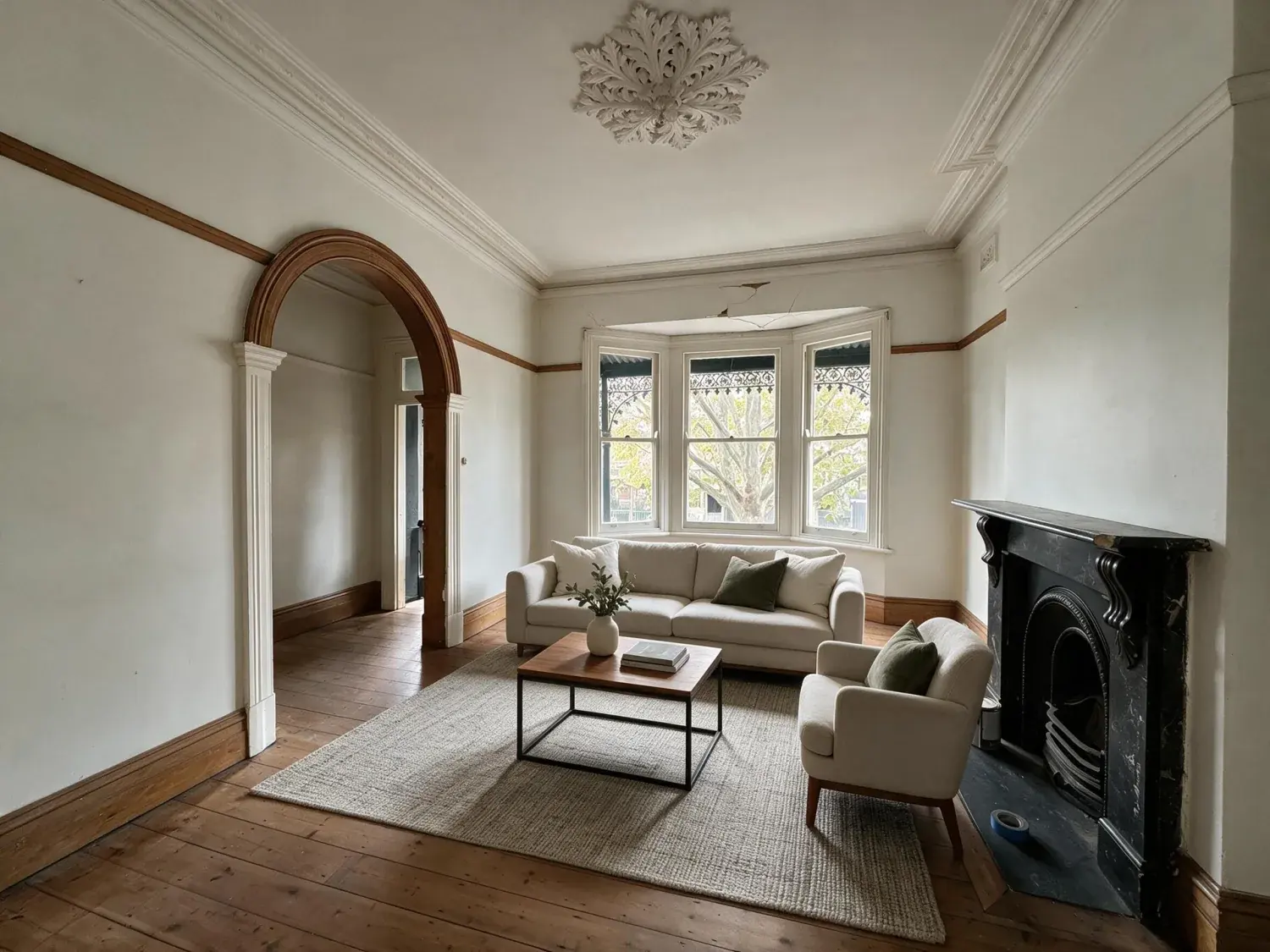
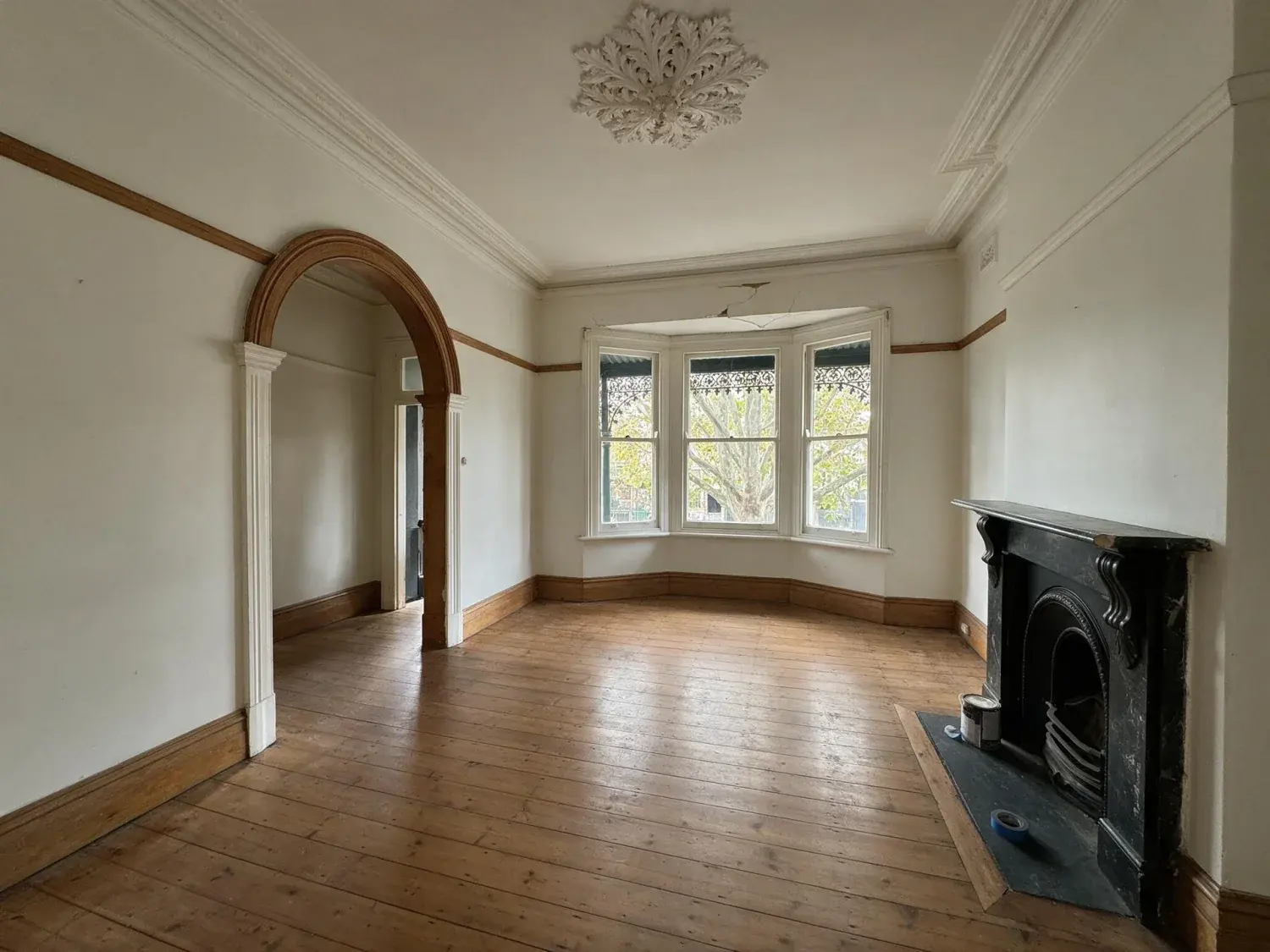
On a vacant listing, usually — an empty room gives a buyer scrolling Domain no reference for scale, and furniture at true scale fixes that in one render for one credit. On an already-furnished room it is normally a wasted credit; correcting the light will do more for the frame than replacing the vendor's sofa. It is worth less than agents hope on the hero shot, because the front elevation and the outlook do most of the clicking. And weigh it against the obvious: a buyer will stand in that room at the Saturday inspection holding the photo on their phone.
Does virtual staging make it better or worse?+
Worse whenever the staged image contradicts the room. The engine cannot hide condition — it is instructed not to alter walls, windows, flooring, trim or fixtures, and never to remove, soften or conceal a defect, stain, crack or sign of wear — so the risk is not that the photo lies about the finishes. The risk is that furniture placed too small makes a room read larger than it is, which is a misleading-conduct question under section 18 of the Australian Consumer Law rather than a styling preference. Stage at true scale, say so in the listing copy, and it helps.
What does virtually staged mean?+
It means the furniture in the photograph was rendered into an image of an empty room rather than carried into it. Nothing about the property changes: the walls, windows, floor, trim and fixtures in a PlotPane staged frame are the ones you photographed, because the instruction sent to the model tells it to furnish the open floor and leave the room itself alone. Every export also carries an XMP packet naming the operation, the engine, a render id and the timestamp, and you can switch on a visible "Virtually Staged" label per render if you want the disclosure on the pixels rather than only in the file.
How does virtual staging work?+
You upload a JPEG, PNG, WebP or HEIC of the empty room, choose a room type and a style, and the image goes to one image-editing model with a single instruction: furnish this room in that style, scale every piece to the real ceiling height and floor area visible in the photo, cast shadows consistent with the existing light direction, place furniture only on open floor, and change nothing about the room itself. It comes back as a JPEG at quality 92 with the disclosure metadata written in. A render takes about two minutes and costs one credit. There is no slider panel, no layer stack and no manual masking.
Can ChatGPT do virtual staging?+
It will return an image, but a general image model regenerates the whole frame rather than editing a region, and on listing photography that is the failure that matters. Check any AI-staged frame the same way regardless of what produced it: flick between the original and the output at full size and confirm the window reveals, the cornice line, the floorboard direction, the skirting and anything visible through the glass are pixel-for-pixel unchanged. If the view outside has shifted, a door has opened, or the camera has moved, the tool has re-imagined the property rather than furnished it, and that is not publishable on realestate.com.au or Domain.
How much does virtual staging cost?+
One credit per staged image, the same as every other tool. On plan pricing that is about $0.49 an image on Starter ($49 for 100 credits), $0.45 on Pro ($99 for 220) and $0.41 on Agency ($249 for 600); annual billing brings the plans to $39, $79 and $199 a month. Prices are in US dollars. There is no per-room surcharge, no revision fee and no charge for choosing a different style — a restage is simply another credit. Subscription credits reset each billing period rather than rolling over, so buy the tier that matches a normal month rather than a peak one.
Pricing
One credit per image. Every tool, every plan.
Three plans. Every tool unlocked on all of them. Every render unmarked, standard or high resolution, cancel anytime.
Every plan starts with 3 free renders. No card until you subscribe.
Starter
For the solo agent shooting their own listings.
$39/month
billed yearly
100 credits monthly
100 images per month — 1 credit each, whichever tool you use
No Plotpane mark on any render
Every tool, no tier gating
Standard output ~2.4K, or ~4.7K for a second credit
XMP disclosure metadata written into every export
Download a finished listing as a ZIP
Free vertical listing reel from your finished photos
Cinematic clips from a single photo — 1 credit per second of video
That is the whole pricing model. No per-tool rates, no seat maths, nothing to negotiate. We are not SOC 2 certified and there is no SSO, private deployment or API — if you need those to buy, better you know now than after a call.
Starter
4
listings a month
Pro
8
listings a month
Agency
24
listings a month
Questions
The usual questions, answered directly.
No. Midjourney and DALL-E invent scenes from text prompts — beautiful for art, disqualifying for a listing. Plotpane is a structure-preserving pipeline: your room geometry, windows, and floor plan stay exact. We stage, re-light, swap skies, declutter, and enhance your actual photo. No hallucinated architecture, no invented rooms.
BoxBrownie and Styldod are human-edit services: you upload, a retoucher works overnight, you get a result in 24–48 hours at $2–$32 per image per treatment. They also sell things we do not have at all — floor plans, renderings, item removal by a person who can ask you what you meant. Plotpane is one machine pass: you pick one of seven tools, and the image comes back in about two minutes for one credit, whichever tool you picked, on a flat monthly subscription. Stacking two treatments on one photo means running it twice.
Yes, when disclosed. NAR guidelines, California AB 723, and REBNY Rule 3.3 all allow virtually staged photos provided the listing discloses them. Every Plotpane export embeds invisible XMP disclosure metadata so the staging record travels with the file. You still handle the listing-remarks disclosure in your MLS portal — that's the part only you can do.
Every render is sent with a preserve list as well as an instruction. It names one operation and forbids the rest: do not touch windows, doors, walls, ceilings, floors, cabinetry or fixtures unless the instruction names them; do not remove or conceal a defect, stain or crack; do not change what is visible through glass, and never invent a view. Furniture is added to empty rooms; named objects are removed from furnished ones; sky and light are re-graded. If you do see something invented, that is a bug — report the render in the app and the credit comes back.
Yes — one click in the Stripe billing portal from your dashboard. Billing stops immediately, remaining credits stay usable through the end of the billing period, and there's no cancellation fee.
Yes — any AI-generated or AI-modified image is considered an edit requiring disclosure under NAR's standards. That's why every Plotpane export writes invisible XMP disclosure metadata by default. The flag is machine-readable by MLS tooling and survives Lightroom round-trips. You still add the disclosure line to your listing remarks; we make sure the image itself is self-describing.
The toolkit
Seven tools. One credit each.
Every one is a single structure-preserving pass: it changes what you asked for and leaves the building alone.