Plotpane · United States · commercial real estate
United States · commercial real estate

Commercial real estate photography pricing, line by line

A commercial real estate photography quote is five or six independent line items, and only one of them is software. This page breaks the quote down the way a photographer actually builds it — hours on site, access and insurance paperwork, travel, aerials, the twilight return trip, and the post-production pass — and is specific about which line Plotpane replaces and what replacing it costs. It is the editing pass: about $1.23 an image on the Starter plan, about 62 cents on Agency. Everything that happens before the shutter still needs a person with a tripod, a wide lens and a Part 107 certificate.

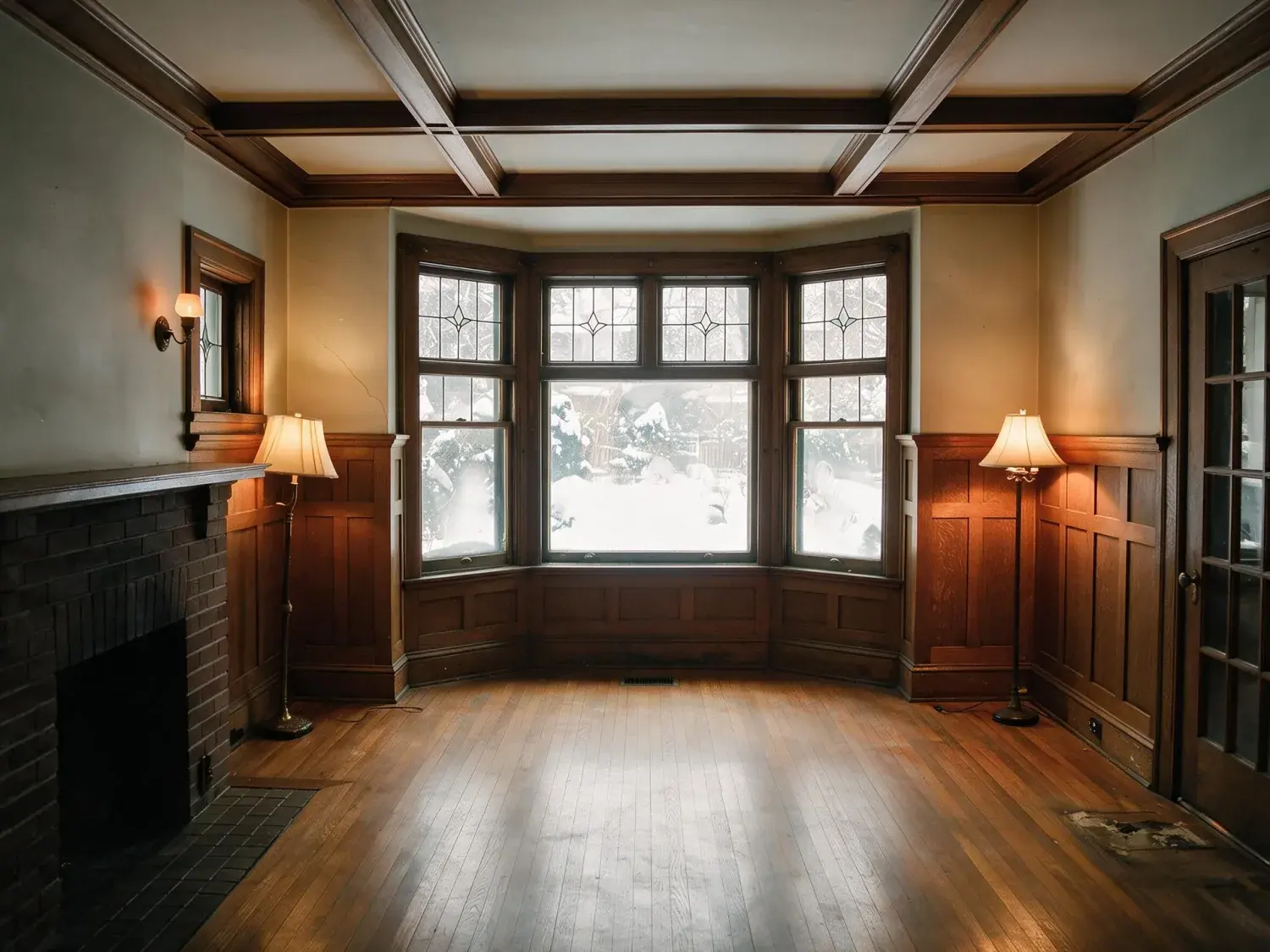
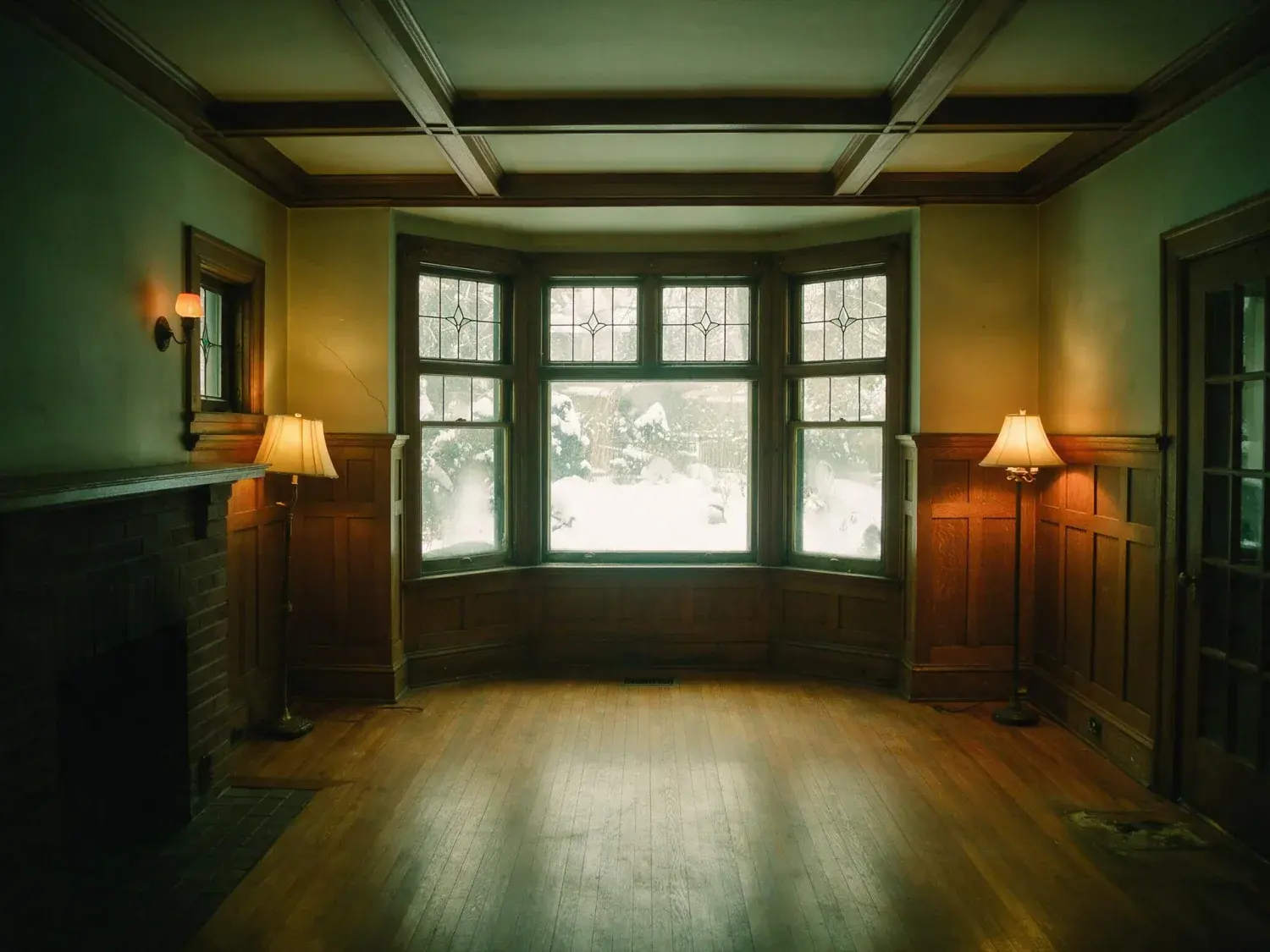
Before and after of a Rosedale living room, dim in winter light with the garden window blown out. — enhanced by Plotpane
Before and after of a Rosedale living room, dim in winter light with the garden window blown out. — original listing photo before editing
BeforeAfter
01

What a commercial photography quote is actually made of

Nobody publishes a defensible national average for commercial real estate photography, and most of the figures that circulate are residential rates with a zero added. Build the quote from the line items instead, because they price independently of each other. Capture time scales with the asset rather than with the asking price: a single-tenant industrial box with a dock elevation, a yard and a small office block might be forty minutes on site, while a twelve-suite medical office with tenants still working in it is half a day of waiting for corridors to clear. Access is its own cost — a property manager escort, a certificate of insurance naming the owner as additional insured, a badge-in at the loading dock. Travel bills by distance and by the hour lost to it. Aerials need a Part 107 remote pilot certificate under FAA rules, plus LAANC authorization where the site sits under controlled airspace, which a great deal of logistics stock does. A twilight exterior is a second trip at a fixed hour. Floor plans, a Matterport scan and video are separate deliverables with their own turnaround. Then, last, post-production: the pass that turns 180 raw frames into a set a broker can put in front of an investment committee. Six line items. Software touches one of them.

02

The post-production line, priced against what Plotpane actually charges

Plotpane is a metered subscription rather than a per-image retouch desk, so the editing line becomes a fixed monthly number you can divide out. Starter is $49 a month for 40 images, about $1.23 an image. Pro is $99 for 120, about 82 cents. Agency is $249 for 400, about 62 cents. Billed annually those plans are $39, $79 and $199 a month, which works out at roughly 98 cents, 66 cents and 50 cents an image. Every render costs exactly one credit whichever of the seven tools you run, so a straight exposure correction and a sky replacement cost the same. What that does not buy is two operations for one credit: if a dock elevation needs the sky replaced and then the verticals straightened, that is two renders and two credits. Subscription credits reset at the start of each billing period. They do not roll over, and there is no self-serve top-up on the site, so size the plan against a typical month rather than your quietest one — and when a heavy month lands on a small plan, the answer is moving up a tier, not stockpiling. Batches run 5 photos at once on Starter, 25 on Pro and 100 on Agency, with ZIP download on Pro and Agency.

  • Starter $49/40 images (~$1.23 each), Pro $99/120 (~83c), Agency $249/400 (~62c)
  • Annual billing: $39, $79, $199 a month — about 98c, 66c and 50c an image
  • 1 credit per render, any of the seven tools — two operations on one frame is two credits
  • Credits reset each billing period and do not roll over; no self-serve top-up
  • Batch 5 photos on Starter, 25 on Pro, 100 on Agency; ZIP download on Pro and Agency
03

Where the software stops, and the photographer's invoice does not

Plotpane does not shoot. It has no bearing on the day rate, the mileage, the escort, the COI, or the hour spent waiting for a tenant to open a suite. It does not fly, so the Part 107 line stays exactly where it is. It does not scan, so Matterport stays, and it does not produce video or floor plans at all. Day to Dusk moves a flat daylight exterior to golden hour with the windows lit, which genuinely replaces some twilight work — a retail frontage shot at noon, a suburban office with nothing on the signage — but it is not a substitute for a real dusk shoot where the client is buying lit tenant signage and traffic trails that were never in the frame. It cannot invent what was not photographed. It will not add glazing, redraw a facade, put a tenant into a vacant unit or render a redevelopment scheme; that is architectural visualization, a different discipline with a different price and a different deliverable. There is also no API, no DAM connector, no team seats, no brand presets and no white-label. One login per plan, files in and out through the browser. A brokerage marketing department that needs five people in one account does not have that here.

  • No capture, no travel, no site access, no waiting on an escort
  • No drone flying and no Part 107 certificate — that line stays on your invoice
  • No floor plans, no Matterport scans, no video
  • No invented architecture: no added glazing, redrawn facades or redevelopment schemes
  • No API, no DAM connector, no team seats, no brand presets, no white-label
04

File handling, from the bracket set to CoStar, LoopNet and the OM

Input accepts JPEG, PNG, WebP and HEIC. It does not accept camera raw, which matters for a bracketed commercial workflow: the five-exposure merge on a glass lobby still happens in Lightroom, Photomatix or Aurora, and Plotpane picks up the exported JPEG afterwards. Output is a JPEG at quality 92, about 2.4K, or roughly 4.7K for a second credit. There is no layered file and nothing press-ready, so a designer laying out the offering memorandum in InDesign or building it in Buildout gets the same JPEG the portals get. Each render takes about two minutes, measured, so a 40-frame industrial set is an errand rather than an instant. CoStar, LoopNet and Crexi all re-encode and resize on upload for their own galleries, so send the largest clean JPEG you have and let their pipeline do the reduction instead of pre-shrinking to a spec you read somewhere — and check the current upload limits in their own help pages rather than trusting a number in an article, this one included. On a typical commercial set the tools that earn their credit are Perspective Fix on the tipped-back tower shot, Sky Swap on a blank-overcast dock elevation, Clutter Removal for an outgoing tenant's chairs and pallets, and Auto Enhance on the underexposed arrival lobby.

05

Disclosure, and the part that is your judgement rather than the software's

Commercial listings sit largely outside the residential MLS staging-disclosure rules, because there is usually nothing to stage in a shell. That does not make edited commercial photography lower stakes. A broker's frame gets pulled into an offering memorandum, an email blast and a lender package, and it will eventually be studied by a buyer's rep assembling a condition file. Every Plotpane export carries an XMP packet naming the operation, the engine and the timestamp, so the edit is traceable in the file itself rather than in somebody's memory. If you stage an empty floorplate as an office fit-out, there is an optional visible "Virtually Staged" label you can switch on per render. Here is the part the software will not decide for you: Clutter Removal removes exactly what you name, and what you name can be a condition rather than clutter — the dented dock bumper, standing water on the apron, the brown stain across two ceiling tiles under the riser. It will do it if you ask. The metadata will record that something was removed; it will not record that removing it was appropriate. Where a photograph feeds diligence, that judgement belongs to the broker and the photographer, and it stays with them.

For this region

Local questions, answered

How much to charge for commercial real estate photography?+

There is no honest national number, and most of the ones quoted online are residential rates dressed up. Build it from your own floor: hours on site for the asset actually in front of you, travel, the escort and COI paperwork, aerials if the site needs them and you hold a Part 107 certificate, a second trip for twilight, and the post-production pass. Then add the margin your market supports. The two variables that move the figure most are asset class and usable frame count — a single-tenant industrial box with eight good frames is not the same job as a mixed-use ground floor with retail bays, an arrival lobby and a parking deck. Price the day for anything that keeps you on site more than an hour, and keep drone, twilight, floor plans and video as named add-ons, because those are the lines a broker will drop first to hit a budget.

How to price commercial real estate photography?+

Three models are in common use and they suit different work. A flat per-asset fee works for repeat leasing shoots where you already know the building. Per square foot works for large-floorplate office and industrial, where the time cost tracks the area you have to walk. A day rate works for portfolio work across several buildings, where travel and access dominate and frame count is meaningless. Whichever you use, add-ons never live inside the base price: aerials, twilight, floor plans, Matterport and video are separately named and separately dropped. Put post-production on the quote as a visible line even when software does it. A broker asking for a discount should be choosing to drop something specific rather than negotiating against a total they cannot see inside. If you run the edit on Plotpane, that line has a real, checkable cost behind it: one credit per render, about 82 cents an image on the Pro plan.

How much should I charge for commercial real estate photography if I'm coming from residential?+

Work backwards from your cost floor before you look at anyone else's rate card. Gear and its replacement, liability insurance — many commercial property managers will ask for a certificate naming the owner as additional insured before they let you past the lobby — travel, and your editing tooling. On Plotpane's Starter plan at $49 a month for 40 images, a 20-frame commercial set carries roughly $25 of editing cost before you have valued a minute of your own time. The mistake most often carried over from residential is pricing on frame count. In commercial work the cost is access and waiting: the escort who is late, the tenant suite that cannot be shot until 6pm, the loading dock that is in use all morning. Price the time the building takes, not the number of files you deliver.

How to charge for commercial real estate photography — per photo, per shoot, or per hour?+

Per shoot, with the hours and the deliverable both written down, is the cleanest for most jobs. Commercial photography is also commonly licensed rather than sold outright: the client buys usage for the marketing of that asset for a defined term, which is why a set shot for a leasing campaign is priced again when the owner wants it for a disposition flyer two years later. Say so on the invoice rather than leaving it implied. Take a deposit, define what counts as a reshoot at your cost versus theirs, and name the rush fee before anyone needs it. Running post-production on a subscription changes one useful thing about that conversation: your marginal cost for an extra frame is a known number rather than a guess, so "can you add six more from the mezzanine" is a scheduling question, not a pricing one.

What is included in a commercial real estate photography package?+

A standard package is usually exterior elevations from two or three approaches, the arrival lobby, representative interior suites or bays, amenity and common areas, the yard, dock or parking provision, and one hero frame for the listing thumbnail. Delivery is normally web-sized JPEGs for CoStar, LoopNet and Crexi plus a full-resolution set for the offering memorandum. What is not included unless it is named: twilight, aerials, floor plans, Matterport, video, and unlimited revisions. If the edit runs through Plotpane, the post-production scope has a clear boundary — exposure and color correction, straightening leaning verticals, sky replacement, clutter removal, day to dusk, lawn and water clean-up, and virtual staging of empty floorplates. One credit per render, about two minutes each. Nothing in that list adds architecture that was not photographed.

What does the editing pass cost if I run it through Plotpane?+

Every render is exactly one credit, whichever of the seven tools you use. Starter is $49 a month for 40 credits, Pro $99 for 120, Agency $249 for 400; annually those are $39, $79 and $199 a month. That is about $1.23, 83 cents and 62 cents an image monthly, or roughly 98 cents, 66 cents and 50 cents annually. Two operations on the same frame — say a sky swap and then a perspective correction — are two renders and two credits, so budget by operations rather than by photographs. Subscription credits reset each period and do not roll over, and there is no top-up to buy on the site, so pick the tier that matches a normal month. Batch ceilings are 5, 25 and 100 photos at once, and Pro and Agency can download a finished set as a ZIP.

Does Plotpane replace a commercial real estate photographer or drone operator?+

No, and a page that claimed otherwise would be lying to the person most likely to read it. Plotpane edits a photograph that already exists. It does not travel to the site, negotiate access, choose the lens, wait out the tenant, fly anything, or hold the Part 107 certificate the FAA requires for commercial drone work. It also does not deliver floor plans, Matterport scans or video. What it replaces is the post-production line on the invoice — the exposure and color pass, the leaning verticals, the blank overcast sky, the outgoing tenant's clutter — at one credit per image and about two minutes per render. If your quote is losing to a cheaper photographer, editing software is not the reason, and buying it will not fix that.
Pricing

One credit per image.
Every tool, every plan.

Three plans. Every tool unlocked on all of them. Every render unmarked, standard or high resolution, cancel anytime.

Every plan starts with 3 free renders. No card until you subscribe.

Starter

For the solo agent shooting their own listings.

$39/month

billed yearly

40 credits monthly

  • 40 images per month — 1 credit each, whichever tool you use
  • No Plotpane mark on any render
  • Every tool, no tier gating
  • Standard output ~2.4K, or ~4.7K for a second credit
  • XMP disclosure metadata written into every export
  • Up to 5 photos per batch
  • Email support
Subscribe to Starter

For one agent, listing by listing.

Most popular

Pro

For top-producing agents and real-estate photographers.

$79/month

billed yearly

120 credits monthly

  • 120 images per month — 1 credit each, whichever tool you use
  • No Plotpane mark on any render
  • Up to 25 photos per batch, one preset across the shoot
  • Download a finished listing as a ZIP
  • Everything in Starter
  • Priority support
Subscribe to Pro

The plan a working photographer buys.

Agency

For brokerages, teams, and photography networks.

$199/month

billed yearly

400 credits monthly

  • 400 images per month — 1 credit each, whichever tool you use
  • No Plotpane mark on any render
  • Up to 100 photos per batch
  • Download a finished listing as a ZIP
  • Everything in Pro
  • Direct line to the founder, not a ticket queue
Subscribe to Agency

For a brokerage running whole shoots.

FeatureStarter$39/mo annualPro$79/mo annualAgency$199/mo annual
Renders per month40120400
Credits per image111
All seven tools
Free renders on sign-up333
Plotpane mark on the imageNoneNoneNone
Standard output (~2.4K)
High resolution (~4.7K, second credit)
XMP disclosure written into every export
Optional visible “Virtually Staged” label
Photos per batch525100
Download a set as a ZIP
Refund a render that came back wrong
SupportEmailPriority emailDirect to the founder
Cancel anytime, one click
At volume

A 25-photo listing costs 25 credits.

That is the whole pricing model. No per-tool rates, no seat maths, nothing to negotiate. We are not SOC 2 certified and there is no SSO, private deployment or API — if you need those to buy, better you know now than after a call.

Starter

1

listings
a month

Pro

4

listings
a month

Agency

16

listings
a month

Questions

The usual questions,
answered directly.

  • No. Midjourney and DALL-E invent scenes from text prompts — beautiful for art, disqualifying for a listing. Plotpane is a structure-preserving pipeline: your room geometry, windows, and floor plan stay exact. We stage, re-light, swap skies, declutter, and enhance your actual photo. No hallucinated architecture, no invented rooms.

  • BoxBrownie and Styldod are human-edit services: you upload, a retoucher works overnight, you get a result in 24–48 hours at $2–$32 per image per treatment. They also sell things we do not have at all — floor plans, renderings, item removal by a person who can ask you what you meant. Plotpane is one machine pass: you pick one of seven tools, and the image comes back in about two minutes for one credit, whichever tool you picked, on a flat monthly subscription. Stacking two treatments on one photo means running it twice.

  • Yes, when disclosed. NAR guidelines, California AB 723, and REBNY Rule 3.3 all allow virtually staged photos provided the listing discloses them. Every Plotpane export embeds invisible XMP disclosure metadata so the staging record travels with the file. You still handle the listing-remarks disclosure in your MLS portal — that's the part only you can do.

  • Every render is sent with a preserve list as well as an instruction. It names one operation and forbids the rest: do not touch windows, doors, walls, ceilings, floors, cabinetry or fixtures unless the instruction names them; do not remove or conceal a defect, stain or crack; do not change what is visible through glass, and never invent a view. Furniture is added to empty rooms; named objects are removed from furnished ones; sky and light are re-graded. If you do see something invented, that is a bug — report the render in the app and the credit comes back.

  • Yes — one click in the Stripe billing portal from your dashboard. Billing stops immediately, remaining credits stay usable through the end of the billing period, and there's no cancellation fee.

  • Yes — any AI-generated or AI-modified image is considered an edit requiring disclosure under NAR's standards. That's why every Plotpane export writes invisible XMP disclosure metadata by default. The flag is machine-readable by MLS tooling and survives Lightroom round-trips. You still add the disclosure line to your listing remarks; we make sure the image itself is self-describing.

Ready when you are

Stop re-uploading.
Start shipping listing-ready.

Seven tools, one credit an image, a finished JPEG back in about two minutes — on every plan.

Get startedSee the before/aftersEvery tool on every plan · cancel anytime